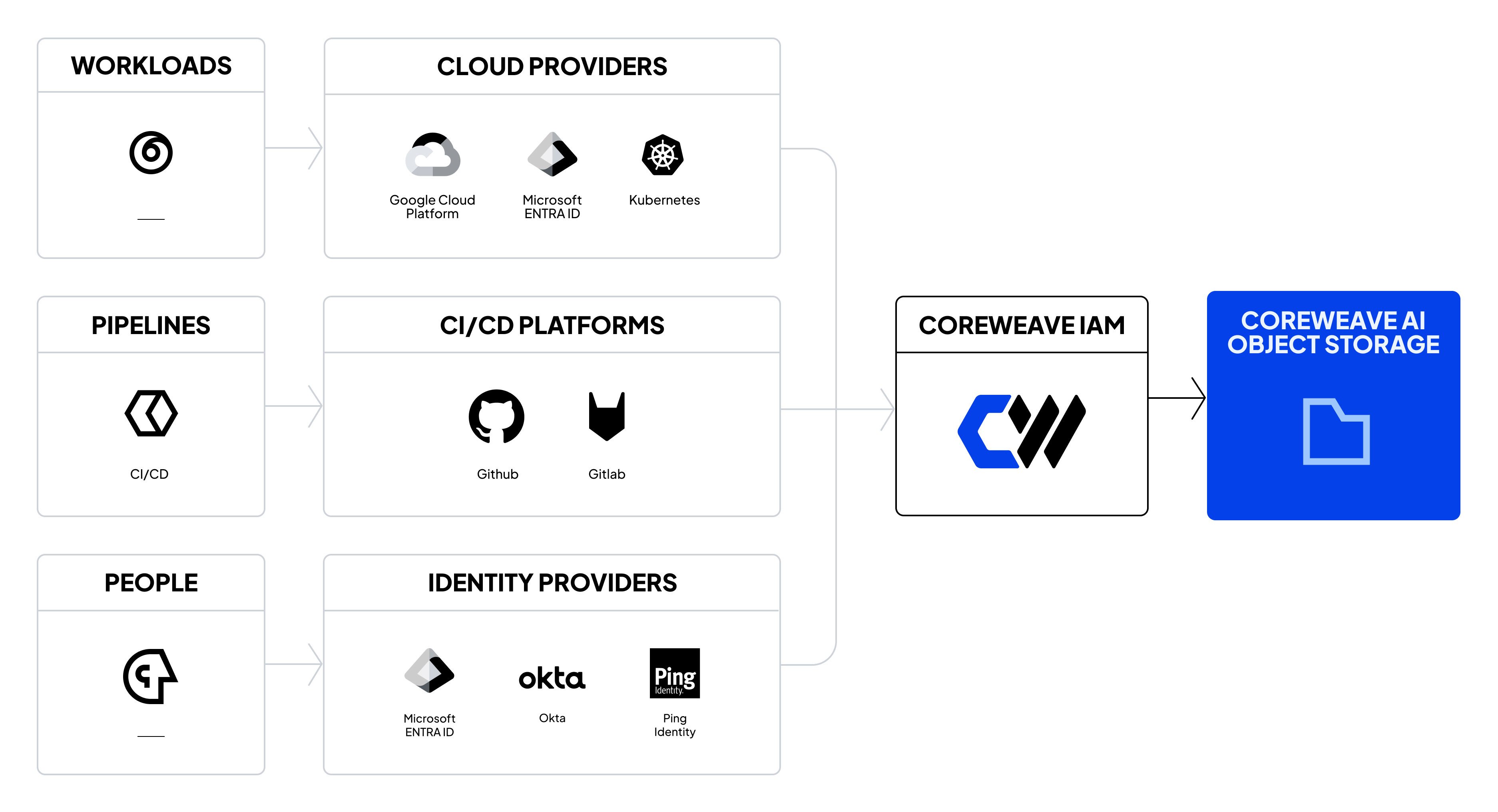
Workload Identity Federation (WIF) enables your applications to access CoreWeave AI Object Storage using tokens from your existing identity provider (IdP). This approach eliminates the need to store long-lived credentials in your applications or configuration files. This page explains how WIF works, how its components fit together, and which setup guide to follow. OpenID Connect (OIDC) is the default protocol for new integrations.
How it works
Instead of managing static API keys, your applications obtain tokens from your identity provider and exchange them for temporary CoreWeave access credentials. These credentials expire after a configurable duration, and your applications refresh them by exchanging new tokens as needed.
Workload Identity Federation handles only authentication, which verifies that your workload is who it claims to be based on your IdP’s tokens. Your organization access policies authorize the WIF role as a principal in your organization. Add a bucket access policy when you need to control a specific resource.
Supported protocols
CoreWeave supports the following protocols for Workload Identity Federation:
- OIDC is the default for new integrations. It uses JSON Web Tokens (JWT) and supports programmatic access patterns for Kubernetes, cloud environments, and other workloads with an OIDC-capable identity provider.
- CoreWeave offers Security Assertion Markup Language (SAML) by request to organizations with an existing SAML requirement. It uses XML-based assertions and supports integrations with enterprise identity providers. Before you plan a SAML integration, contact your CoreWeave account team.
Connect WIF to access policies
Workload Identity Federation issues temporary credentials tied to a role identity, and you must then create access policies that grant permissions to that role. This step is separate from the authentication process, and you must configure both.
Use an organization access policy to grant actions to the WIF role. Use a bucket access policy to control a specific resource, including access from other organizations. For more information, see Policy evaluation.
Get started
Follow Use Workload Identity Federation with OIDC to configure WIF for your workloads.
The guide covers the full workflow: configure your IdP, create a WIF configuration in the Cloud Console, set up access policies, and exchange tokens for credentials.
If your organization requires SAML and your CoreWeave account team confirms availability, follow Use Workload Identity Federation with SAML.
For provider-specific OIDC setup, see Common OIDC providers, including GitHub Actions and other Kubernetes clusters. For CKS clusters, see the CKS Object Storage authentication tutorial. Last modified on October 8, 2026