

Overview
Support Access Management gives your organization visibility and control over when and how CoreWeave employees access your CKS environment for support purposes. This page describes how the feature works, what systems it covers, how approvers in your organization review access requests, and what logs are available for auditing. With Support Access Management enabled, every CoreWeave-initiated access to your environment is:- Request-based: CoreWeave employees must submit a Teleport access request before accessing any resource.
- Customer-approved: Access is granted only after a member of your organization with the
Access Request Approverrole approves the request. - Time-bound: Approved access expires automatically after 8 hours.
- Auditable: CoreWeave logs all sessions and the actions taken within them.
Included systems
CoreWeave employees may request access to different systems within a CKS environment. The following table describes the specific systems and their typical methods of access:
CoreWeave never impersonates specific individuals within your organization.
Access to CKS clusters
When CoreWeave requests access to your CKS cluster, the request specifies the level of access needed. When you review the request, you see the requested role and can deny the request if the permissions are inappropriate. CoreWeave employees may request the following roles:Access to physical servers
In some situations, CoreWeave employees may need to access your physical servers through SSH. This lets CoreWeave run low-level networking diagnostics, troubleshoot issues with Kubelets, and more. CoreWeave typically requests login as theacc user, which has sudo access.
Manage access requests
When a CoreWeave employee needs to access your environment, your organization receives a notification and reviews the request before CoreWeave grants any access. The following sections describe how CoreWeave delivers notifications and how approvers in your organization respond to each request.Receive access request notifications
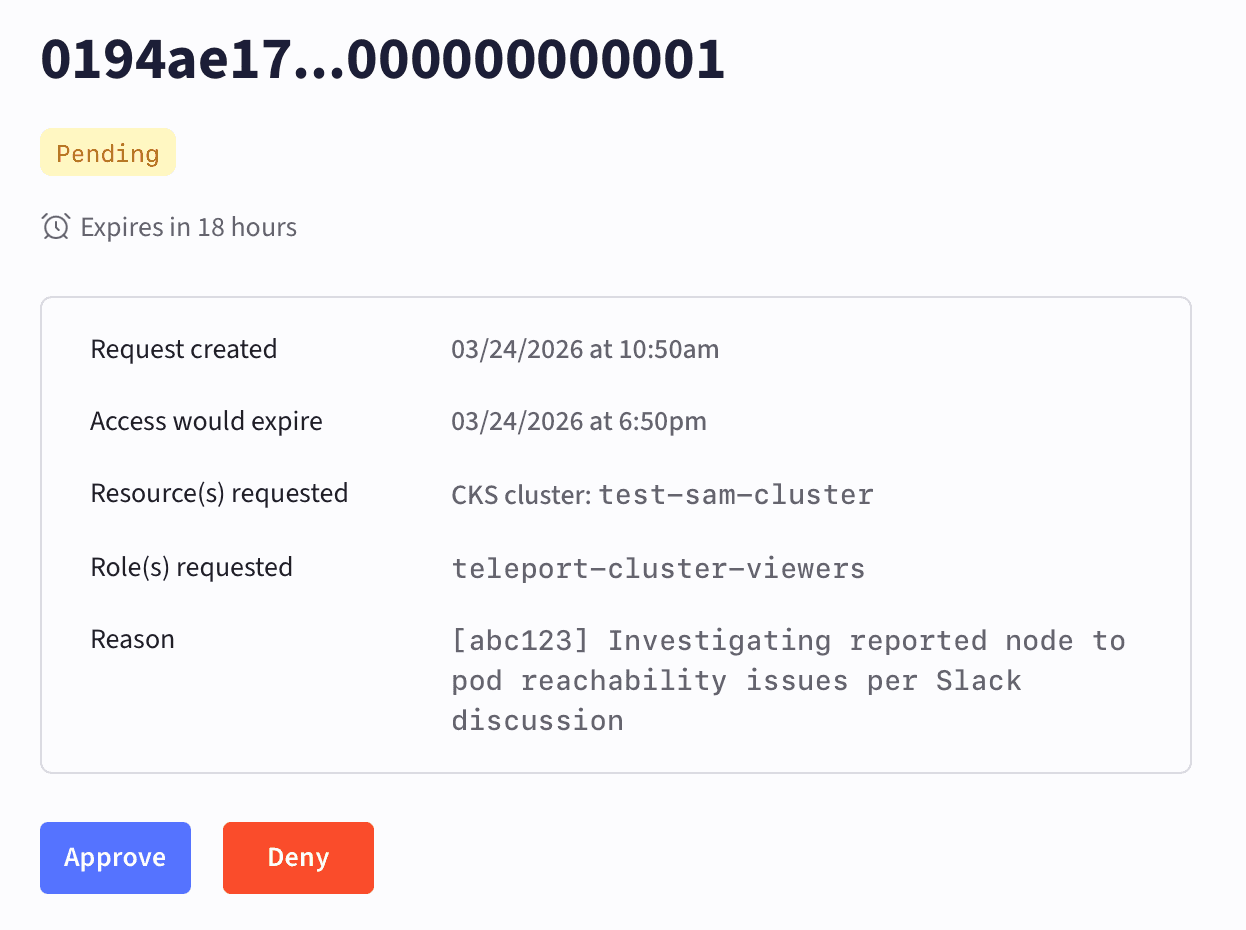
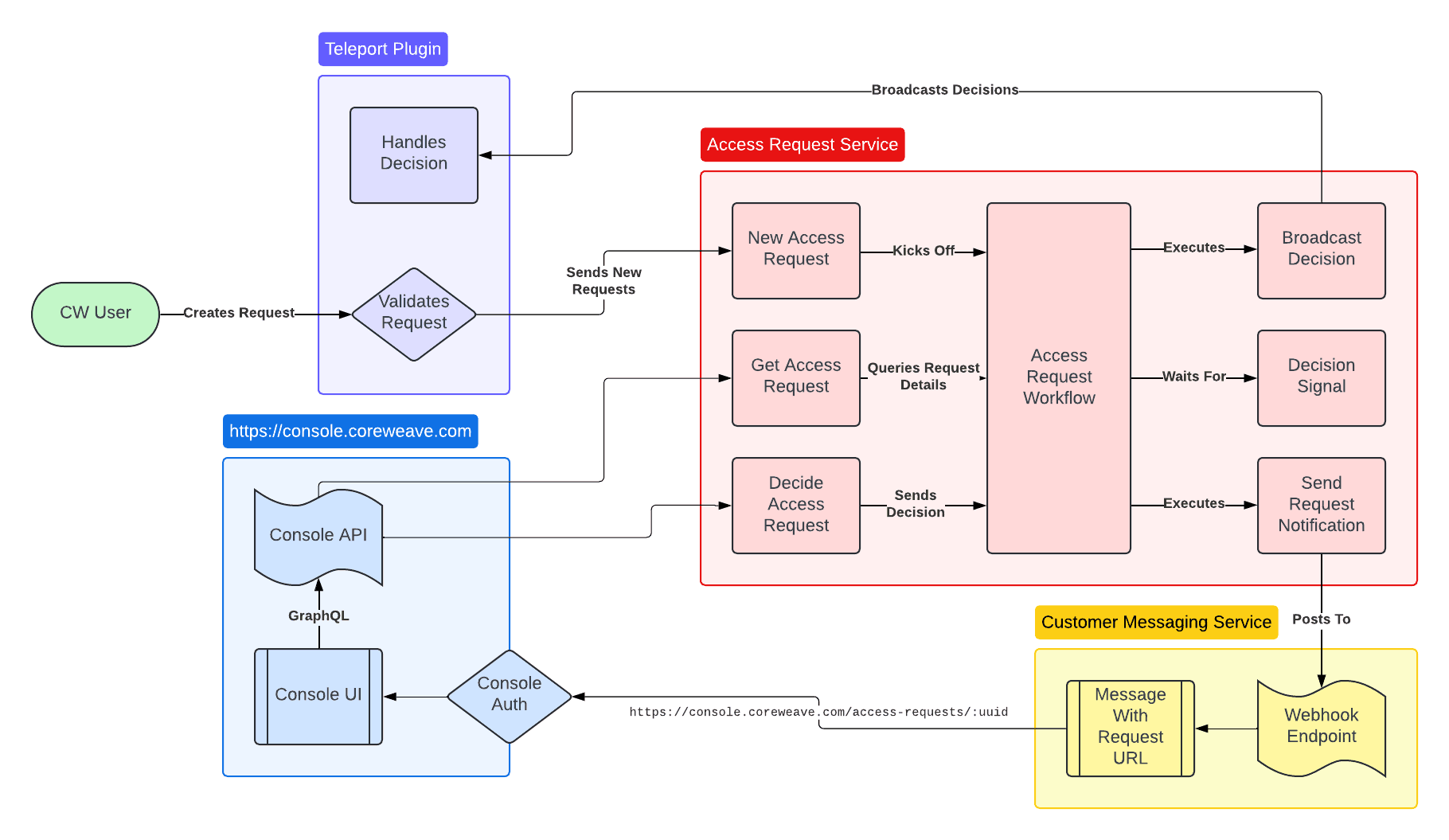
When a CoreWeave employee requests access to a system within your CKS environment, you receive a notification. This notification includes a link to the Cloud Console, where you can review the details of the request. These details include the resources and permissions that the CoreWeave employee is requesting access to, and the reason for the request. CoreWeave delivers notifications by email to members of your organization with theAccess Request Approver role. Only users with this role can approve or deny access requests.
If you enable Support Access Management, CoreWeave requires that you monitor your notification channel at all times to review and approve access requests promptly.
New access requests appear in the Pending state in the Cloud Console:
Approve requests
After reviewing an access request, you can approve it in the Console to grant CoreWeave access to your environment. Approved requests display the date and time of approval and identify the person in your organization who approved them: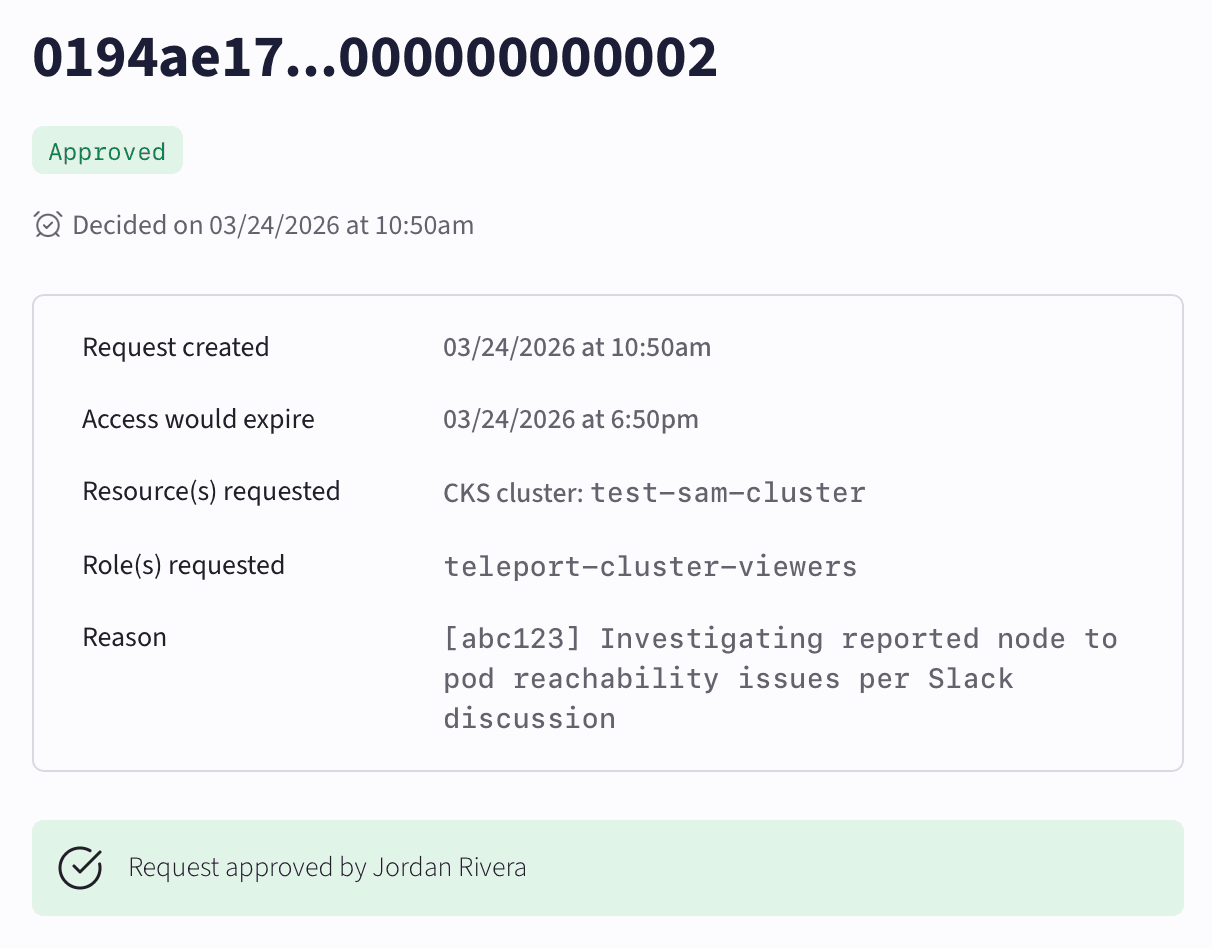
Deny requests
After reviewing an access request, you can deny it. Denied requests display the date and time of denial and identify the person in your organization who denied them: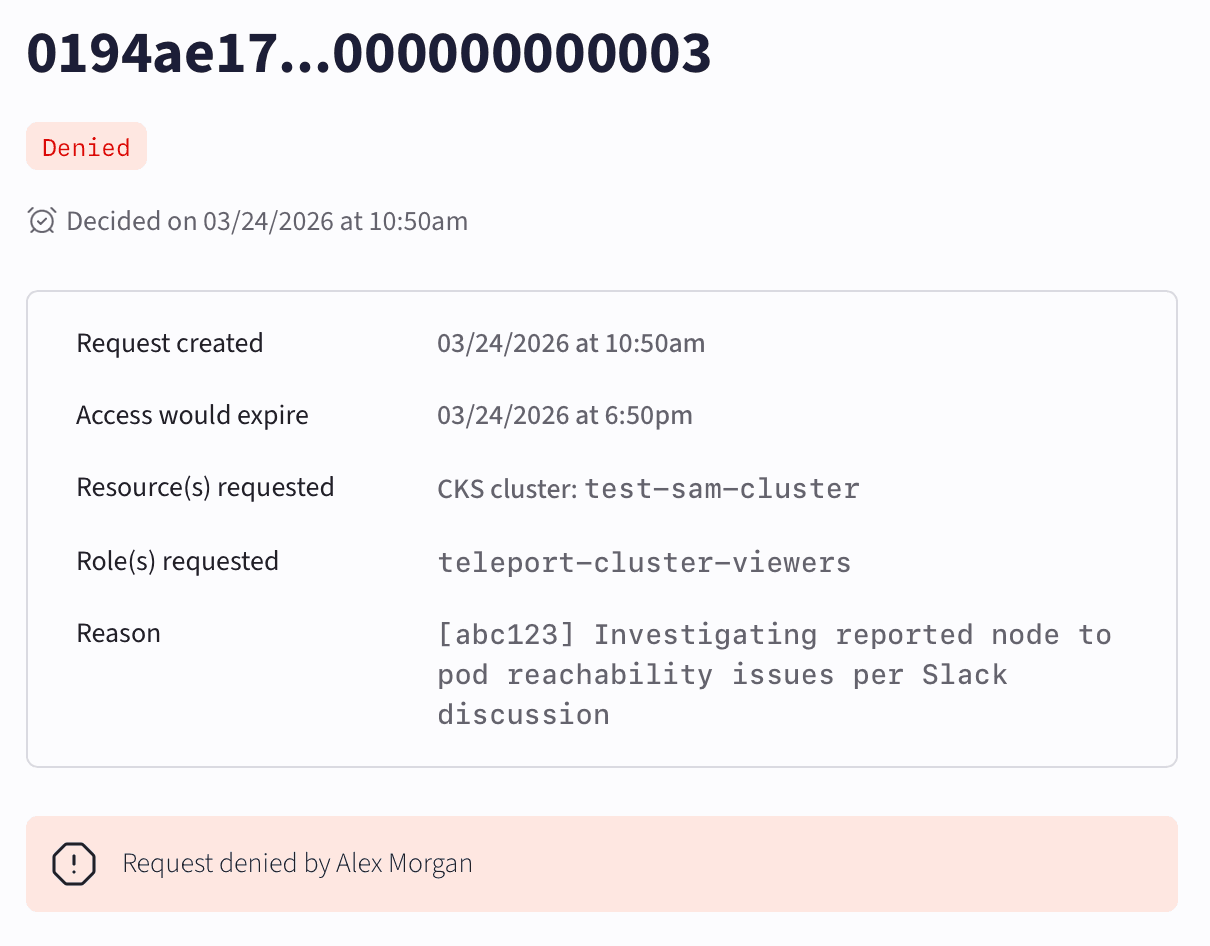
Expired requests
After receiving an access request, you have 2 hours to either approve or deny it. Requests that don’t receive a response within 2 hours automatically expire and don’t grant CoreWeave any access to your environment. If this occurs, CoreWeave informs you that it won’t access the requested resource, and may send a new request or attempt to troubleshoot without access to the system.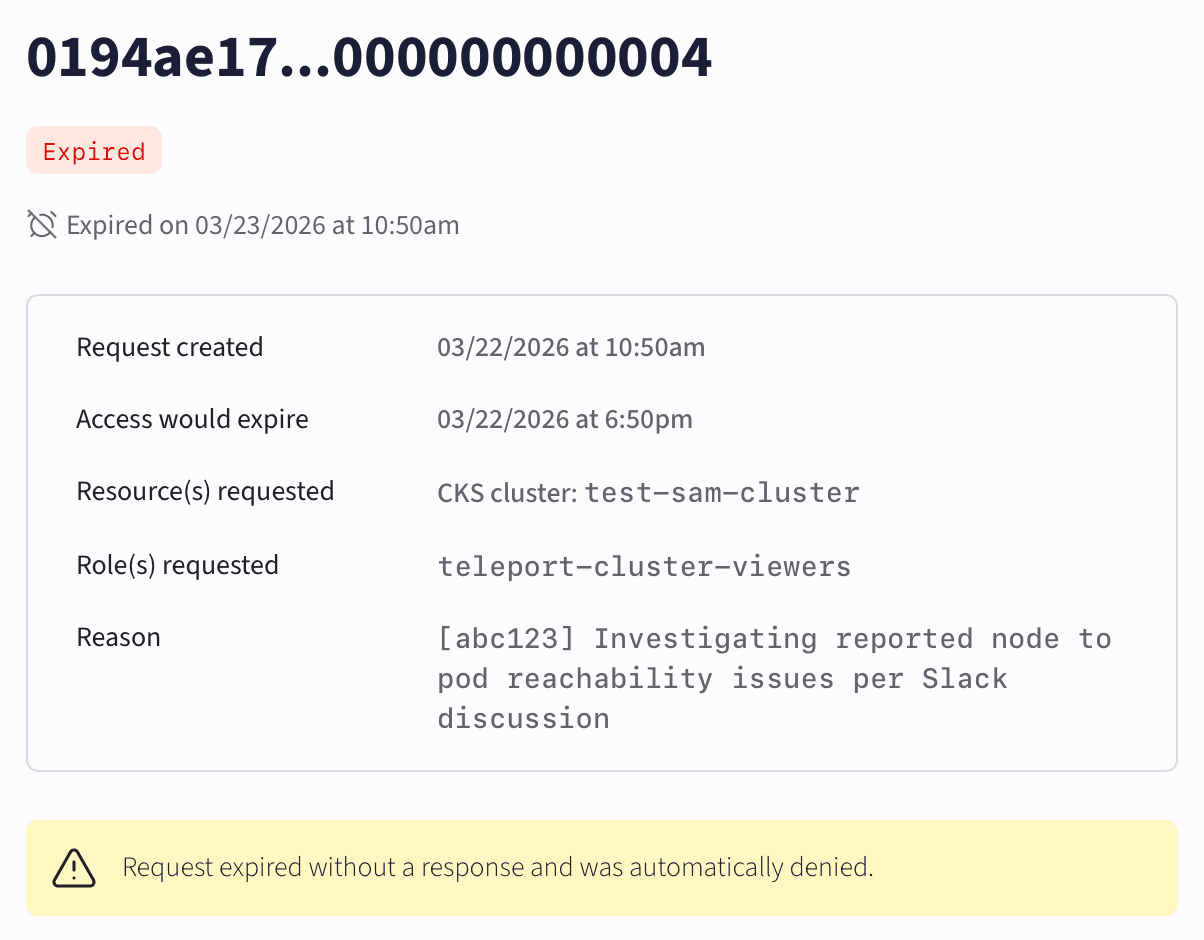
Logs and forwarding
CoreWeave can provide three types of logs related to support access activity:Teleport audit logs
Teleport audit logs contain every access request, approval, and denial related to the in-scope resources. CoreWeave can forward Teleport audit logs automatically through CoreWeave Telemetry Relay. CoreWeave labels these audit logs to distinguish them from Kubernetes logs. After forwarding, you fully control audit log management. Because CoreWeave may not be able to resend previously forwarded logs, follow best practices for log retention within your organization.Kubernetes audit logs
Kubernetes audit logs contain user actions, resource changes, authentication details, and metadata associated with all CKS cluster API interactions. CoreWeave Grafana includes a Kubernetes audit log dashboard to view and query these logs in a tabular format. CoreWeave can also forward Kubernetes audit logs automatically through Telemetry Relay.Teleport session logs
Teleport session logs contain detailed records of the commands the CoreWeave employee executes during their approved period of access. CoreWeave can provide session logs on request, with a turnaround time of 24 hours. Before providing the logs, CoreWeave verifies that a user with theAccess Request Approver role initiated or approved any requests for session logs.
Session logs remain available for forwarding for 12 months after the start of the session.
System architecture
CoreWeave employees can only access Teleport through the secure corporate access network, using a CoreWeave-monitored device such as a company-issued laptop. When you enable Support Access Management, only users with theAccess Request Approver role in your organization can approve Teleport requests. The following diagram details the system architecture for Support Access Management:
Get started
Support Access Management is an opt-in feature. To enable it for your organization, contact Support. After CoreWeave enables Support Access Management, CoreWeave recommends assigning theAccess Request Approver role to multiple members of your organization across different time zones to ensure requests can be approved at any time. Access requests expire after 2 hours without a response.
To enable log forwarding for support access activity, configure Telemetry Relay.