

Controller versionThis documentation describes deploying ARC version 0.13.0, which uses the autoscaling architecture with
AutoscalingRunnerSet resources. This is the approach maintained by GitHub.Prerequisites
- Access to a SUNK cluster with Kubernetes.
- Cluster admin access or permissions to create namespaces and deploy applications.
- A GitHub organization or repository where you want to register runners.
- GitHub organization admin permissions (for creating GitHub Apps).
- For GPU runners: A SUNK cluster with the SUNK Pod Scheduler deployed.
Create a GitHub App
ARC authenticates to GitHub using a GitHub App, which provides the credentials the controller uses to register runners and receive job events. Follow these steps to create one:-
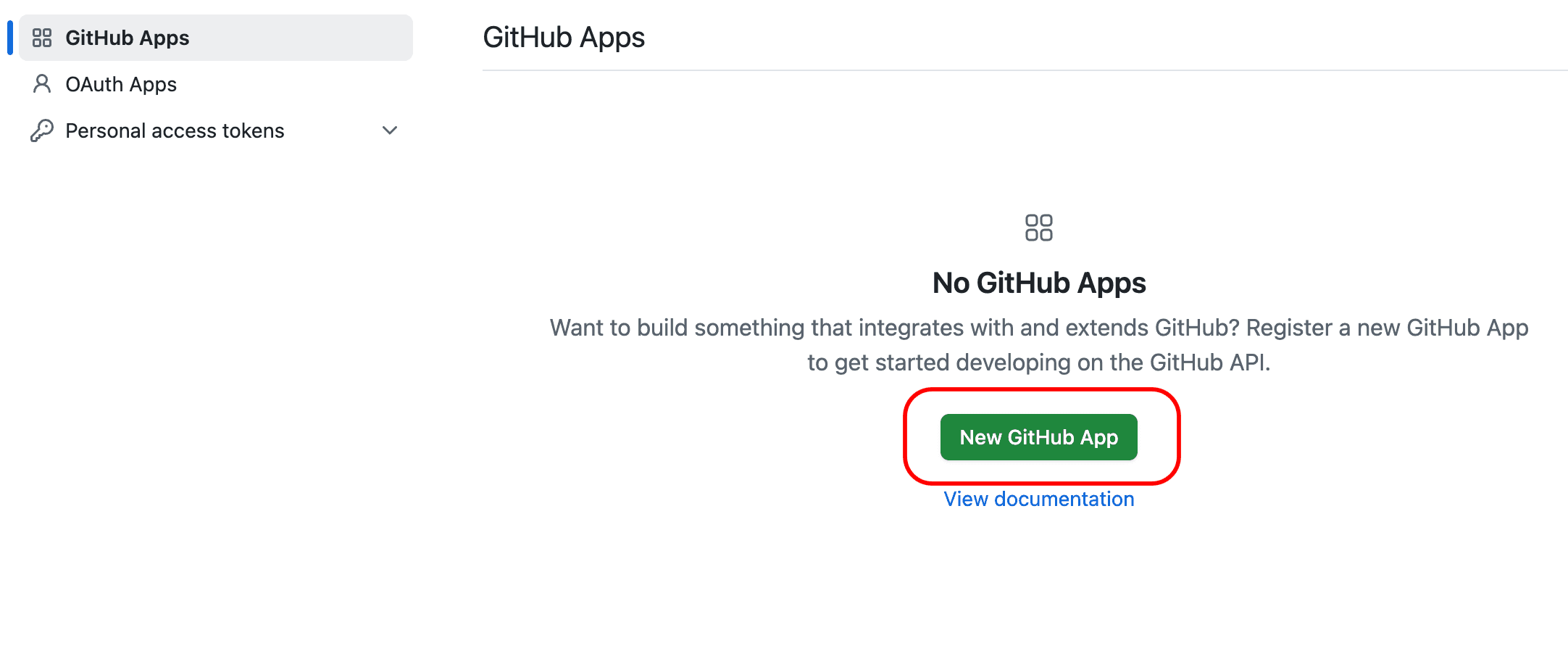
Navigate to your GitHub organization settings, select Developer settings, then GitHub Apps, and then select New GitHub App:
-
Configure the GitHub App with the following values:
- GitHub App name: Choose a name, for example,
arc-controller. - Homepage URL: Use your organization URL.
- Webhook: Clear “Active” (not needed for basic setup).
- GitHub App name: Choose a name, for example,
-
Set the following permissions:
Repository permissions
Organization permissions
- Select Create GitHub App.
- Note and save the App ID from the app details page.
-
Generate and download a private key by going to the Private keys section and selecting Generate a private key. Save the downloaded
.pemfile. -
Install the GitHub App:
- In the left sidebar, select Install App.
- Select your organization.
- Choose All repositories or specific repositories.
- Note the Installation ID from the URL. For example, in
https://github.com/organizations/[ORG-NAME]/settings/installations/12345678, the number is your Installation ID.
Deploy the ARC controller
With the GitHub App in place, deploy the ARC controller into your cluster. The controller monitors GitHub workflow jobs and creates ephemeral runner pods on demand. Create the configuration files for deploying the ARC controller in your GitOps repository.-
Create the namespace configuration file at
namespaces/actions-runner-system.yaml:namespaces/actions-runner-system.yaml -
Deploy the manifest:
-
Create an Authentication Secret with your GitHub App credentials at
secrets/arc/controller-manager.yaml:Replace the following with your values:secrets/arc/controller-manager.yaml[APP-ID]with your GitHub App ID.[INSTALLATION-ID]with the installation ID from the URL.[PRIVATE-KEY-CONTENT]with your actual private key content.
-
Create the Helm values file for the controller at
arc/controller-values.yaml:arc/controller-values.yaml -
Add the ARC controller to your ArgoCD Applications manifest:
Apps.yaml
-
Commit and push the changes to deploy the controller. Verify it’s running:
You should see the controller pod with status
Running.
Configure runner scale sets
With the controller running, the next step is to register one or more runner scale sets that the controller manages. Each scale set maps a GitHubruns-on label to a pod template, so you can target different workload types from your workflows. You can deploy multiple runner scale sets for different workload types. The following sections describe examples for CPU and GPU runners.
CPU runners
-
Create a values file for CPU runner scale sets at
arc/cpu-runner-values.yaml:Replace the following with your values:arc/cpu-runner-values.yaml[ORG-NAME]with your GitHub organization name.- For repository-level runners, use
https://github.com/[USERNAME]/[REPO-NAME]. - For enterprise runners, use
https://github.com/enterprises/[ENTERPRISE-NAME].
-
Add the CPU runner scale set to your ArgoCD Applications:
Apps.yaml
GPU runners with SUNK Pod Scheduler
GPU runners require an extra layer of configuration so that job pods are scheduled through the SUNK Pod Scheduler and request GPU resources correctly. For GPU workloads that require SUNK Pod Scheduler integration, create both a pod template ConfigMap and a values file.-
Configure your SUNK Pod Scheduler name.
Replace
[SCHEDULER-NAME]with your SUNK Pod Scheduler name. On SUNK 8.0 and later, it defaults to theSlurmClustername followed by-scheduler: the Helm release name on SUNK Standard, or theSunkClustername on SUNK Self-Service. A release namedslurmgivesslurm-scheduler. To read the name from your cluster, query the scheduler’s ConfigMap:On SUNK 7.x, the default is[NAMESPACE]-[RELEASE-NAME]-schedulerand the name is a--scheduler-nameargument on the scheduler Pod instead. See Look up the scheduler configuration. For details on SUNK Pod Scheduler configuration and annotations, see SUNK Pod Scheduler. -
Create a pod template ConfigMap. ARC supports container hooks that let you customize the pod specification for job containers. Create a ConfigMap with pod templates at
arc/supporting/podtemplates.yaml:arc/supporting/podtemplates.yaml -
Add this as a supporting application to deploy the ConfigMap:
Apps.yaml
-
Create a values file for GPU runners. This configuration uses ARC’s container mode with Kubernetes container hooks to apply the SUNK scheduler pod template to job containers:
The container mode configuration enables the following:arc/gpu-runner-values.yamlThis allows GitHub Actions jobs to run as separate pods with SUNK scheduler annotations and GPU resources applied through the pod template.
-
Add the GPU runner scale set to your ArgoCD Applications:
Apps.yaml
- Commit and push to deploy the runner scale sets.
Use runners in workflows
With the scale sets registered, you can now route GitHub Actions jobs to them from any workflow in your organization. Target your self-hosted runners in GitHub Actions workflows using theruns-on key with the runner scale set name.
Runner scale set namesThe
runs-on value must match your Helm release name:arc-runner-cpucorresponds tohelm install arc-runner-cpu ....arc-runner-gpucorresponds tohelm install arc-runner-gpu ....
Verify the installation
Use the following checks to confirm that the controller is running, the listener is connected to GitHub, and runner pods are created when a workflow runs. Check that the runner scale set is deployed:schedulerName set to your SUNK scheduler.
Scaling configuration
This section describes how runner scale sets respond to workflow demand and how to tune the minimum and maximum runner counts. Runner scale sets automatically scale based on workflow job demand:
To customize scaling limits, add to your values file:
Additional resources
- Actions Runner Controller GitHub repository
- GitHub Actions documentation
- ARC documentation
- Schedule Kubernetes pods with Slurm. SUNK scheduler configuration and annotations.