

Description
This function provides a way to add new columns to your dataset or update existing ones. This can be done by calculations based on existing columns.Application
Whenever an information is missing in your dataset which can be derived from existing columns you can use Quick Columns for this. Examples are:- Convert units of an existing column (for example, hour to seconds).
- Calculate material property based on temperature (for example, density).
- Add a label or boolean column based on other columns which can be used to filter later.
- Create a quantity of interest based on multiple existing columns, like a ratio of different parameters.
How to use
- Choose the dataset to work on in the field Data.
- Specify the Name of the new column. This will be the ID by which the new column can be referenced. If you put in the name of an existing column that column will be overwritten.
- Choose the Operation by which to calculate the new column. Your choice determines which further fields appear and need to be filled.
- After you filled all fields you can choose if you want to overwrite the current dataset (which will usually just have one column more) or save a copy of the resulting dataset under a new name by choosing Save output under different name.
- Click Apply to execute the step.
Available Operations
The inputs are described in a separate table below.Operation | Inputs | Results |
|---|---|---|
Difference | Two columns |
|
Ratio | Two columns |
|
Sum | Multiple columns |
|
Mean | Multiple columns |
|
Maximum | Multiple columns |
|
Minimum | Multiple columns |
|
Absolute value | Single column |
|
Log10 value | Single column |
|
Anti-Log10 value | Single column |
|
Split | Single column Additional parameters: Separator: This can be any String and it will be used to split the data of the source column. The separator string itself will be removed from the result.   | See examples below |
Multiply by constant | Single column  |
|
Constant value | Additional parameter: Constant value input field where the user can type any value (numerical or categorical). 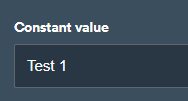 |
|
Concatenate | Additional parameter: Separator (can be any string, for example: ”  |
|
Examples
Find below some examples of the split operation- You can overwrite an existing column by using the exact the same name in the field Name of the new column.
- If your transform is a more complex equation this requires several steps of Quick Columns. If your equation is very complex using one single step with a custom code operation might be the better option. Our team can assist if this is the case.