results.csv).
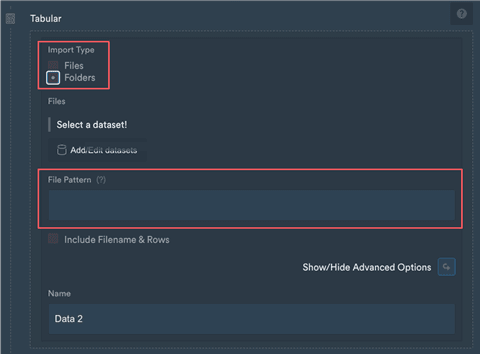
This is something that you can do in the platform. If you create a new Import & Export > Tabular step, switch to Import Type Folders to enable the recursive import mode.
A new field called File Pattern appears:
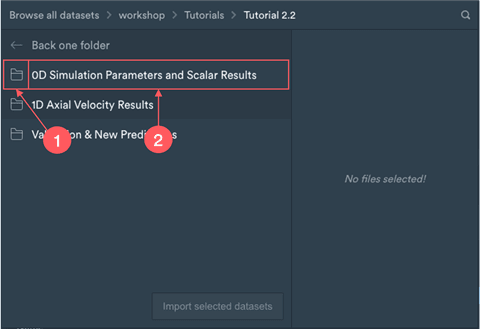
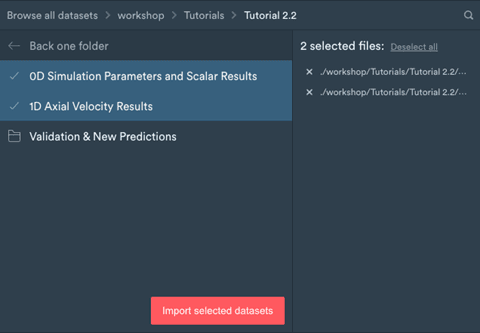
- If you click on the folder icon at the beginning of the entry the folder is selected.
- If you click on the folder name you enter the folder and its content is shown. If you click.
How does the search pattern work?
Basic patterns (selecting all files in folders):
In all examples above you can replace
.csv by any file ending you want to import.