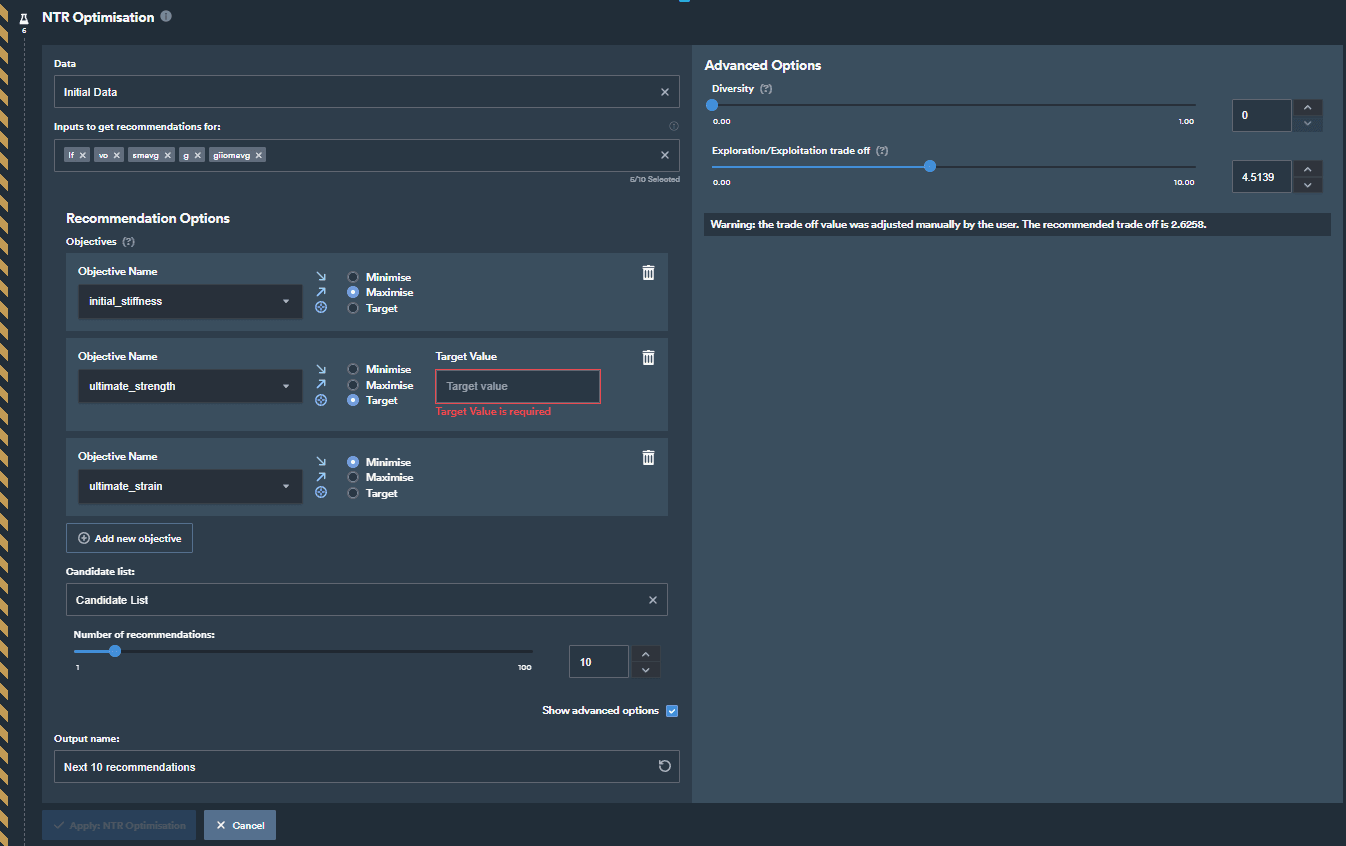
Recommend the next tests to run to reach one or more optimisation targets.
DescriptionNTR-Optimisation is a new feature of the platform that aims at increasing efficiency when performing tests to identify optimal designs or operating conditions. After reviewing tests already performed, the feature will recommend a set of next tests to run to increase likelihood of finding an optimal result.ApplicationNTR-Opt will be applicable when users want recommendations for next tests in order to reach one or multiple targets (for example, maximise battery life, increase product strength, achieve a specific cell capacity, …).How to useTo use this feature, you will need tabular data with existing tests.
Within a notebook, add a new step NTR-Opt from within the Apply group
Choose the data you want to get recommendations for in the field Data
Select which Inputs you wish to get recommendations for in the field Inputs to get recommendations for. By default you should select all of the inputs.
Add one or multiple objectives. For each objective:
Select which output you wish to optimise.
Choose how the selected output should be optimised. Choices are maximise, minimise, or reach a specific target. If the target option is selected, a numerical value then needs to be specified.
Select a Source of candidate tests from which to get recommendations. You will be asked to select a dataset that has already been uploaded to the notebook. This dataset should contain a list of tests (list of inputs) from which you want the step to make recommendations. If you have not already done this you will need to load or create the list of tests/designs then come back to this step and select them here.
When providing a candidate list with 2 rows only, the step will automatically understand that these two rows should be used to define the design space: a hypercube where the range of each input parameter is defined by the min and max values of the two rows provided.
Now you can select the batch size using the slider. This means that you choose how many tests are recommended to you when you run the step. You can select anywhere between 1 and 50 next tests to recommend, it is important that you run all of the tests in each batch to maximise the value from each round of testing. If you are unsure how many tests to choose we recommend using the default value.
Provide a name for the dataset in the field Output name.
There are two advanced options:
Diversity: this option will enforce additional diversity on the recommendations. If value is left at 0 (default), then no additional diversity is enforced, and the recommendations are focusing on achieving the user-defined objectives. If value is set to 1 (max), then the recommendation will fully focus on recommending diverse points (diverse from one another and from the initial data).
Exploration/Exploitation trade off: This option will define the trade off in the search: low values will focus on exploitation and high values will focus on exploration. The default value is calculated based on the number of inputs, the size of the existing dataset and the batch size.
ExamplesExample of a set up of the step before clicking Apply: