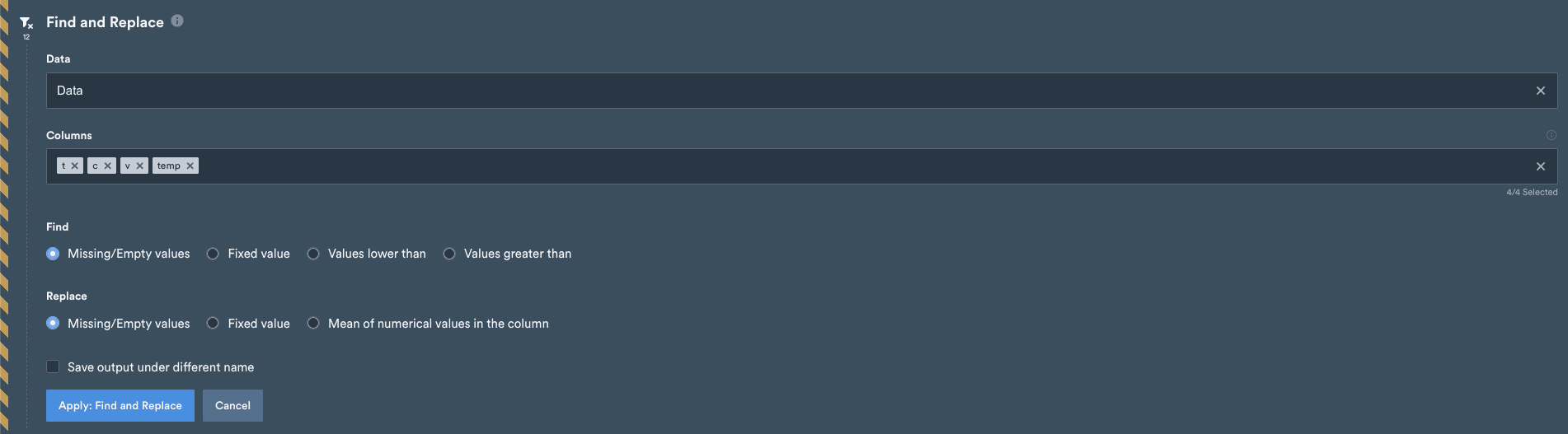
Find has 4 different options, this option selects what you are trying to replaceMissing/Empty values - the manipulator will select any missing data that it finds within your columns selectedFixed value - the manipulator will select any data which match your chosen value, for instance if you select 1.8 as your fixed value, any cells that contain ‘1.8’ will be selectedValues lower than - the manipulator will select any values lower than < your chosen valueValues greater than - the manipulator will select any values greater than > your chosen value
Replace has 3 different values, this option selects what you want to replace your data withMissing/Empty values - the manipulator will replace your chosen data with null/empty valuesFixed Value - the manipulator will replace your chosen data with a singular fixed valueMean of numerical values in the column - the manipulator will calculate the mean of ALL data within your column, and fill your chosen data in with that mean value