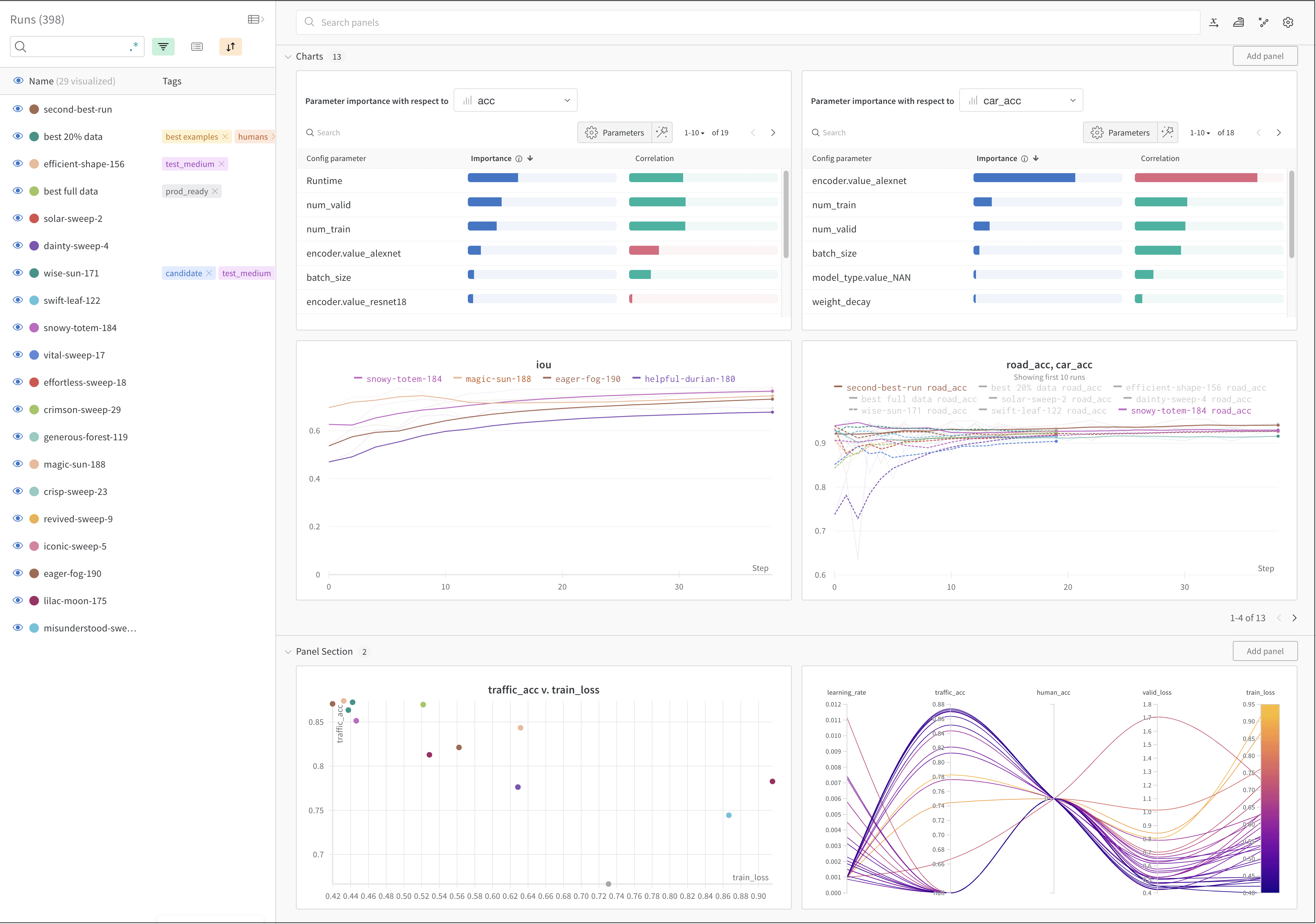
Track machine learning experiments with a few lines of code. You can then review the results in an interactive dashboard or export your data to Python for programmatic access using our Public API.
Utilize Weights & Biases integrations if you use popular frameworks such as Keras. See Weights & Biases integrations for a full list of integrations and information on how to add Weights & Biases to your code.
The image above shows an example dashboard where you can view and compare metrics across multiple runs.
How it works
Track a machine learning experiment with a few lines of code:
- Create a W&B Run.
- Store a dictionary of hyperparameters, such as learning rate or model type, into your configuration (
wandb.Run.config).
- Log metrics (
wandb.Run.log()) over time in a training loop, such as accuracy and loss.
- Save outputs of a run, like the model weights or a table of predictions.
The following code demonstrates a common Weights & Biases experiment tracking workflow. Replace my-team with your Weights & Biases team entity and my-project-name with your project name.
Get started
Depending on your use case, explore the following resources to get started with W&B Experiments:
Best practices and tips
For best practices and tips for experiments and logging, see Best Practices: Experiments and Logging. Last modified on September 30, 2026