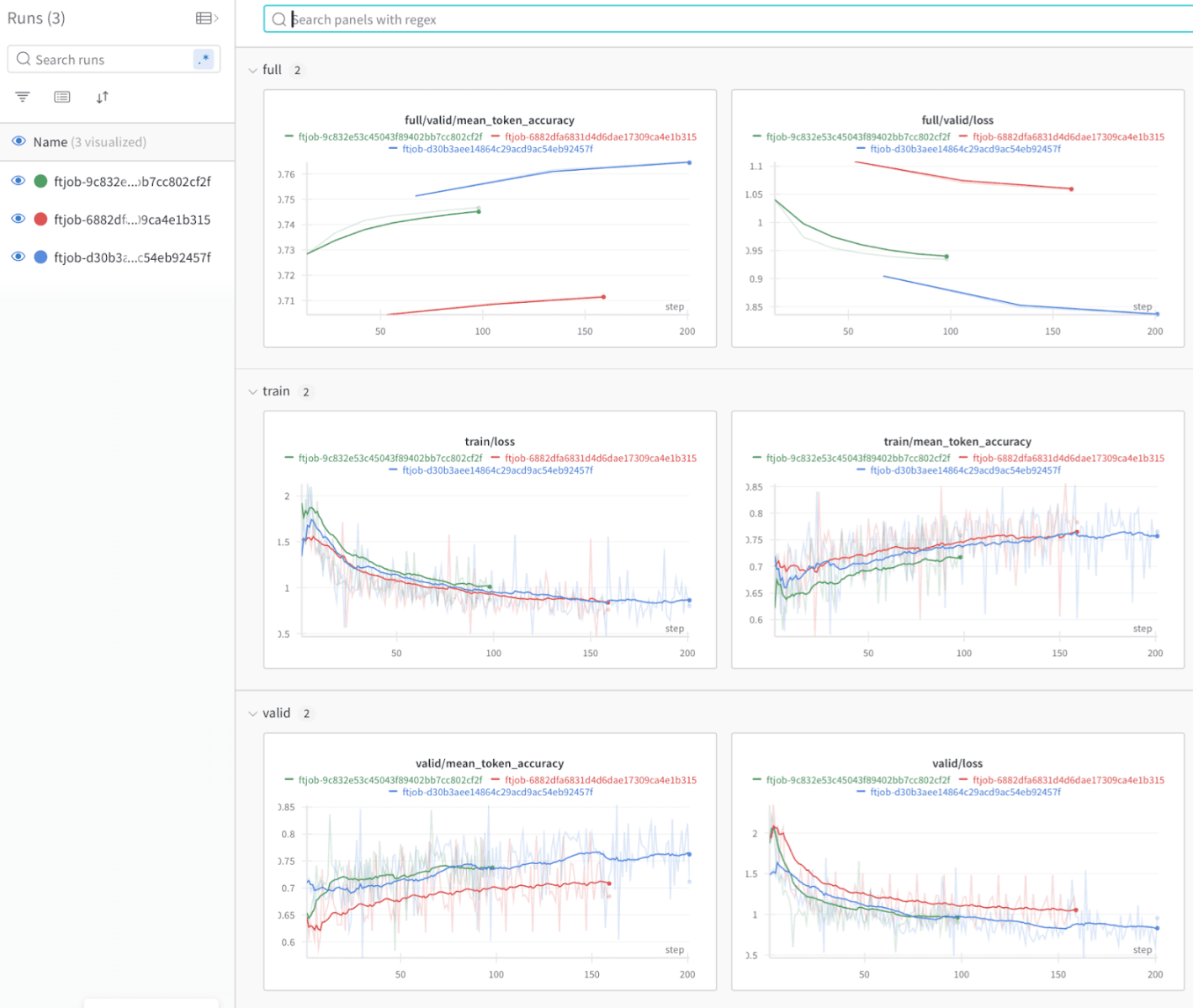
This guide shows you how to use Weights & Biases with Azure OpenAI to track and evaluate fine-tuning jobs for GPT-3.5 or GPT-4 models. When you integrate Weights & Biases, experiment tracking captures metrics, hyperparameters, and training artifacts so you can analyze and improve model performance. You can also use Weights & Biases’ evaluation tools to make data-driven decisions about model selection.
This guide is for machine learning practitioners who fine-tune Azure OpenAI models and want a systematic way to track and compare runs.
Prerequisites
Before you begin, complete the following:
Workflow overview
The following stages summarize how a typical Azure OpenAI fine-tuning job flows through Weights & Biases, from preparing the job through evaluating the resulting model.
Fine-tuning setup
Fine-tuning setup involves the following steps:
- Prepare training data according to Azure OpenAI requirements.
- Configure the fine-tuning job in Azure OpenAI.
- Track the fine-tuning process and log metrics and hyperparameters with Weights & Biases.
Experiment tracking
During fine-tuning, Weights & Biases captures:
- Training and validation metrics.
- Model hyperparameters.
- Resource usage.
- Training artifacts.
Model evaluation
After fine-tuning, use W&B Weave to:
- Evaluate model outputs against reference datasets.
- Compare performance across different fine-tuning runs.
- Analyze model behavior on specific test cases.
- Make data-driven decisions for model selection.
Real-world example
To see the integration applied end-to-end, explore the following resources:
Additional resources
Last modified on September 30, 2026