

With self-service, you can forward only supported audit logs to HTTPS endpoints or AWS S3 destinations. Contact Support if you want to forward other telemetry or use a different destination type.
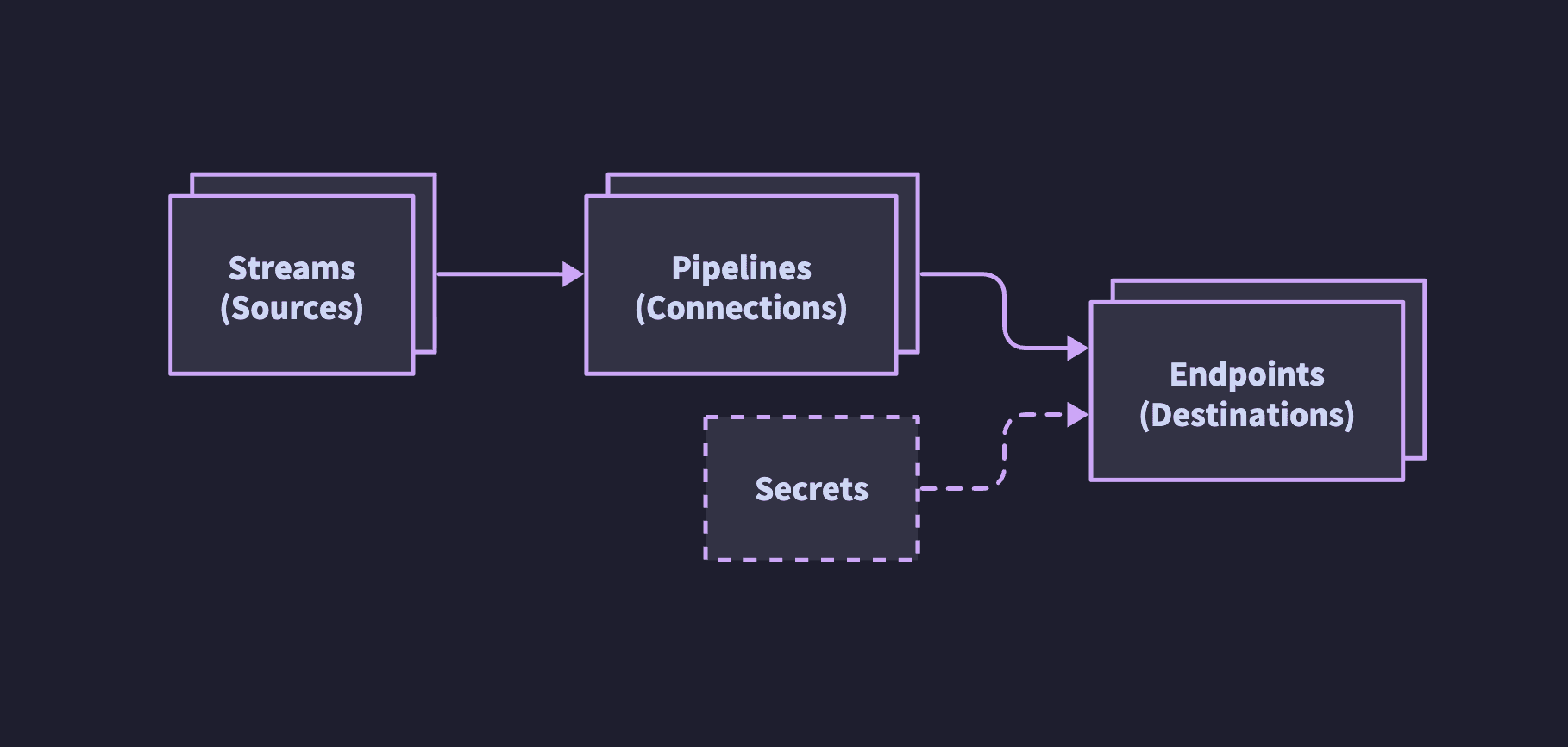
- Destinations: Where Telemetry Relay forwards telemetry, such as an HTTPS endpoint.
- Streams: Predefined telemetry categories, such as audit logs.
- Pipelines: A configuration that links a stream to a destination.
Prerequisites
To configure Telemetry Relay or view destinations and pipelines, you need one of the following CoreWeave roles:Create a destination
Use the Cloud Console to create a destination:- In the Cloud Console, navigate to Telemetry Relay > Destinations > Create destination.
- On the Create destination page, enter a Display name for the destination. The display name appears in the Destinations table and in the Destination dropdown when you create a pipeline.
-
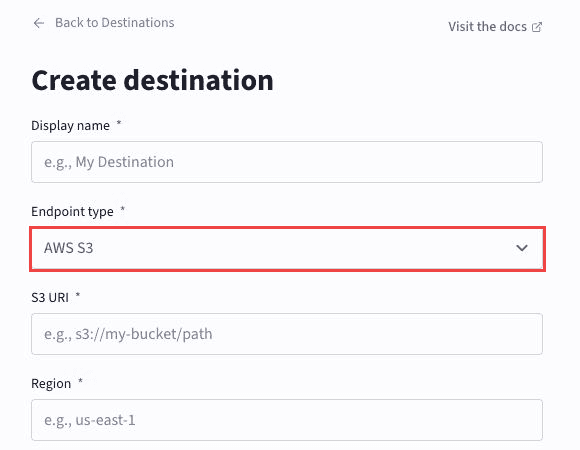
For Endpoint type, select HTTPS or AWS S3.
The following image shows AWS S3 selected as the endpoint type:
-
Configure the fields for the selected endpoint type:
- HTTPS:
- For Endpoint URL, enter the URL where Telemetry Relay sends telemetry.
- For Authentication type, select the credential scheme Telemetry Relay uses when it connects to the endpoint.
- AWS S3:
- For S3 URI, enter the AWS S3 bucket and optional prefix where Telemetry Relay writes logs. The
[BUCKET-NAME]placeholder is the bucket name, and[PREFIX]is the optional prefix, as ins3://[BUCKET-NAME]/[PREFIX]/. You can also enter the Amazon Resource Name (ARN) for an AWS S3 bucket. The Cloud Console converts it to an S3 URI. - For Region, enter the bucket’s AWS region.
- Enter an Access key ID and Secret access key.
- Optional: For temporary credentials, enter a Session token (optional).
- For S3 URI, enter the AWS S3 bucket and optional prefix where Telemetry Relay writes logs. The
- HTTPS:
- Click Submit.
Create a pipeline
Use the Cloud Console to create a pipeline:- In the Cloud Console, navigate to Telemetry Relay > Create pipeline.
-
On the Create pipeline page, fill in the following fields:
- Source: The telemetry stream to forward, such as CoreWeave API Audit Logs or Kubernetes Events.
- Destination: An existing HTTPS endpoint or AWS S3 destination to receive the stream. The dropdown lists compatible destinations that you created in the Destinations tab.
logs-audit-console-my-endpoint). You don’t enter a name yourself. - Click Submit.
List destinations
To view destinations:- In the Cloud Console, navigate to Telemetry Relay > Destinations. The table lists the Name, Type, Region, and Endpoint for each destination.
List streams
To view available telemetry streams:- In the Cloud Console, navigate to Telemetry Relay > Create pipeline > Source.
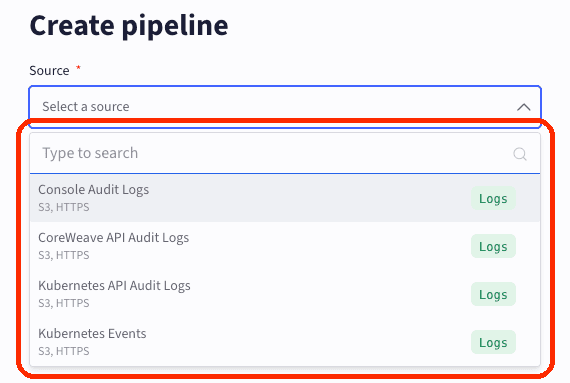
The Telemetry Relay API exposes the same streams through slug identifiers.
To leave the Create pipeline page without creating a pipeline, click Back to Pipelines.
List pipelines
To view pipelines:- In the Cloud Console, navigate to Telemetry Relay. The Pipelines tab opens by default. Each row shows the autogenerated pipeline name, source stream, and destination.
Advanced configuration
For destination types and telemetry streams that self-service doesn’t support, contact Support. Support can enable the following configurations:- Prometheus Remote Write v1-compatible endpoints for metrics.
- Forwarding for streams outside the self-service scope, such as system journal logs, customer cluster metrics, and platform metrics.