

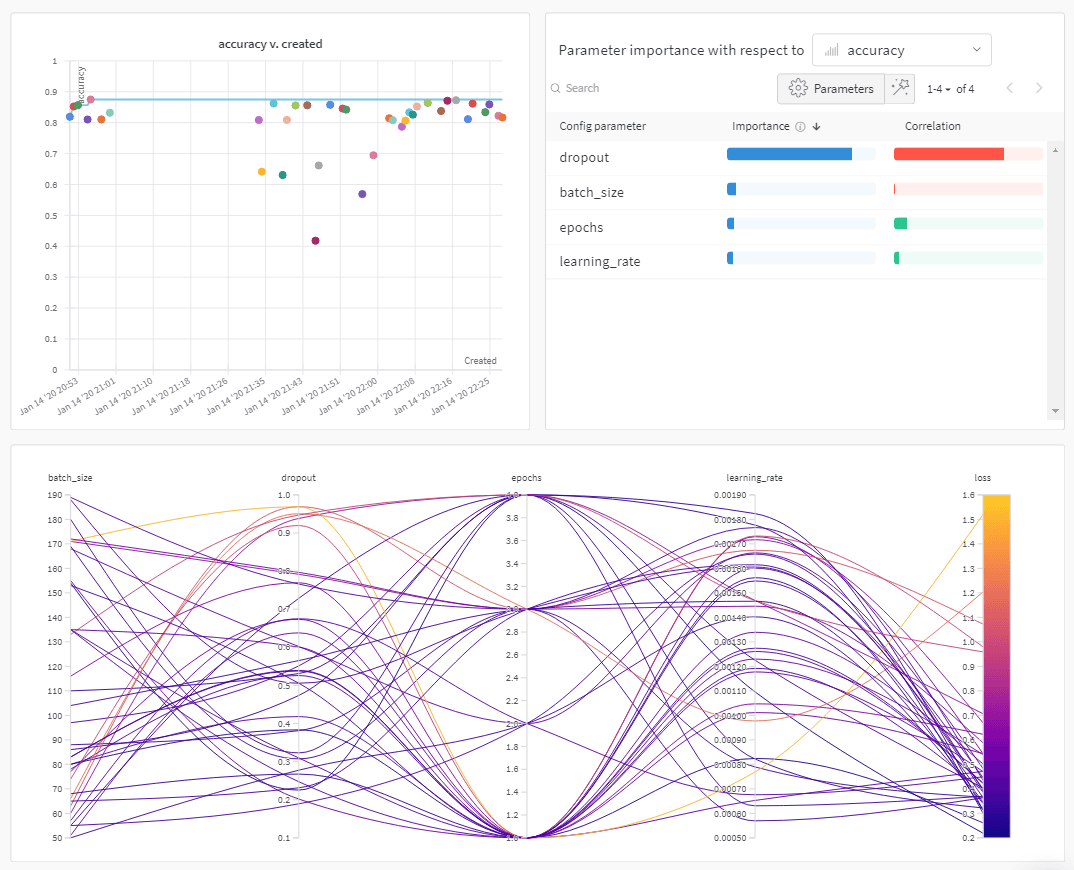
How it works
- Define a sweep configuration that specifies the hyperparameters to search and the optimization metric.
- Define the training logic that the sweep uses to execute each trial.
-
Initialize a sweep:
This returns the sweep ID that you use to start the sweep agent and the sweep scheduler if applicable.
-
(Optional) If you use an optimization engine, start a sweep scheduler:
-
Start a sweep agent:
The previous code snippet, and the colab linked on this page, show how to initialize and create a sweep with the Weights & Biases CLI. See the Sweeps walkthrough to use the Python SDK to configure, initialize, and run a sweep.
How to get started
Depending on your use case, explore the following resources to get started with Weights & Biases Sweeps:- Read through the sweeps walkthrough for a step-by-step outline of the W&B Python SDK commands to use to define a sweep configuration, initialize a sweep, and start a sweep.
- Explore this chapter to learn how to:
- Explore a curated list of Sweep experiments that explore hyperparameter optimization with Weights & Biases Sweeps. Results are stored in W&B Reports.