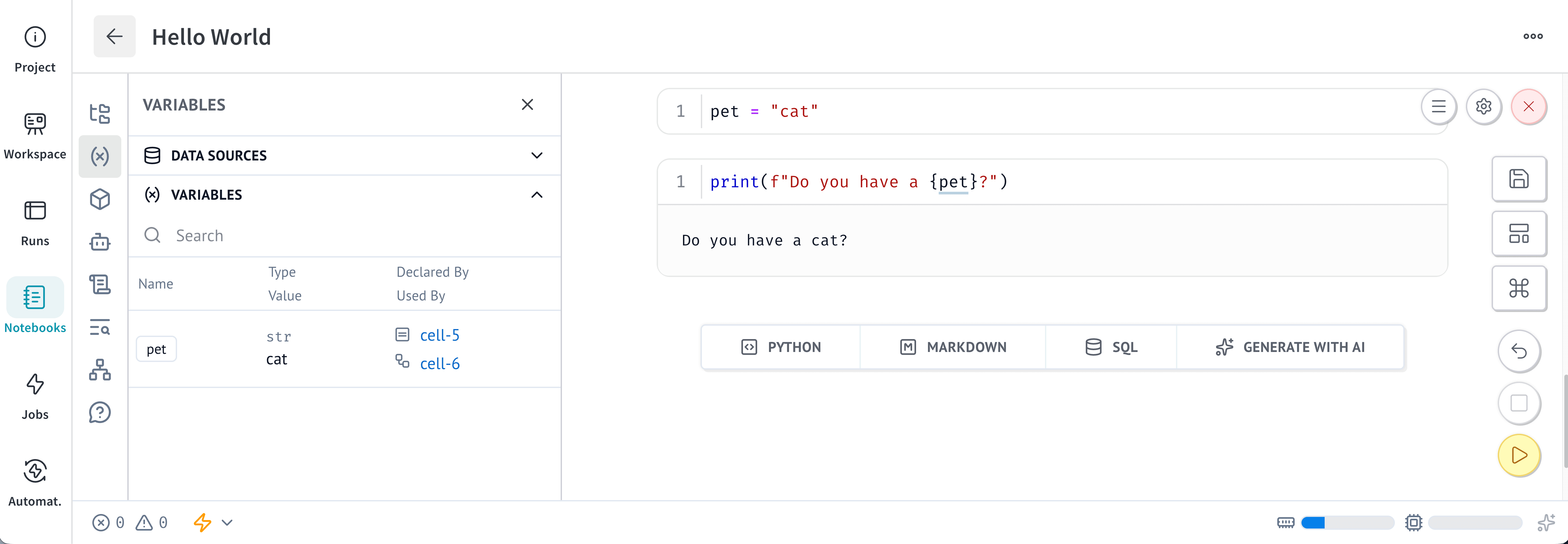
Notebooks run cells according to variable dependencies, not the order in which cells appear on the page. If cell B reads a variable defined in cell A, cell B depends on cell A. Cell A is upstream of cell B, and cell B is downstream of cell A.When an upstream cell runs, the notebook can run downstream cells again so that their outputs reflect the latest values. Whether the cells run automatically depends on the notebook’s runtime settings.Notebooks determine dependencies by tracking definitions and references:
A definition is a global name that a cell creates, such as a variable, function, class, or imported name.
A reference is a global name that a cell reads from another cell.
A cell is stale if it has never run or if it hasn’t run with its latest code or inputs. After the cell runs with its current code and inputs, it is no longer stale.A cell becomes stale in any of the following situations:
You edit the cell’s code.
An upstream cell runs while the notebook uses lazy mode. In this mode, the notebook marks downstream cells as stale instead of running them automatically.
A Python module that the cell uses changes while lazy module autoreloading is enabled.
Run a stale cell to update its output. If any upstream cells are stale, the notebook runs them first. You can also run all stale cells at once.
A cell is blocked if the cell or one of its upstream cells is disabled. Blocked cells don’t run automatically, even when their inputs change.To unblock a cell, re-enable the disabled cell that it depends on. The notebook can then run any downstream cells that are stale and need updated outputs. For instructions, see Disable or enable a cell.
When you delete a cell, the notebook also deletes the global variables that the cell defined. Depending on the runtime settings, the notebook re-runs, invalidates, or marks as stale any cells that reference the deleted variables.
Define each global name in only one cell. If two cells define the same global name, the notebook can’t determine a single source of truth for downstream cells. This restriction applies to variables, functions, classes, and imported package names.For temporary variables, prefix the variable name with a single underscore to make it local to the cell. You can also define temporary variables inside a function.
Avoid mutating objects that multiple cells use. Notebooks don’t track object mutations, so mutating an object doesn’t mark dependent cells as stale.For example, suppose one cell adds a column to a DataFrame defined in another cell. Cells that reference the DataFrame don’t automatically re-run. To keep the notebook state consistent, create a new object and assign it to a new variable. If you must mutate an object, mutate it in the cell that defines it.To learn more, see Variable mutations are not tracked.