> ## Documentation Index
> Fetch the complete documentation index at: https://docs.coreweave.com/llms.txt
> Use this file to discover all available pages before exploring further.
# Introduction to Telemetry Relay
> Use Telemetry Relay to forward telemetry to destinations outside of CoreWeave
Telemetry Relay is a fully managed solution for forwarding telemetry to destinations outside of CoreWeave's observability platform. Use Telemetry Relay when you want to centralize CoreWeave telemetry alongside data from other systems in your own observability stack or security information and event management (SIEM) tools. Telemetry Relay has the following features and benefits:
* **Comprehensive data aggregation**: Imports telemetry data from multiple sources.
* **Flexible routing**: Fine-grained data routed to customer-specified endpoints.
* **Reliable delivery**: Prioritizes data completeness with low latency.
* **Fully managed with easy configuration**: Zero operational overhead for configuring data filters and endpoint routing.
By supporting multiple data streams to a variety of destination endpoints, Telemetry Relay provides flexibility for managing and analyzing your data.
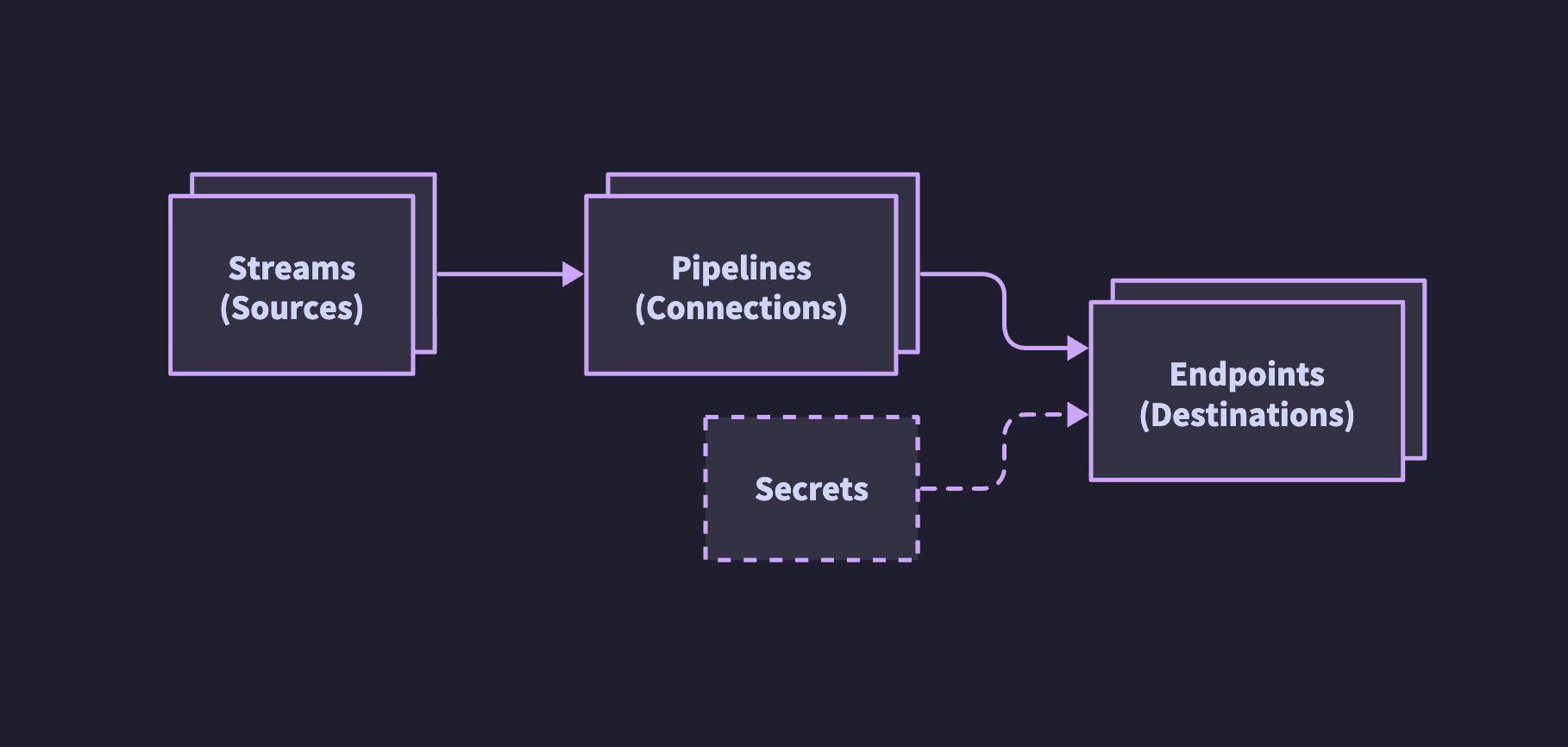 Telemetry Relay is built from the following components:
* **Streams**: Predefined telemetry categories: for example, audit logs.
* **Pipelines**: A configuration that links a stream to an endpoint.
* **Endpoints**: Destinations, such as HTTPS endpoints.
## Configure Telemetry Relay
Configure Telemetry Relay yourself using the [Cloud Console](/observability/telemetry-forwarding/configure) or the [Telemetry Relay API](/observability/telemetry-forwarding/telemetry-relay-api). Self-service supports forwarding audit logs to HTTPS endpoints. For other telemetry, destination types, or configuration help, contact [Support](/support).
By default, Telemetry Relay forwards audit logs to HTTPS endpoints. Audit logs include CKS audit logs, CoreWeave API audit logs, Console audit logs, and [Support Access Management](/security/support-access-management) logs for customers who enable Support Access Management.
Telemetry Relay does not support forwarding application metrics. To forward application metrics, see [Forward application metrics](/observability/logs-metrics/forward-metrics).
Support can also help you assess feasibility and timelines for other advanced configurations, including:
* **Data streams**: Platform logs and platform metrics, in addition to audit logs.
* **Forwarding and filtering**: Routing and filtering rules for what gets sent.
* **Destination endpoints**: CoreWeave AI Object Storage and Prometheus Remote Write v1, in addition to HTTPS endpoints.
* **Advanced networking requirements**
When Telemetry Relay forwards metrics to an out-of-the-box Prometheus deployment, Prometheus may receive a sample twice. Prometheus accepts the first sample and logs errors about rejected time samples for the duplicates. To avoid this, use a horizontally scalable, multi-tenant Prometheus deployment that handles duplicate samples gracefully.
Telemetry Relay is built from the following components:
* **Streams**: Predefined telemetry categories: for example, audit logs.
* **Pipelines**: A configuration that links a stream to an endpoint.
* **Endpoints**: Destinations, such as HTTPS endpoints.
## Configure Telemetry Relay
Configure Telemetry Relay yourself using the [Cloud Console](/observability/telemetry-forwarding/configure) or the [Telemetry Relay API](/observability/telemetry-forwarding/telemetry-relay-api). Self-service supports forwarding audit logs to HTTPS endpoints. For other telemetry, destination types, or configuration help, contact [Support](/support).
By default, Telemetry Relay forwards audit logs to HTTPS endpoints. Audit logs include CKS audit logs, CoreWeave API audit logs, Console audit logs, and [Support Access Management](/security/support-access-management) logs for customers who enable Support Access Management.
Telemetry Relay does not support forwarding application metrics. To forward application metrics, see [Forward application metrics](/observability/logs-metrics/forward-metrics).
Support can also help you assess feasibility and timelines for other advanced configurations, including:
* **Data streams**: Platform logs and platform metrics, in addition to audit logs.
* **Forwarding and filtering**: Routing and filtering rules for what gets sent.
* **Destination endpoints**: CoreWeave AI Object Storage and Prometheus Remote Write v1, in addition to HTTPS endpoints.
* **Advanced networking requirements**
When Telemetry Relay forwards metrics to an out-of-the-box Prometheus deployment, Prometheus may receive a sample twice. Prometheus accepts the first sample and logs errors about rejected time samples for the duplicates. To avoid this, use a horizontally scalable, multi-tenant Prometheus deployment that handles duplicate samples gracefully.