> ## Documentation Index
> Fetch the complete documentation index at: https://docs.coreweave.com/llms.txt
> Use this file to discover all available pages before exploring further.
> 이미지 분류, 오디오, 텍스트 분석 및 기타 사용 사례에 대한 W&B Tables 프로젝트 예시를 살펴보세요.
# table 예시
다음 섹션에서는 table을 활용하는 몇 가지 방법을 소개합니다:
데이터 보기
모델 트레이닝이나 평가 중에 메트릭과 리치 미디어를 로깅한 다음, 클라우드 또는 [호스팅 인스턴스](/ko/products/wandb/platform/hosting)와 동기화되는 영구 데이터베이스에서 결과를 시각화하세요.
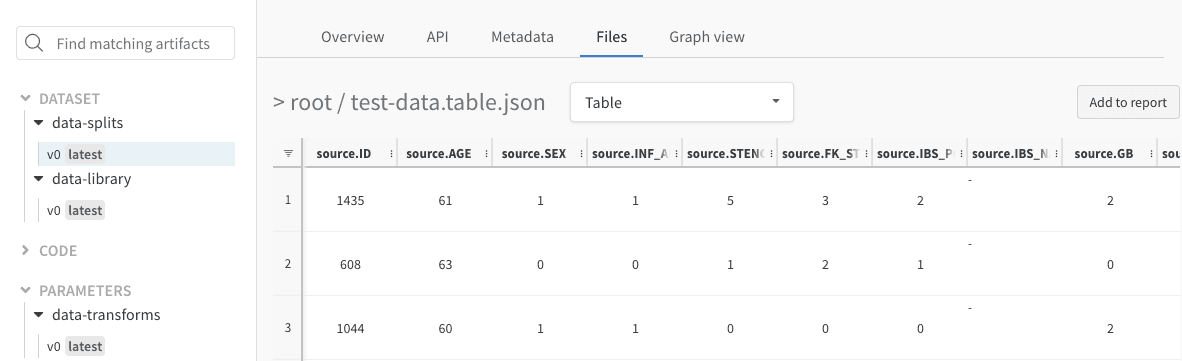
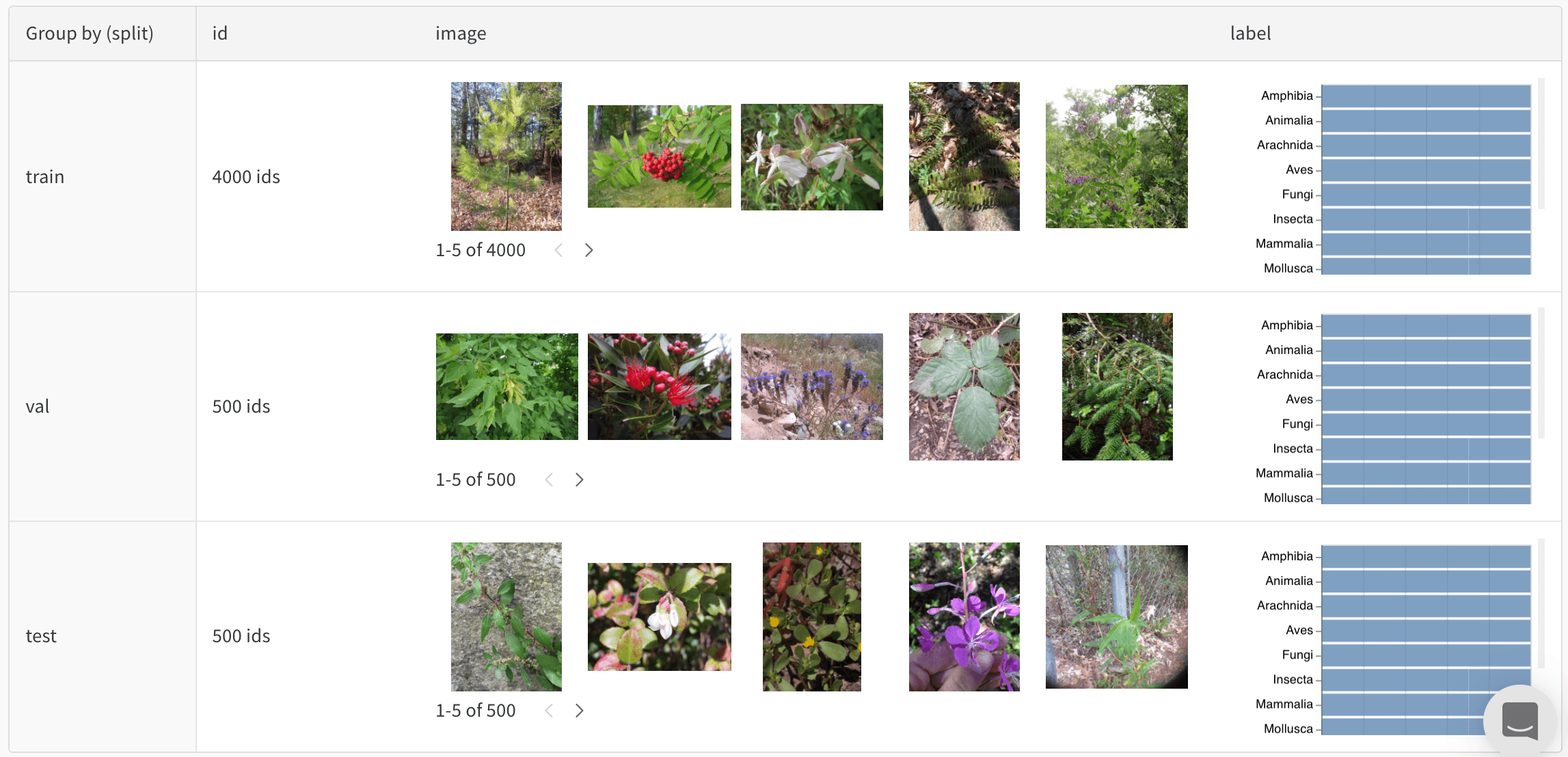 예를 들어, [사진 데이터셋을 균형 있게 분할한 결과](https://forge.coreweave.com/wandb/stacey/mendeleev/artifacts/balanced_data/inat_80-10-10_5K/ab79f01e007113280018/files/data_split.table.json)를 보여 주는 이 table을 확인해 보세요.
대화형으로 데이터 탐색하기
table을 보고, 정렬하고, 필터링하고, 그룹화하고, 조인하고, 쿼리하여 데이터와 모델 성능을 파악하세요. 정적 파일을 찾아보거나 분석 스크립트를 다시 실행할 필요가 없습니다.
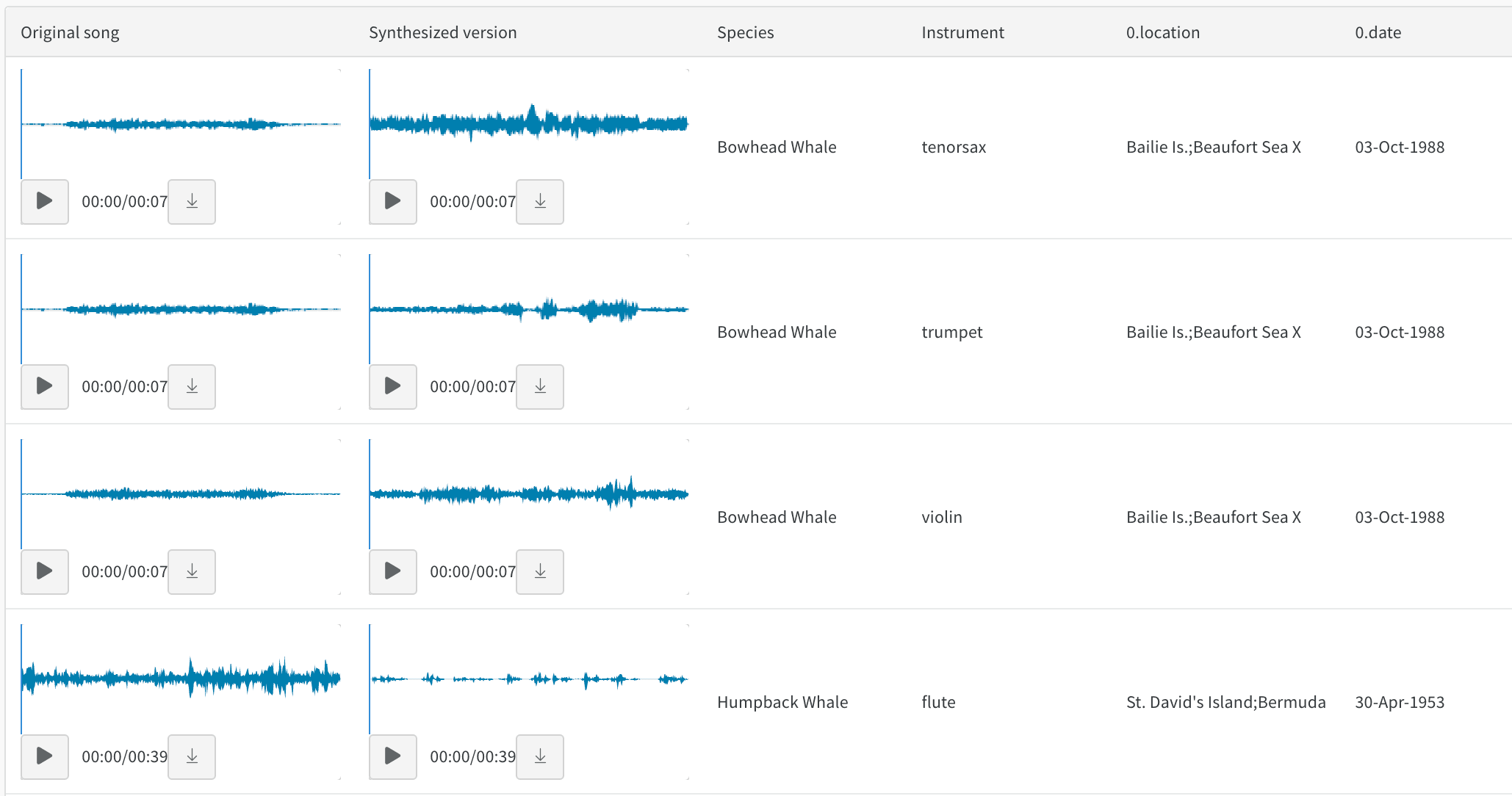 예를 들어, [스타일이 전이된 오디오](https://forge.coreweave.com/wandb/stacey/cshanty/reports/Whale2Song-W-B-Tables-for-Audio--Vmlldzo4NDI3NzM)에 관한 이 보고서를 살펴보세요.
모델 버전 비교
서로 다른 트레이닝 에포크, 데이터셋, 하이퍼파라미터 선택, 모델 아키텍처 등의 결과를 빠르게 비교하세요.
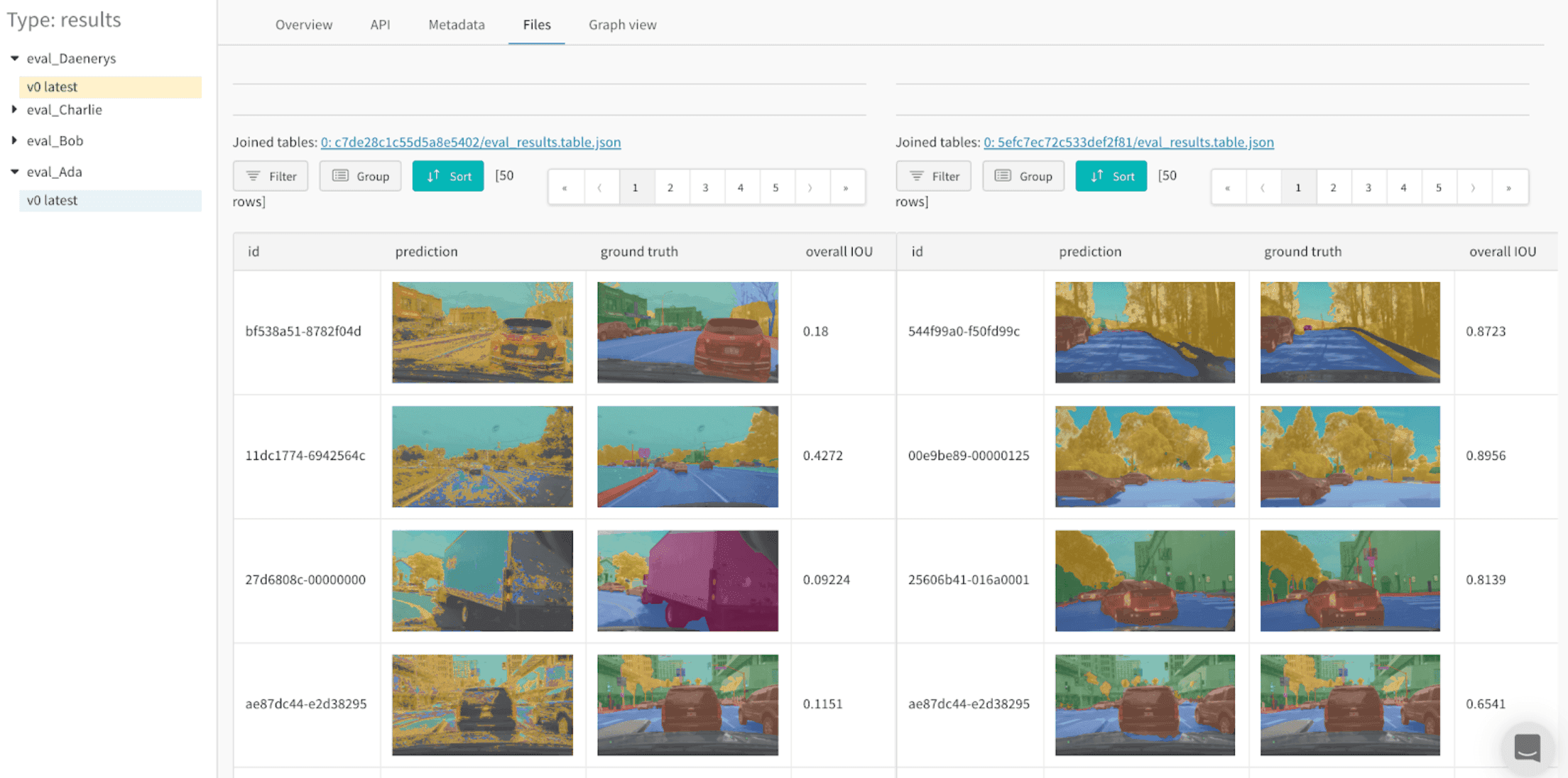
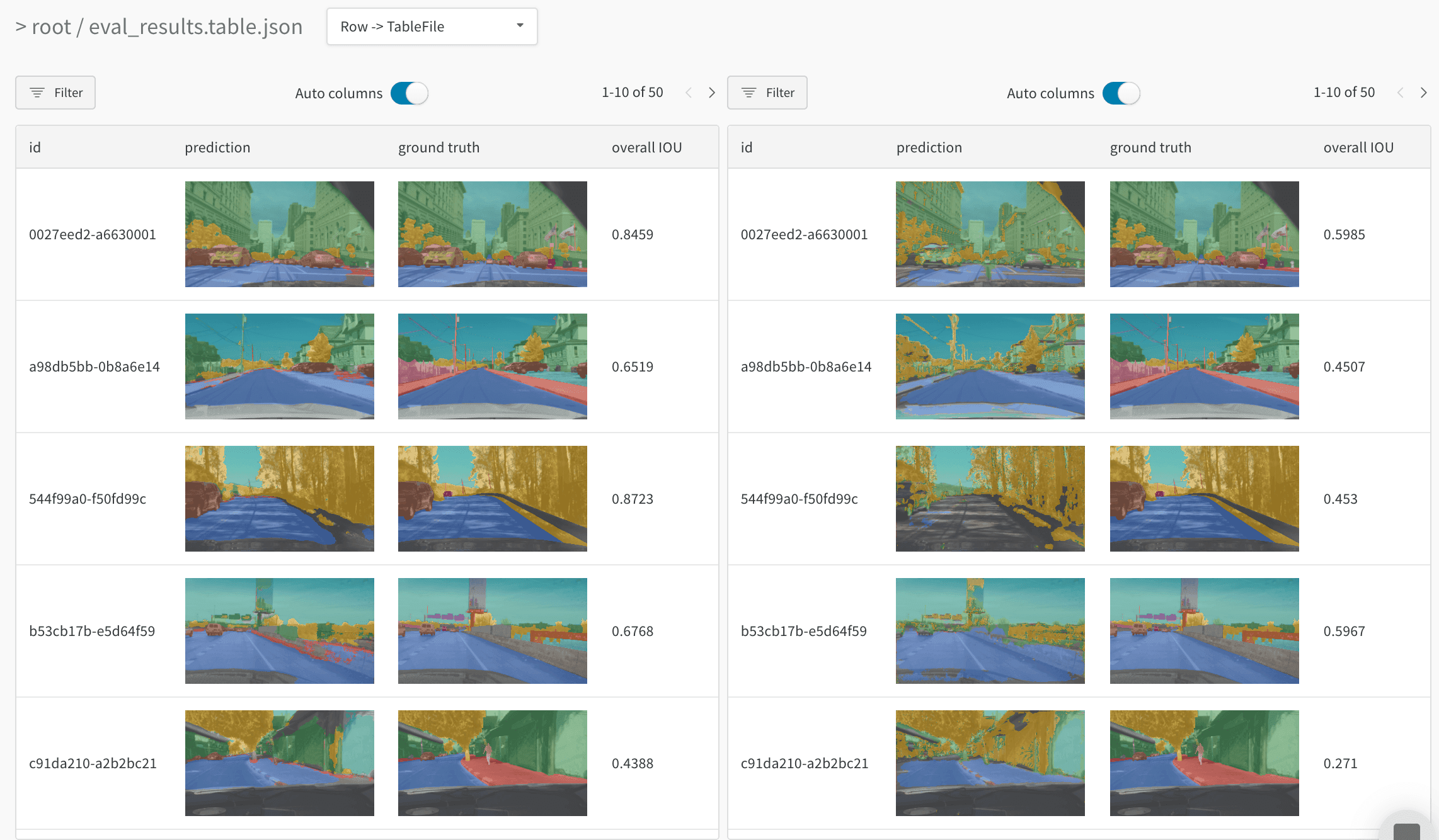 예를 들어, [동일한 테스트 이미지로 두 모델을 비교](https://forge.coreweave.com/wandb/stacey/evalserver_answers_2/artifacts/results/eval_Daenerys/c2290abd3d7274f00ad8/files/eval_results.table.json#b6dae62d4f00d31eeebf\$eval_Bob)하는 이 table을 확인하세요.
모든 세부 사항을 추적하고 전체적인 흐름을 파악하세요
확대하여 특정 step의 특정 예측을 시각화하세요. 축소하여 집계 통계를 확인하고, 오류 패턴을 파악하고, 개선 가능성을 이해하세요. 이 도구로 단일 모델 트레이닝의 step을 비교하거나 서로 다른 모델 버전의 결과를 비교할 수 있습니다.
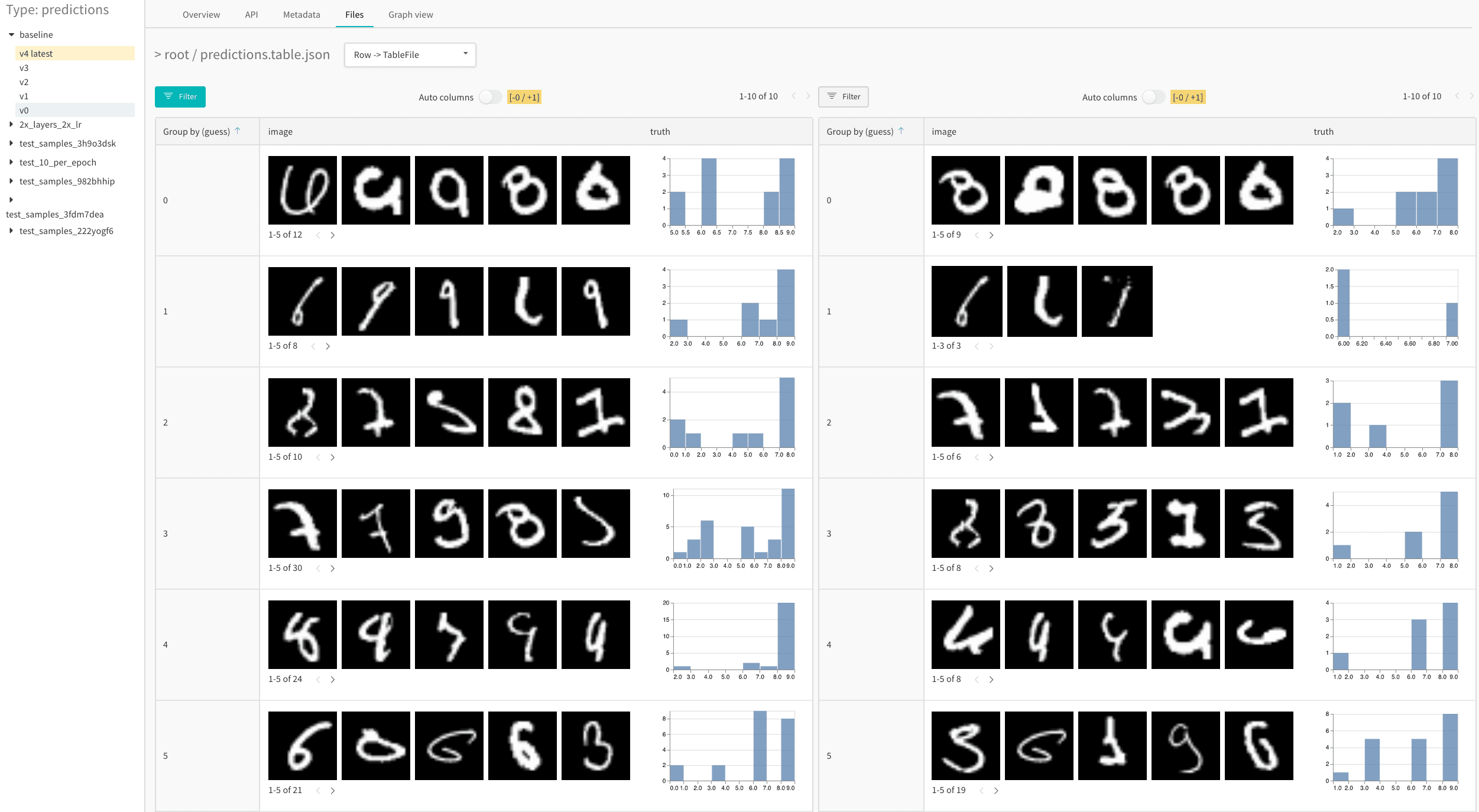 예를 들어, [MNIST 데이터셋에서 1에포크 후와 5에포크 후의](https://forge.coreweave.com/wandb/stacey/mnist-viz/artifacts/predictions/baseline/d888bc05719667811b23/files/predictions.table.json#7dd0cd845c0edb469dec) 결과를 분석하는 이 예제 table을 확인하세요.
W\&B Tables를 활용한 예시 Projects
다음은 W\&B Tables를 사용하는 실제 W\&B Projects의 몇 가지 예시입니다.
이미지 분류
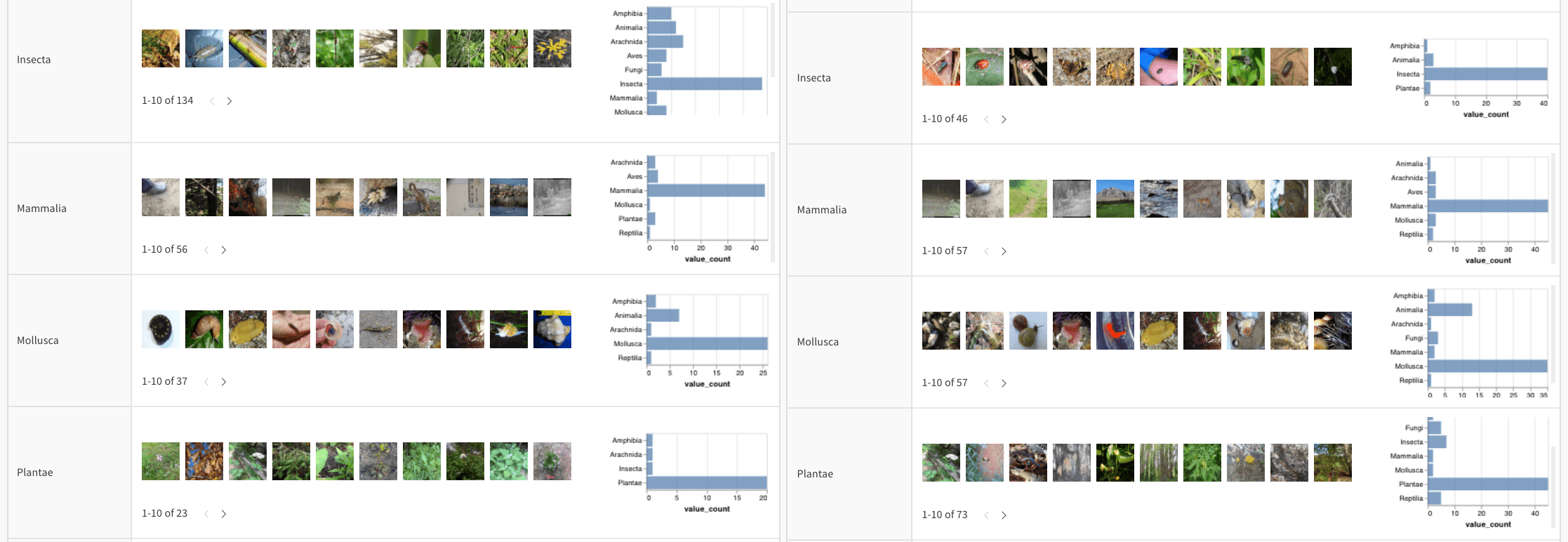
[이미지 분류를 위한 데이터 시각화](https://forge.coreweave.com/wandb/stacey/mendeleev/reports/Visualize-Data-for-Image-Classification--VmlldzozNjE3NjA)를 조회하거나, [자연 데이터 시각화 Colab](https://wandb.me/dsviz-nature-colab)을 따라 하거나, [아티팩트 컨텍스트](https://forge.coreweave.com/wandb/stacey/mendeleev/artifacts/val_epoch_preds/val_pred_gawf9z8j/2dcee8fa22863317472b/files/val_epoch_res.table.json)를 탐색하여 CNN이 [iNaturalist](https://www.inaturalist.org/pages/developers) 사진에서 열 가지 유형의 생물(식물, 새, 곤충 등)을 식별하는 방법을 확인하세요.
오디오
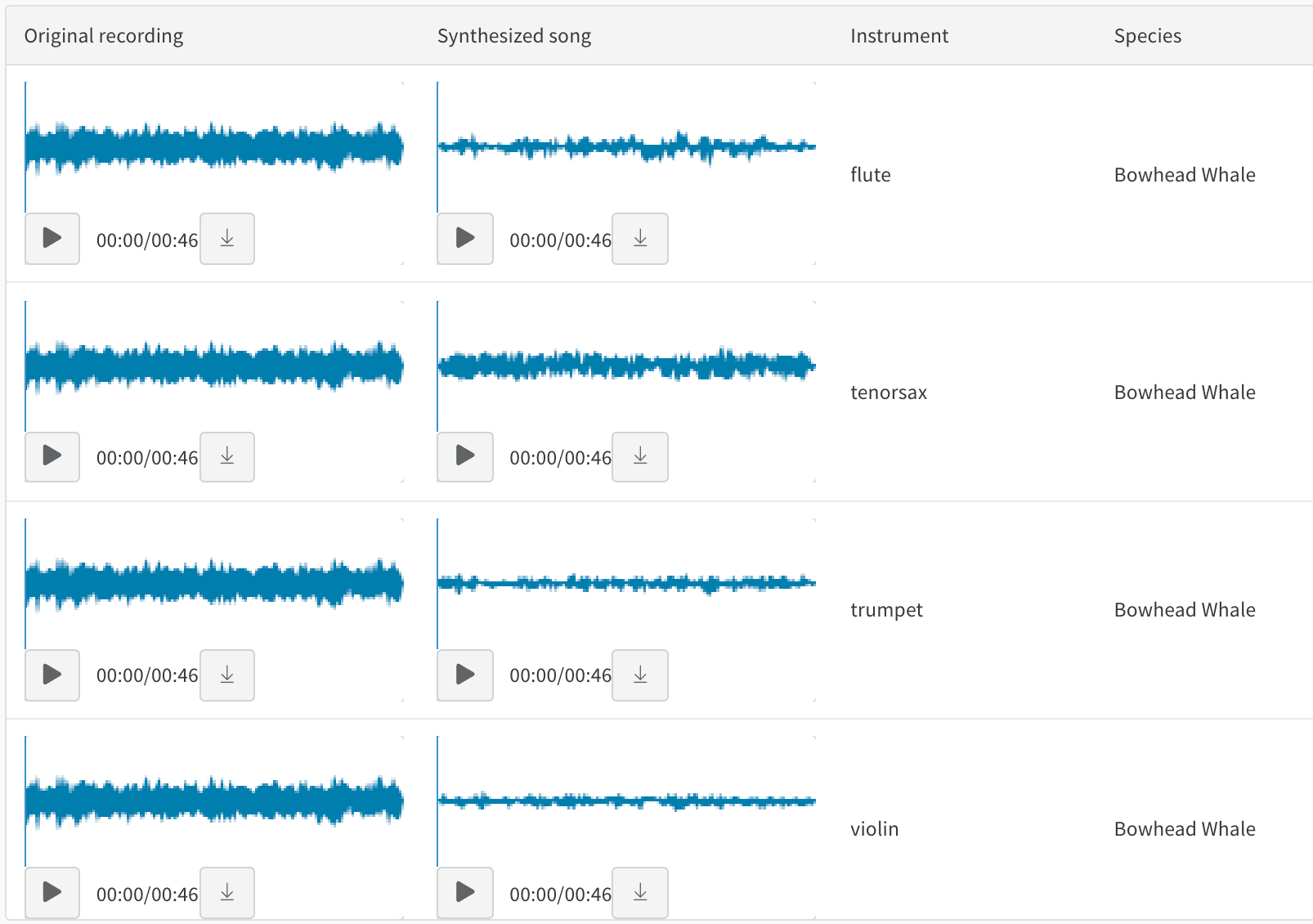
음색 변환을 다루는 [Whale2Song - W\&B Tables for Audio](https://forge.coreweave.com/wandb/stacey/cshanty/reports/Whale2Song-W-B-Tables-for-Audio--Vmlldzo4NDI3NzM)에서 오디오 table을 직접 살펴보세요. 녹음된 고래 노래와 바이올린이나 트럼펫 같은 악기로 동일한 선율을 합성한 연주를 비교할 수 있습니다. 또한 직접 노래를 녹음하고 [오디오 변환 Colab](http://wandb.me/audio-transfer)을 사용하여 W\&B에서 합성된 버전을 살펴볼 수 있습니다.
텍스트
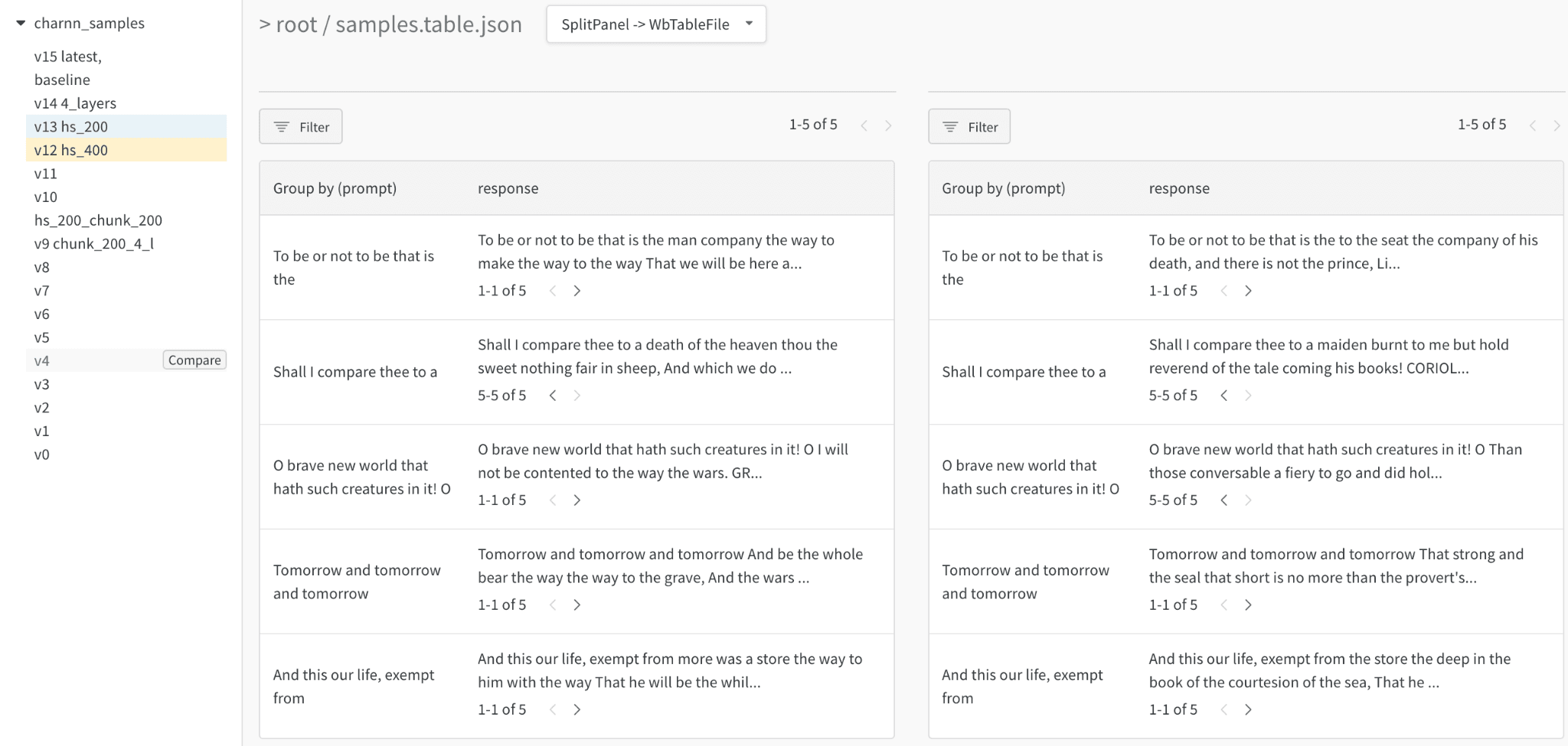
트레이닝 데이터나 생성된 출력의 텍스트 샘플을 살펴보고, 관련 필드를 기준으로 동적으로 그룹화하며, 모델 변형이나 실험 설정 전반에 걸쳐 일관된 평가를 수행하세요. 텍스트를 Markdown으로 렌더링하거나 시각적 차이 비교 모드를 사용해 텍스트를 비교하세요. 문자 기반 RNN 예시는 [Shakespeare 텍스트 생성 보고서](https://forge.coreweave.com/wandb/stacey/nlg/reports/Visualize-Text-Data-Predictions--Vmlldzo1NzcwNzY)를 참조하세요.
비디오
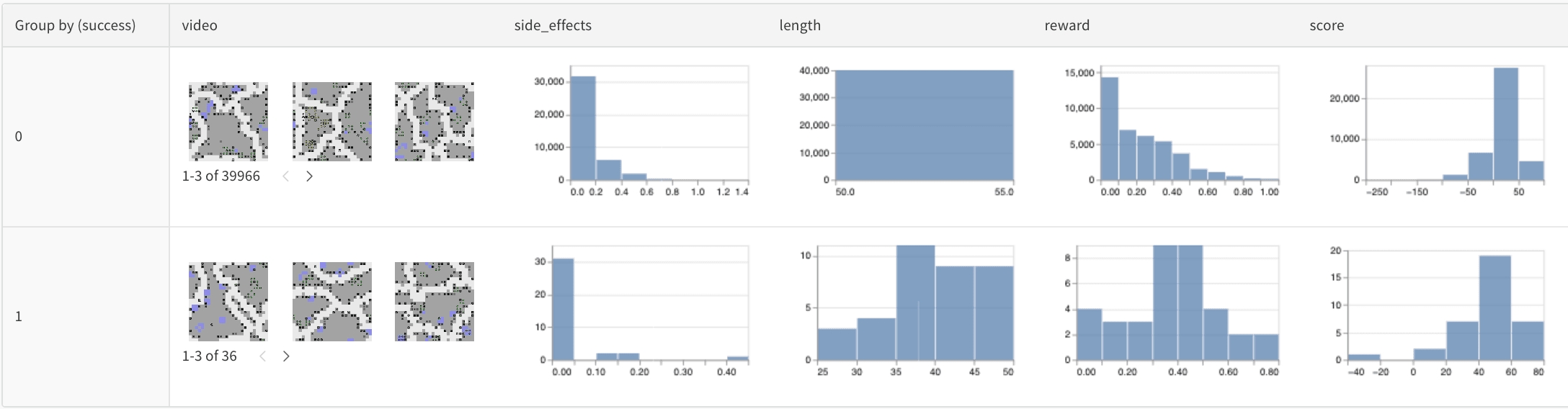
트레이닝 중에 로깅한 비디오를 탐색하고 집계하여 모델을 더 깊이 이해하세요. 다음은 [부작용 최소화](https://forge.coreweave.com/wandb/stacey/saferlife/artifacts/video/videos_append-spawn/c1f92c6e27fa0725c154/files/video_examples.table.json)를 목표로 하는 RL 에이전트용 [SafeLife 벤치마크](https://forge.coreweave.com/wandb/safelife/v1dot2/benchmark)를 활용한 초기 예시입니다.
테이블 형식 데이터
버전 관리와 중복 제거를 통해 [테이블 형식 데이터를 분할하고 전처리하는 방법](https://forge.coreweave.com/wandb/dpaiton/splitting-tabular-data/reports/Tabular-Data-Versioning-and-Deduplication-with-Weights-Biases--VmlldzoxNDIzOTA1)에 대한 보고서를 확인하세요.
모델 변형 비교(시맨틱 분할)
시맨틱 분할을 위한 Tables 로깅과 여러 모델 비교를 보여 주는 [대화형 노트북](https://wandb.me/dsviz-cars-demo)과 [실제 예시](https://forge.coreweave.com/wandb/stacey/evalserver_answers_2/artifacts/results/eval_Daenerys/c2290abd3d7274f00ad8/files/eval_results.table.json#a57f8e412329727038c2\$eval_Ada)입니다. [이 Table에서](https://forge.coreweave.com/wandb/stacey/evalserver_answers_2/artifacts/results/eval_Daenerys/c2290abd3d7274f00ad8/files/eval_results.table.json) 직접 쿼리를 사용해 보세요.
트레이닝 시간에 따른 개선 분석
[시간에 따른 예측을 시각화](https://forge.coreweave.com/wandb/stacey/mnist-viz/reports/Visualize-Predictions-over-Time--Vmlldzo1OTQxMTk)하는 방법을 자세히 설명하는 리포트와 함께 제공되는 [대화형 노트북](https://wandb.me/dsviz-mnist-colab)을 확인하세요.
## Related topics
- [쿼리 패널 개요](/ko/products/wandb/app/features/panels/query-panels.md)