> ## Documentation Index
> Fetch the complete documentation index at: https://docs.coreweave.com/llms.txt
> Use this file to discover all available pages before exploring further.
# PyTorch torchtune
> PyTorch torchtune에서 W&B 로깅을 사용하여 WandBLogger 메트릭 로거로 LLM fine-tuning 실험을 추적하세요.
export const ColabLink = ({url}) =>
Try in Colab
;
[torchtune](https://meta-pytorch.org/torchtune/stable/index.html)은 PyTorch 기반 라이브러리로, LLM의 저작, fine-tuning 및 실험을 간소화합니다. torchtune은 또한 [W\&B로 로깅](https://meta-pytorch.org/torchtune/stable/deep_dives/wandb_logging.html)에 대한 내장 지원을 제공하여 트레이닝 프로세스의 추적 및 시각화를 향상시킵니다.
이 가이드에서는 torchtune 레시피에서 W\&B 로깅을 활성화하고, `WandBLogger` 메트릭 로거를 구성하며, torchtune이 기본적으로 추적하는 메트릭을 이해하고, 모델 체크포인트를 W\&B Artifacts에 저장하는 방법을 보여줍니다.
W\&B 블로그 게시물 [torchtune을 사용한 Mistral 7B fine-tuning](https://forge.coreweave.com/wandb/capecape/torchtune-mistral/reports/torchtune-The-new-PyTorch-LLM-fine-tuning-library---Vmlldzo3NTUwNjM0)을 확인하세요.
W\&B 로깅 활성화
W\&B 로깅은 두 가지 방법으로 활성화할 수 있습니다: 명령줄에서 실행 시 인수를 재정의하거나, 레시피의 설정 파일을 편집하는 것입니다. 워크플로에 맞는 방법을 선택하세요.
실행 시 명령줄 인수를 재정의합니다:
```bash theme={"system"}
tune run lora_finetune_single_device --config llama3/8B_lora_single_device \
metric_logger._component_=torchtune.utils.metric_logging.WandBLogger \
metric_logger.project="llama3_lora" \
log_every_n_steps=5
```
레시피의 설정에서 W\&B 로깅을 활성화합니다:
```yaml theme={"system"}
# llama3/8B_lora_single_device.yaml 내부
metric_logger:
_component_: torchtune.utils.metric_logging.WandBLogger
project: llama3_lora
log_every_n_steps: 5
```
W\&B 메트릭 로거 사용하기
레시피의 설정 파일에서 `metric_logger` 섹션을 수정하여 W\&B 로깅을 활성화하세요. `_component_`을 `torchtune.utils.metric_logging.WandBLogger` 클래스로 변경하세요. `project` 이름과 `log_every_n_steps`를 전달하여 로깅 동작을 사용자 지정할 수도 있습니다.
[wandb.init()](/ko/products/wandb/ref/python/functions/init) 메서드에 전달하는 것처럼 다른 `kwargs`도 전달할 수 있습니다. 예를 들어, 팀에서 작업하는 경우 `WandBLogger` 클래스에 `entity` 인수를 전달하여 팀 이름을 지정할 수 있습니다.
```yaml theme={"system"}
# llama3/8B_lora_single_device.yaml 내부
metric_logger:
_component_: torchtune.utils.metric_logging.WandBLogger
project: llama3_lora
entity: my_project
job_type: lora_finetune_single_device
group: my_awesome_experiments
log_every_n_steps: 5
```
```shell theme={"system"}
tune run lora_finetune_single_device --config llama3/8B_lora_single_device \
metric_logger._component_=torchtune.utils.metric_logging.WandBLogger \
metric_logger.project="llama3_lora" \
metric_logger.entity="my_project" \
metric_logger.job_type="lora_finetune_single_device" \
metric_logger.group="my_awesome_experiments" \
log_every_n_steps=5
```
로깅된 데이터
W\&B 로깅을 활성화하면 W\&B 대시보드에서 로깅된 메트릭을 확인할 수 있습니다. 기본적으로 W\&B는 설정 파일과 실행 시 재정의한 값의 모든 하이퍼파라미터를 로깅하므로 각 run의 설정이 메트릭과 함께 기록됩니다.
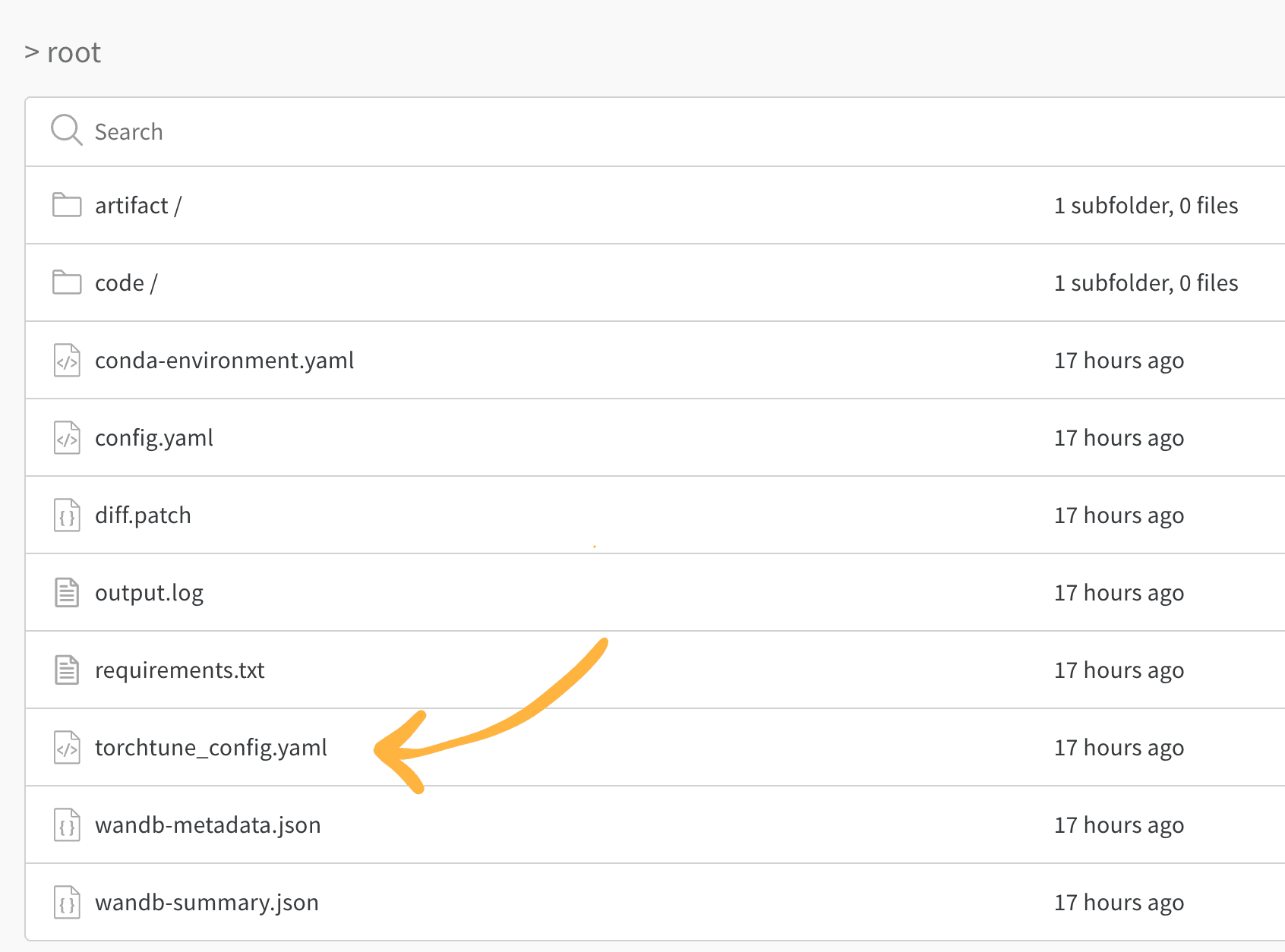
W\&B는 최종 적용된 설정을 캡처하여 **Overview** 탭에 표시합니다. 또한 설정을 YAML 형식으로 저장하며, [Files 탭](https://forge.coreweave.com/wandb/capecape/torchtune/runs/joyknwwa/files)에서 확인할 수 있습니다.
로깅된 메트릭
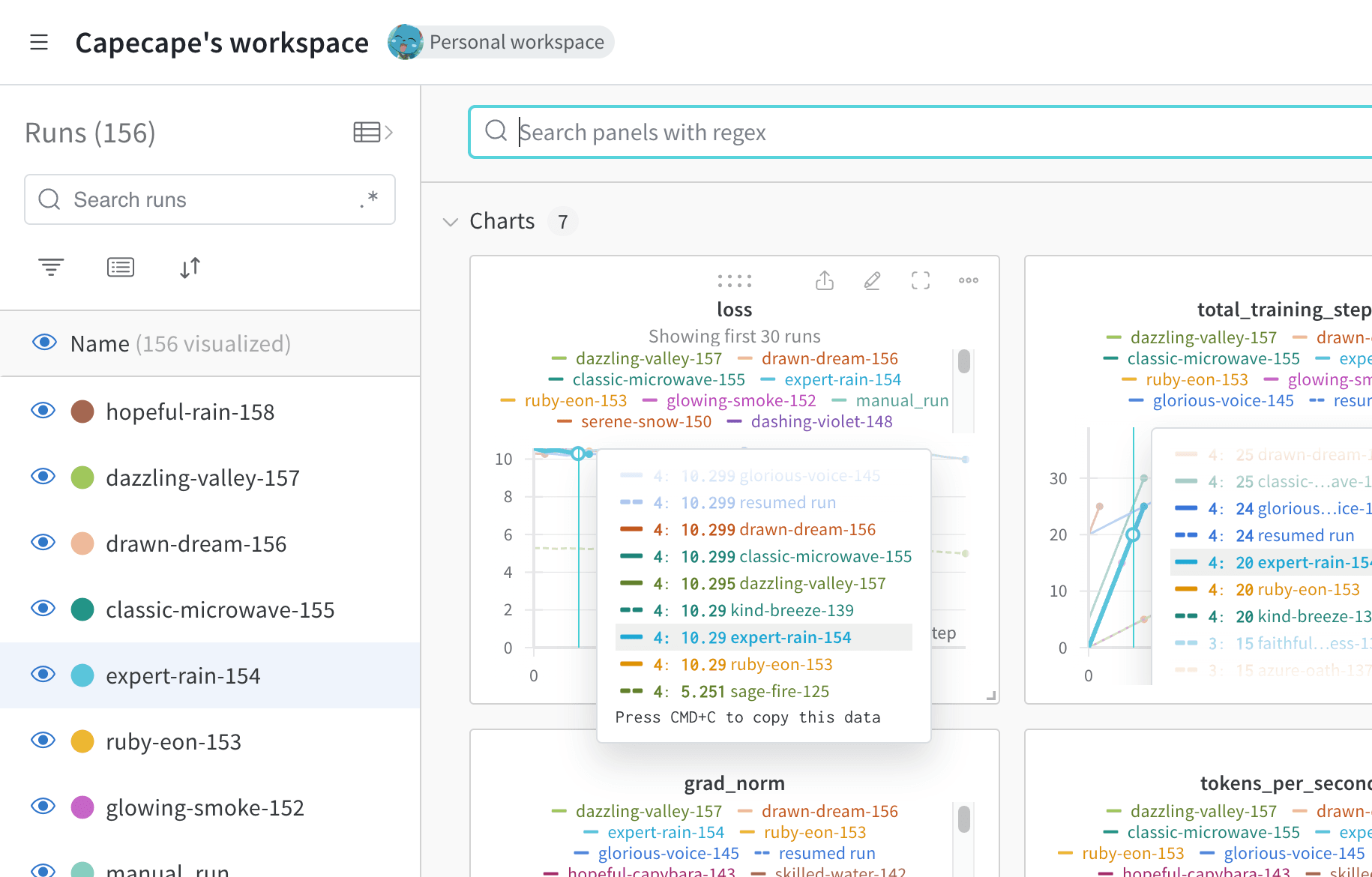
각 레시피에는 자체 트레이닝 루프가 있습니다. 각 레시피에서 로깅하는 메트릭을 확인하세요. 기본적으로 다음 메트릭이 포함됩니다:
| 메트릭 | 설명 |
| - | - |
| `loss` | 모델의 손실입니다. |
| `lr` | 학습률입니다. |
| `tokens_per_second` | 모델의 초당 토큰 수입니다. |
| `grad_norm` | 모델의 그라디언트 노름입니다. |
| `global_step` | 트레이닝 루프의 현재 단계에 해당합니다. 그라디언트 누적을 반영합니다. 옵티마이저 단계가 실행될 때마다 모델이 업데이트되며, 그라디언트가 누적되고 `gradient_accumulation_steps`마다 모델이 한 번 업데이트됩니다. |
`global_step`은 트레이닝 단계 수와 같지 않습니다. 트레이닝 루프의 현재 단계에 해당하며 그라디언트 누적을 반영합니다. 옵티마이저 단계가 실행될 때마다 `global_step`이 1씩 증가합니다. 예를 들어 데이터 로더에 배치가 10개 있고, 그라디언트 누적 단계 수가 2이며, 3에포크 동안 실행하면 옵티마이저 단계가 15번 실행되므로 `global_step`의 범위는 1\~15입니다.
torchtune은 커스텀 메트릭을 추가하거나 기존 메트릭을 수정할 수 있도록 설계되어 있습니다. 해당 [레시피 파일](https://github.com/meta-pytorch/torchtune/tree/main/recipes)을 수정하세요. 예를 들어 다음과 같이 `current_epoch`을 전체 에포크 수에 대한 백분율로 로깅할 수 있습니다:
```python theme={"system"}
# 레시피 파일의 `train.py` 함수 내부
self._metric_logger.log_dict(
{"current_epoch": self.epochs * self.global_step / self._steps_per_epoch},
step=self.global_step,
)
```
로깅되는 메트릭은 torchtune 릴리스에 따라 달라질 수 있습니다. 커스텀 메트릭을 추가하려면 레시피를 수정하고 해당 `self._metric_logger.*` 함수를 호출하세요.
체크포인트 저장 및 로드
체크포인트를 W\&B Artifacts에 저장하면 각 run의 메트릭 및 설정과 함께 모델 가중치의 버전을 관리할 수 있어, 나중에 결과를 재현하고 모델 버전을 비교할 수 있습니다.
torchtune 라이브러리는 여러 [체크포인트 형식](https://meta-pytorch.org/torchtune/stable/deep_dives/checkpointer.html)을 지원합니다. 사용하는 모델의 출처에 따라 알맞은 [체크포인터 클래스](https://meta-pytorch.org/torchtune/stable/deep_dives/checkpointer.html)로 전환해야 합니다.
모델 체크포인트를 [W\&B Artifacts](/ko/products/wandb/artifacts)에 저장하려면 해당 레시피의 `save_checkpoint` 함수를 재정의하는 방법을 권장합니다.
다음 예시는 `save_checkpoint` 함수를 재정의하여 모델 체크포인트를 W\&B Artifacts에 저장하는 방법을 보여줍니다.
```python theme={"system"}
def save_checkpoint(self, epoch: int) -> None:
...
## 체크포인트를 W&B에 저장합니다.
## 파일 이름은 Checkpointer 클래스에 따라 다릅니다.
## 다음은 full_finetune 사례에 대한 예시입니다.
checkpoint_file = Path.joinpath(
self._checkpointer._output_dir, f"torchtune_model_{epoch}"
).with_suffix(".pt")
wandb_artifact = wandb.Artifact(
name=f"torchtune_model_{epoch}",
type="model",
# 모델 체크포인트 설명
description="Model checkpoint",
# 원하는 메타데이터를 dict 형식으로 자유롭게 추가할 수 있습니다
metadata={
utils.SEED_KEY: self.seed,
utils.EPOCHS_KEY: self.epochs_run,
utils.TOTAL_EPOCHS_KEY: self.total_epochs,
utils.MAX_STEPS_KEY: self.max_steps_per_epoch,
},
)
wandb_artifact.add_file(checkpoint_file)
wandb.log_artifact(wandb_artifact)
```
## Related topics
- [예시 코드 및 노트북](/ko/products/wandb/examples.md)
 W\&B 블로그 게시물 [torchtune을 사용한 Mistral 7B fine-tuning](https://forge.coreweave.com/wandb/capecape/torchtune-mistral/reports/torchtune-The-new-PyTorch-LLM-fine-tuning-library---Vmlldzo3NTUwNjM0)을 확인하세요.