> ## Documentation Index
> Fetch the complete documentation index at: https://docs.coreweave.com/llms.txt
> Use this file to discover all available pages before exploring further.
# Cohere
> Weave を使用して、Cohere Python ライブラリ経由の LLM Call を自動的にトラッキングしてログします
 `weave.init()` を呼び出すと、Weave は [Cohere Python ライブラリ](https://github.com/cohere-ai/cohere-python)経由の LLM Call を自動的にトラッキングしてログします。
トレース
LLM アプリケーションのトレースは、開発中も本番環境でも、一元管理されたデータベースに保存することが重要です。保存したトレースは、デバッグに使用できるほか、アプリケーションの改善に役立つデータセットとしても使用できます。
Weave は `cohere-python` のトレースを自動的に取得します。ライブラリは通常どおり使用できます。まず `weave.init()` を呼び出します。
```python lines {8} theme={"system"}
import cohere
import os
import weave
# Cohere ライブラリは通常どおり使用します
co = cohere.Client(api_key=os.environ["COHERE_API_KEY"])
weave.init("cohere_project")
response = co.chat(
message="How is the weather in Boston?",
# 質問に回答する前に Web 検索を実行します。独自のカスタムコネクタを使用することもできます。
connectors=[{"id": "web-search"}],
)
print(response.text)
```
`weave.init()` を呼び出す際に CoreWeave Forge のチームを指定しない場合、Weave はデフォルトの entity を使用します。デフォルトの entity を確認または変更するには、Weights & Biases Models ドキュメントの [User Settings](/ja/products/wandb/platform/app/settings-page/user-settings#default-team) を参照してください。
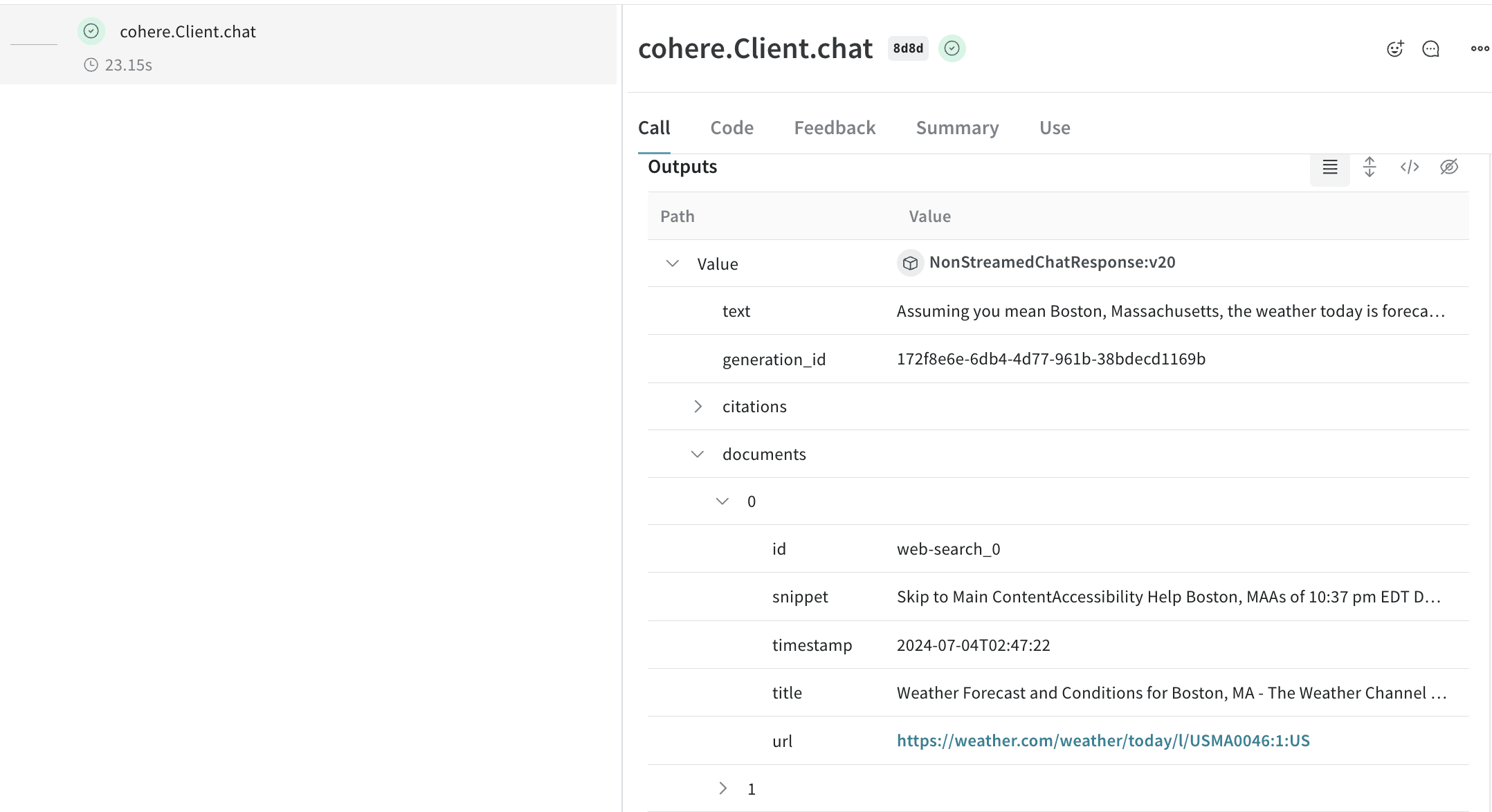
Cohere モデルは [コネクタ](https://docs.cohere.com/docs/overview-rag-connectors#using-connectors-to-create-grounded-generations) をサポートしており、エンドポイント側で他の API にリクエストを送信できます。この場合、応答には生成されたテキストに加えて、コネクタから返されたドキュメントにリンクする引用要素が含まれます。
[ ](https://forge.coreweave.com/wandb/capecape/cohere_dev/weave/calls)
Weave は、Cohere の `Client.chat()`、`AsyncClient.chat()`、`Client.chat_stream()`、`AsyncClient.chat_stream()` メソッドにパッチを適用して、LLM Call をトラッキングします。
](https://forge.coreweave.com/wandb/capecape/cohere_dev/weave/calls)
Weave は、Cohere の `Client.chat()`、`AsyncClient.chat()`、`Client.chat_stream()`、`AsyncClient.chat_stream()` メソッドにパッチを適用して、LLM Call をトラッキングします。
独自の op でラップする
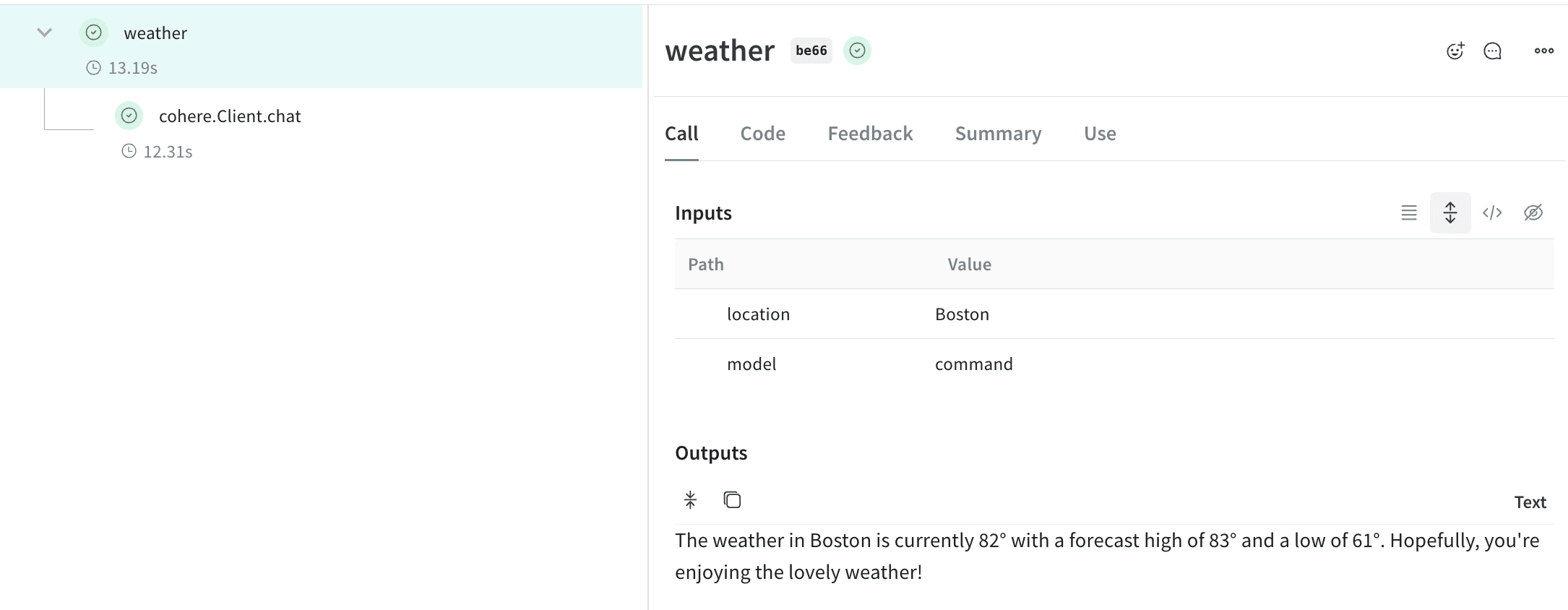
Weave Op は、実験中にコードを自動的にバージョン管理して結果を*再現可能*にするとともに、入力と出力を取得します。Cohere のチャットメソッドを呼び出す関数を作成して [`@weave.op()`](/ja/products/wandb/weave/guides/tracking/ops) でデコレートすると、Weave が入力と出力を自動的にトラッキングします。以下に例を示します。
```python lines {9} theme={"system"}
import cohere
import os
import weave
co = cohere.Client(api_key=os.environ["COHERE_API_KEY"])
weave.init("cohere_project")
@weave.op()
def weather(location: str, model: str) -> str:
response = co.chat(
model=model,
message=f"How is the weather in {location}?",
# 質問に回答する前に Web 検索を実行します。独自のカスタムコネクタを使用することもできます。
connectors=[{"id": "web-search"}],
)
return response.text
print(weather("Boston", "command"))
```
[ ](https://forge.coreweave.com/wandb/capecape/cohere_dev/weave/calls)
実験を容易にするために `Model` を作成する
構成要素が多いと、実験の整理は難しくなります。[`Model`](/ja/products/wandb/weave/guides/core-types/models) クラスを使用すると、システムプロンプトや使用しているモデルなど、アプリの実験に関する詳細を取得して整理できます。これにより、アプリのさまざまな反復処理を整理して比較しやすくなります。
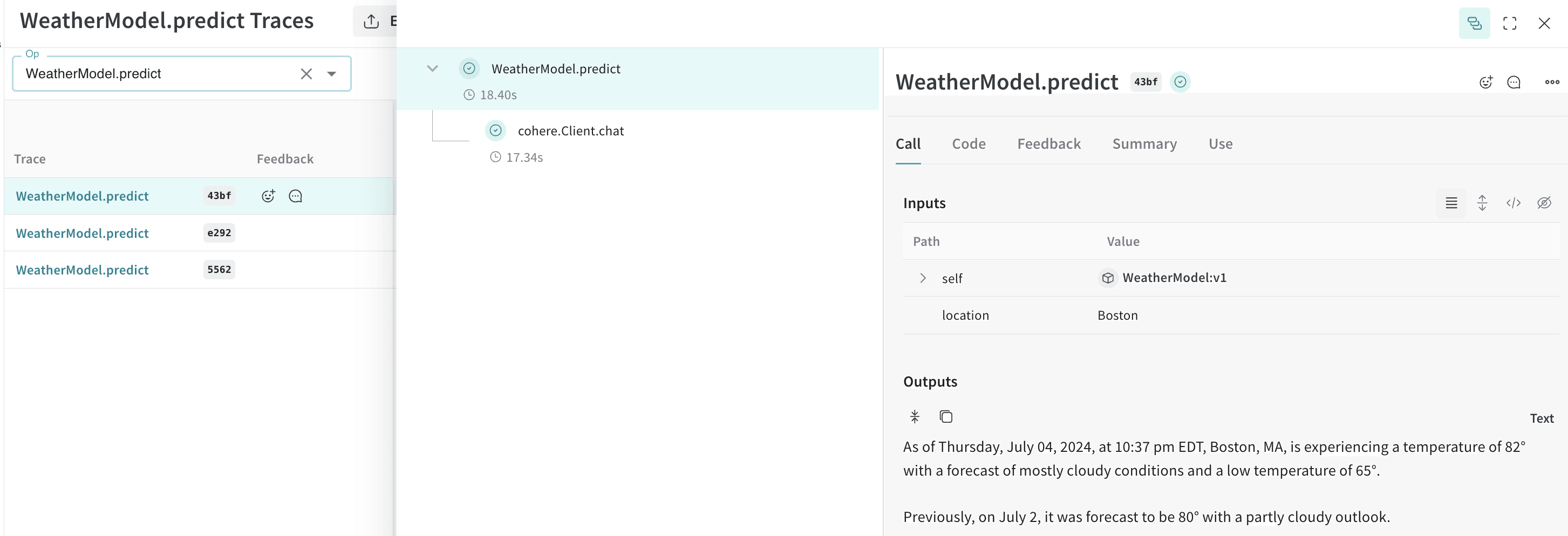
[`Model`](/ja/products/wandb/weave/guides/core-types/models) は、コードのバージョン管理や入力/出力の取得に加えて、アプリケーションの動作を制御する構造化されたパラメーターも取得します。そのため、どのパラメーターが最も効果的だったかを見つけやすくなります。また、Weave モデルは `serve` や [`Evaluation`](/ja/products/wandb/weave/guides/core-types/evaluations) と組み合わせて使用することもできます。
次の例では、`model` と `temperature` を変えて実験できます。これらのいずれかを変更するたびに、`WeatherModel` の新しい*バージョン*が作成されます。
```python lines theme={"system"}
import weave
import cohere
import os
weave.init('weather-cohere')
class WeatherModel(weave.Model):
model: str
temperature: float
@weave.op()
def predict(self, location: str) -> str:
co = cohere.Client(api_key=os.environ["COHERE_API_KEY"])
response = co.chat(
message=f"How is the weather in {location}?",
model=self.model,
temperature=self.temperature,
connectors=[{"id": "web-search"}]
)
return response.text
weather_model = WeatherModel(
model="command",
temperature=0.7
)
result = weather_model.predict("Boston")
print(result)
```
[ ](https://forge.coreweave.com/wandb/capecape/cohere_dev/weave/models)
## Related topics
- [ローカルScorer を使用して評価する](/ja/products/wandb/weave/guides/evaluation/weave_local_scorers.md)
](https://forge.coreweave.com/wandb/capecape/cohere_dev/weave/models)
## Related topics
- [ローカルScorer を使用して評価する](/ja/products/wandb/weave/guides/evaluation/weave_local_scorers.md)