> ## Documentation Index
> Fetch the complete documentation index at: https://docs.coreweave.com/llms.txt
> Use this file to discover all available pages before exploring further.
# Cerebras
> Weave を使用して、Cerebras Cloud SDK 経由の LLM Call をトレースおよびログします
Weave は、[Cerebras Cloud SDK](https://inference-docs.cerebras.ai/introduction) 経由で実行された LLM Call を自動的にトラッキングしてログします。
トレース
LLM Call のトラッキングは、デバッグやパフォーマンスのモニタリングに欠かせません。Weave は Cerebras Cloud SDK のトレースを自動的に取得するため、これを簡単に実現できます。
Cerebras で Weave を使用する例を次に示します。
```python lines theme={"system"}
import os
import weave
from cerebras.cloud.sdk import Cerebras
# Weave プロジェクトを初期化します
weave.init("cerebras_speedster")
# いつもどおり Cerebras SDK を使用します
api_key = os.environ["CEREBRAS_API_KEY"]
model = "llama3.1-8b" # Cerebras のモデル
client = Cerebras(api_key=api_key)
response = client.chat.completions.create(
model=model,
messages=[{"role": "user", "content": "What's the fastest land animal?"}],
)
print(response.choices[0].message.content)
```
これで、Cerebras SDK を通じて行われるすべての LLM Call が Weave によってトラッキングされ、ログされるようになりました。トレースは Weave の Web インターフェースで確認でき、トークン使用量や応答時間などの詳細も表示されます。
[ ](https://forge.coreweave.com/wandb/capecape/cerebras_speedster/weave/traces)
独自の op でラップする
Weave Op は、コードを自動的にバージョン管理し、入力と出力を取得することで、実験の再現性とトレーサビリティを高めます。Cerebras SDK で Weave Op を使用する例を以下に示します。
```python lines theme={"system"}
import os
import weave
from cerebras.cloud.sdk import Cerebras
# Weave プロジェクトを初期化します
weave.init("cerebras_speedster")
client = Cerebras(api_key=os.environ["CEREBRAS_API_KEY"])
# この関数の入力、出力、コードは Weave によってトラッキングされます
@weave.op
def animal_speedster(animal: str, model: str) -> str:
"Find out how fast an animal can run"
response = client.chat.completions.create(
model=model,
messages=[{"role": "user", "content": f"How fast can a {animal} run?"}],
)
return response.choices[0].message.content
animal_speedster("cheetah", "llama3.1-8b")
animal_speedster("ostrich", "llama3.1-8b")
animal_speedster("human", "llama3.1-8b")
```
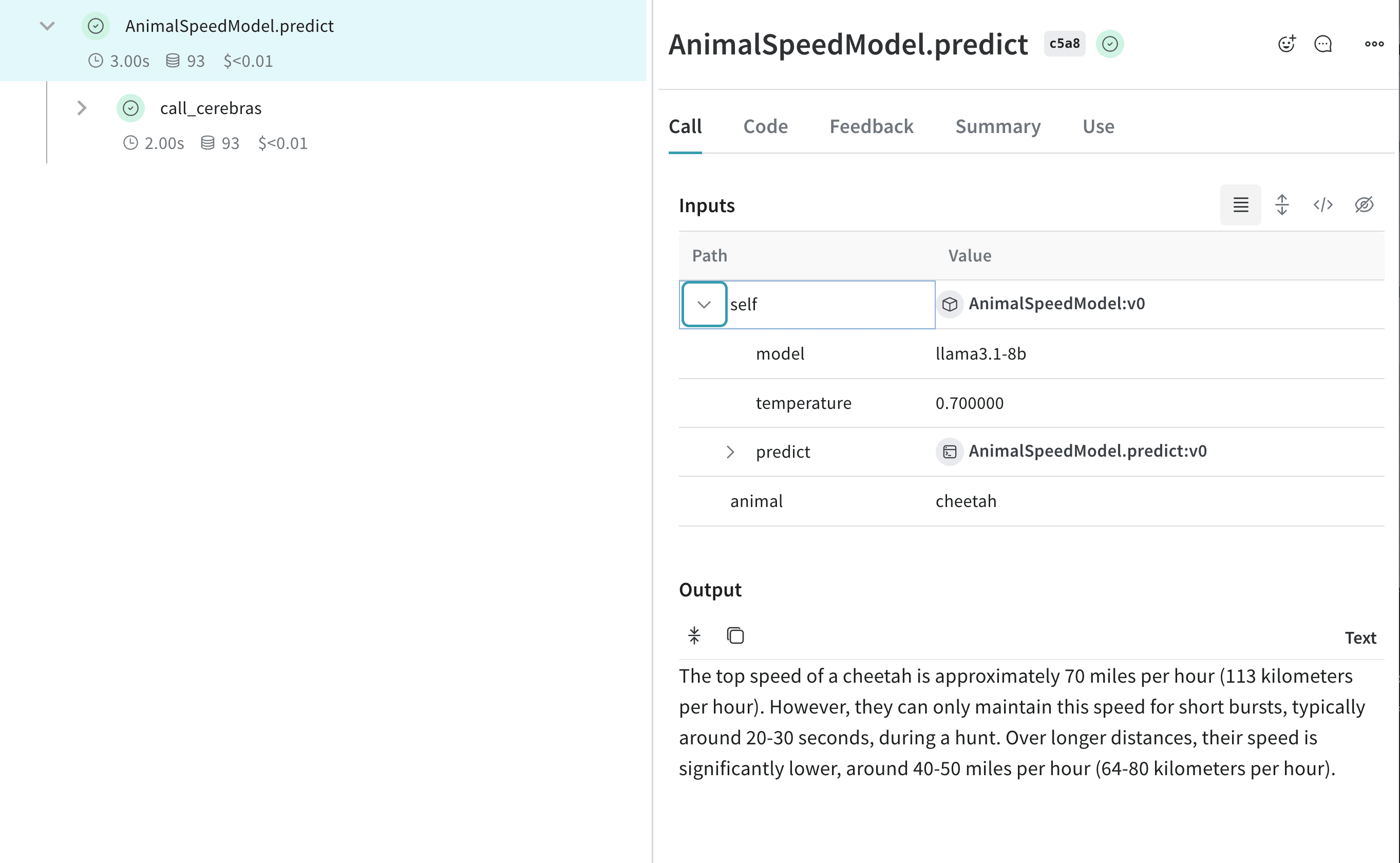
実験を効率化するために `Model` を作成する
Weave の [Model](/ja/products/wandb/weave/guides/core-types/models) クラスを使用すると、アプリのさまざまな反復処理を整理して比較できます。これは Cerebras のモデルを使って実験する際に便利です。以下に例を示します。
```python lines theme={"system"}
import os
import weave
from cerebras.cloud.sdk import Cerebras
# Weave プロジェクトを初期化する
weave.init("cerebras_speedster")
client = Cerebras(api_key=os.environ["CEREBRAS_API_KEY"])
class AnimalSpeedModel(weave.Model):
model: str
temperature: float
@weave.op
def predict(self, animal: str) -> str:
"Predict the top speed of an animal"
response = client.chat.completions.create(
model=self.model,
messages=[{"role": "user", "content": f"What's the top speed of a {animal}?"}],
temperature=self.temperature
)
return response.choices[0].message.content
speed_model = AnimalSpeedModel(
model="llama3.1-8b",
temperature=0.7
)
result = speed_model.predict(animal="cheetah")
print(result)
```
この構成により、Cerebras を利用した推論をトラッキングしながら、さまざまなモデルやパラメーターを試すことができます。
[ ](https://forge.coreweave.com/wandb/capecape/cerebras_speedster/weave/traces)