> ## Documentation Index
> Fetch the complete documentation index at: https://docs.coreweave.com/llms.txt
> Use this file to discover all available pages before exploring further.
# Import from CSV
> Import datasets from CSV files into W&B Weave for use in evaluations, tracing, and model comparison workflows.
これは対話型ノートブックです。ローカルで実行するか、以下のリンクを使用できます:
* [Google Colab で開く](https://colab.research.google.com/github/wandb/docs/blob/main/weave/cookbooks/source/import_from_csv.ipynb)
* [GitHub でソースを表示](https://github.com/wandb/docs/blob/main/weave/cookbooks/source/import_from_csv.ipynb)
サードパーティシステムからのトレースのインポート
このノートブックでは、CSV ファイルから過去の会話トレースを W\&B Weave にインポートする方法を紹介します。これにより、Weave でインストルメントされるアプリケーションの外部で生成されたデータを分析したり、モデル動作を比較したり、評価を実行したりできます。
Python または JavaScript のコードを Weave インテグレーションでインストルメントして GenAI アプリケーションのリアルタイムトレースを取得できない場合があります。こうしたトレースは、後で CSV または JSON 形式で入手できることがよくあります。
このノートブックでは、低レベルの Weave Python API を使用して CSV ファイルからデータを抽出して Weave にインポートし、分析および評価できるようにします。
このクックブックで想定するサンプルデータセットの構造は次のとおりです:
```text theme={"system"}
conversation_id,turn_index,start_time,user_input,ground_truth,answer_text
1234,1,2024-09-04 13:05:39,This is the beginning, ['This was the beginning'], That was the beginning
1235,1,2024-09-04 13:02:11,This is another trace,, That was another trace
1235,2,2024-09-04 13:04:19,This is the next turn,, That was the next turn
1236,1,2024-09-04 13:02:10,This is a 3 turn conversation,, Woah thats a lot of turns
1236,2,2024-09-04 13:02:30,This is the second turn, ['That was definitely the second turn'], You are correct
1236,3,2024-09-04 13:02:53,This is the end,, Well good riddance!
```
このノートブックでの import の決定を理解するために、Weave トレースには 1:Many で連続した親子関係があることを思い出してください。1 つの親は複数の子を持つことができ、その親自体が別の親の子になることもあります。
このノートブックでは、完全な会話をログする機能を提供するために、親の識別子として `conversation_id` を、子の識別子として `turn_index` を使用します。
ご自身のデータセット、ファイルパス、および Weights & Biases project に合わせて、以下のセクションの変数を変更する必要があります。
環境を設定する
必要なパッケージをすべてインストールしてインポートします。
`wandb.login()` でログインできるように、環境変数 `WANDB_API_KEY` を設定します (Colab ではシークレットとして登録してください) 。
Colab にアップロードするファイルの名前を `name_of_file` に、ログする先の Weights & Biases の project を `name_of_wandb_project` に設定します。
`name_of_wandb_project` を `[TEAM_NAME]/[PROJECT_NAME]` の形式で指定すると、トレースをログする先のチームも指定できます。
次に、`weave.init()` を呼び出して Weave クライアントを取得します。
```python lines theme={"system"}
%pip install wandb weave pandas datetime --quiet
python
import os
import pandas as pd
import wandb
from google.colab import userdata
import weave
## サンプルファイルをディスクに書き込む
with open("/content/import_cookbook_data.csv", "w") as f:
f.write(
"conversation_id,turn_index,start_time,user_input,ground_truth,answer_text\n"
)
f.write(
'1234,1,2024-09-04 13:05:39,This is the beginning, ["This was the beginning"], That was the beginning\n'
)
f.write(
"1235,1,2024-09-04 13:02:11,This is another trace,, That was another trace\n"
)
f.write(
"1235,2,2024-09-04 13:04:19,This is the next turn,, That was the next turn\n"
)
f.write(
"1236,1,2024-09-04 13:02:10,This is a 3 turn conversation,, Woah thats a lot of turns\n"
)
f.write(
'1236,2,2024-09-04 13:02:30,This is the second turn, ["That was definitely the second turn"], You are correct\n'
)
f.write("1236,3,2024-09-04 13:02:53,This is the end,, Well good riddance!\n")
os.environ["WANDB_API_KEY"] = userdata.get("WANDB_API_KEY")
name_of_file = "/content/import_cookbook_data.csv"
name_of_wandb_project = "import-weave-traces-cookbook"
wandb.login()
python
weave_client = weave.init(name_of_wandb_project)
```
データを読み込む
環境の準備ができたら、CSV データを読み込み、Weave が想定する親子構造に合わせて整形します。
データを pandas DataFrame に読み込み、`conversation_id` と `turn_index` で並べ替えて、親と子が正しい順序で並ぶようにします。
その結果、会話のターンが `conversation_data` 列に配列として格納された、2 列の pandas DataFrame が得られます。
```python lines theme={"system"}
## データを読み込んで整形する
df = pd.read_csv(name_of_file)
sorted_df = df.sort_values(["conversation_id", "turn_index"])
# 会話ごとに辞書の配列を作成する関数
def create_conversation_dict_array(group):
return group.drop("conversation_id", axis=1).to_dict("records")
# DataFrame を conversation_id でグループ化し、集約を適用する
result_df = (
sorted_df.groupby("conversation_id")
.apply(create_conversation_dict_array)
.reset_index()
)
result_df.columns = ["conversation_id", "conversation_data"]
# 集約結果を確認する
result_df.head()
```
トレースを Weave にログする
データを会話とターンに整形したら、次のステップでは、それらのレコードを親 Call と子 Call として Weave に書き込みます。
pandas データフレームを反復処理します。
* `conversation_id` ごとに親 Call を作成します。
* ターンの配列を反復処理して、`turn_index` 順に並べた子 Call を作成します。
低レベルの Python API の重要な概念:
* Weave の Call は Weave のトレースに相当します。この Call には親や子を関連付けることができます。
* Weave の Call には、フィードバックやメタデータなども関連付けることができます。この例では入力と出力のみを関連付けますが、データにこれらの項目が含まれていれば、インポート時に追加できます。
* Weave の Call はリアルタイムで追跡することを想定しているため、`created` と `finished` の状態を持ちます。今回は事後のインポートなので、オブジェクトを定義して相互に関連付けた後に、作成と終了を行います。
* Call の `op` 値は、同じ構成の Call を Weave が分類するために使用します。この例では、すべての親 Call は `Conversation` タイプ、すべての子 Call は `Turn` タイプです。必要に応じて変更できます。
* Call は `inputs` と `output` を持つことができます。`inputs` は作成時に定義し、`output` は Call の終了時に定義します。
```python lines theme={"system"}
# Weave にトレースをログします
# 集計した会話を反復処理します
for _, row in result_df.iterrows():
# 会話の親を定義します。
# 先ほど定義した weave_client で「call」を作成します
parent_call = weave_client.create_call(
# Op 値によって Weave Op として登録され、後でまとめて簡単に取得できるようになります
op="Conversation",
# 上位の会話の入力に、その配下のすべてのターンを設定します
inputs={
"conversation_data": row["conversation_data"][:-1]
if len(row["conversation_data"]) > 1
else row["conversation_data"]
},
# Conversation の親には、さらに上位の親はありません
parent=None,
# この会話の UI での表示名
display_name=f"conversation-{row['conversation_id']}",
)
# 親の出力に、会話の最後のトレースを設定します
parent_output = row["conversation_data"][len(row["conversation_data"]) - 1]
# 親の会話のすべてのターンを反復処理し、
# 会話の子としてログします
for item in row["conversation_data"]:
item_id = f"{row['conversation_id']}-{item['turn_index']}"
# ここでも call を作成し、会話の配下に分類します
call = weave_client.create_call(
# 会話の単一のトレースを「Turn」として分類します
op="Turn",
# RAG の 'ground_truth' を含む、ターンのすべての入力を指定します
inputs={
"turn_index": item["turn_index"],
"start_time": item["start_time"],
"user_input": item["user_input"],
"ground_truth": item["ground_truth"],
},
# 定義した親の子として設定します
parent=parent_call,
# Weave で識別するための名を指定します
display_name=item_id,
)
# call の出力に回答を設定します
output = {
"answer_text": item["answer_text"],
}
# すでに発生したトレースなので、単一ターンの call を終了します
weave_client.finish_call(call=call, output=output)
# すべての子をログしたので、親の call も終了します
weave_client.finish_call(call=parent_call, output=parent_output)
```
結果: Weave にログされたトレース
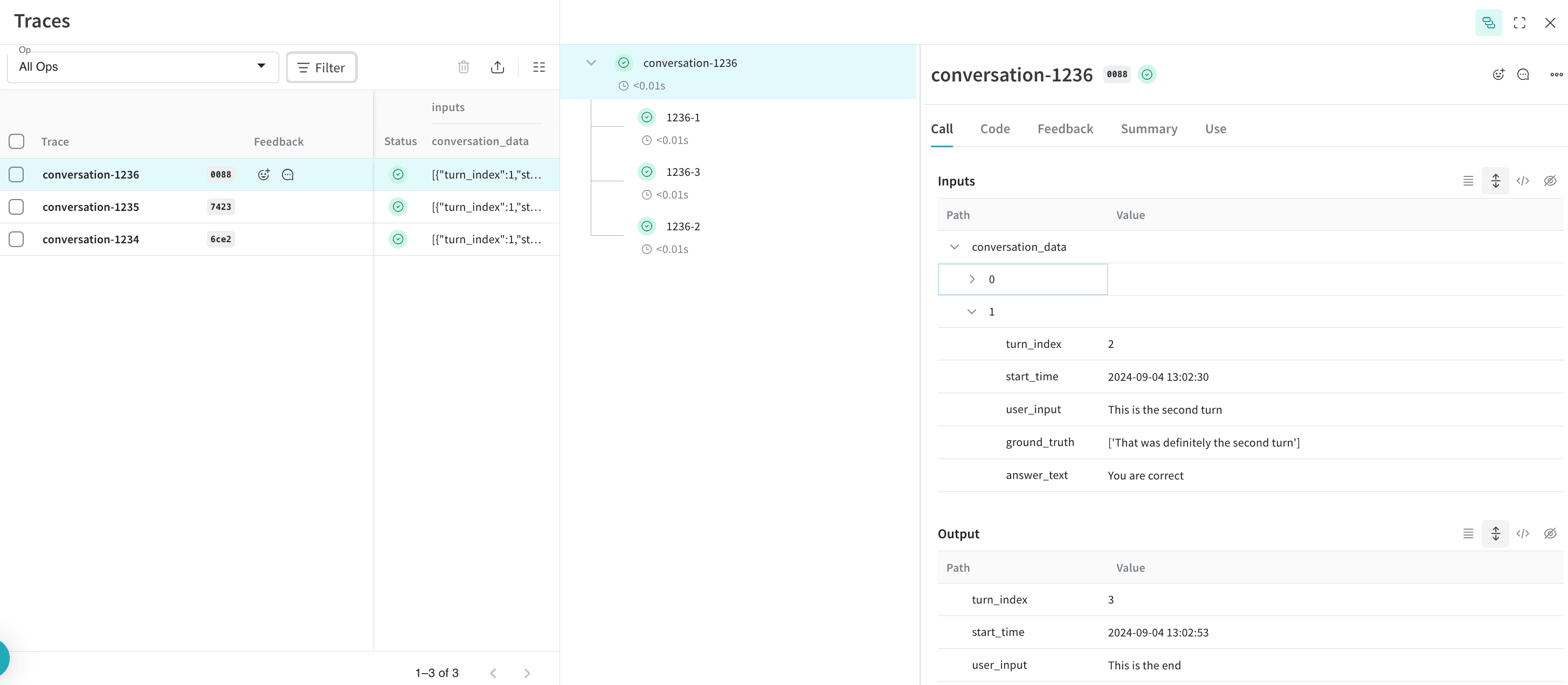
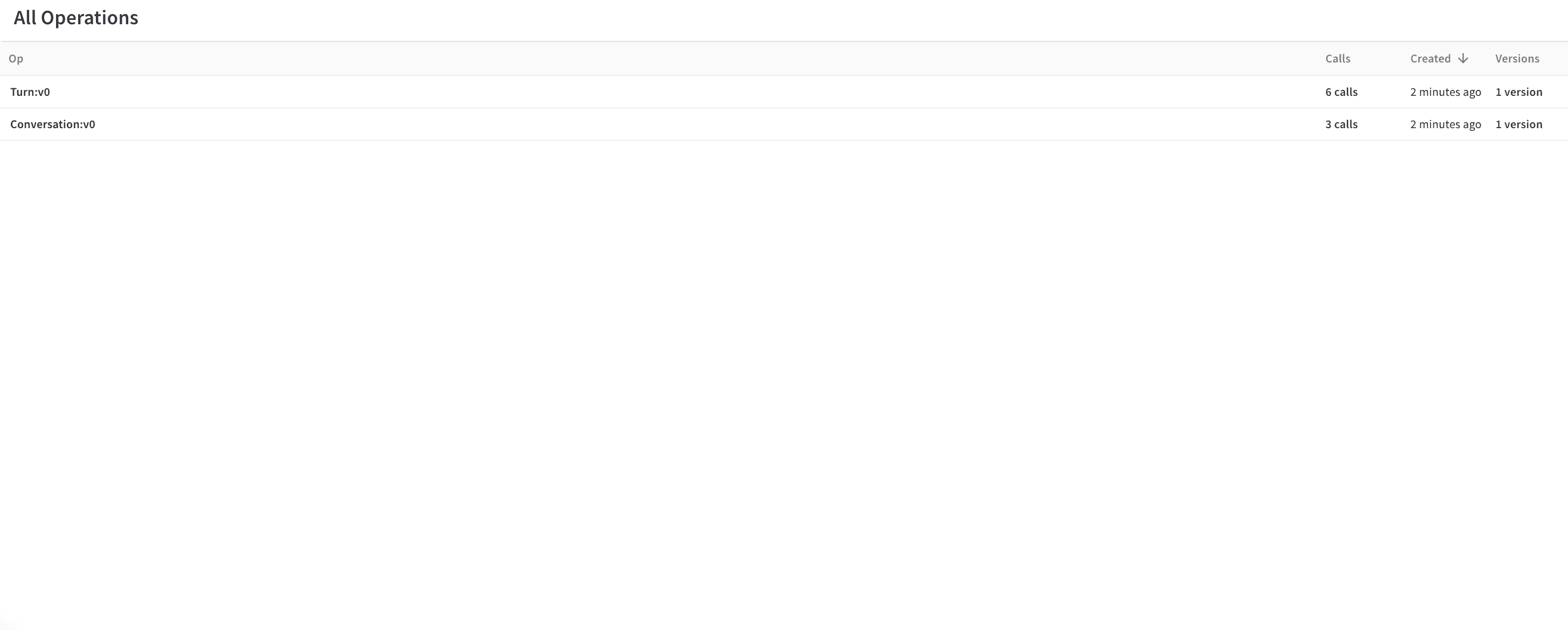
これで、CSV データが Weave にインポートされました。Weights & Biases UI で、定義した `Conversation` および `Turn` オペレーションごとにまとめられた会話とそのターンを閲覧できます。
トレース:
 オペレーション:
オプション: トレースをエクスポートして評価を実行する
トレースが Weave に保存され、会話の内容を把握したら、別のプロセスにエクスポートして Weave Evaluations を実行できます。
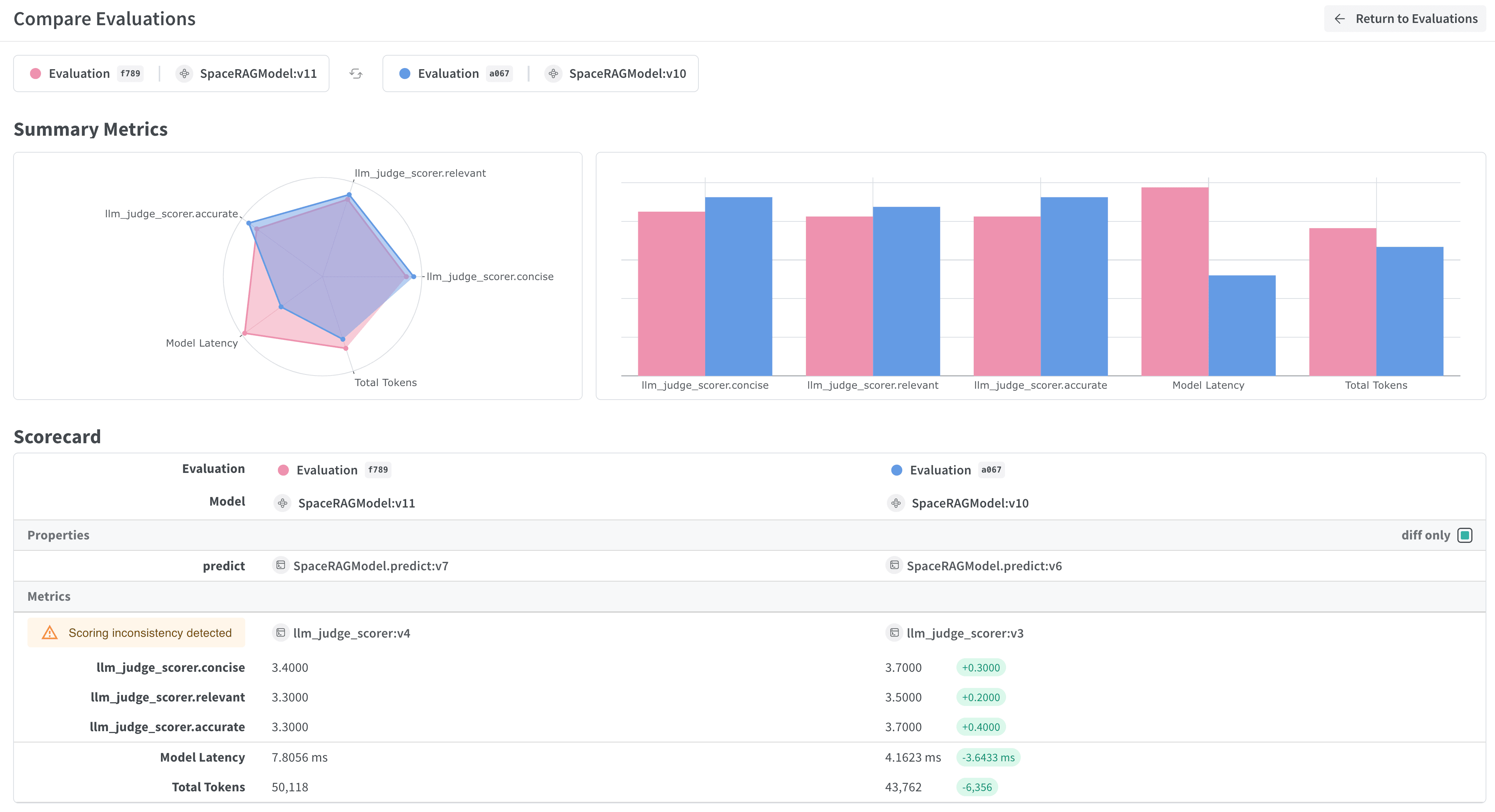 これを行うには、クエリ API を通じて W\&B からすべての会話を取得し、それらからデータセットを作成します。
```python lines theme={"system"}
## このセルはデフォルトでは実行されません。このスクリプトを実行するには、次の行をコメントアウトしてください
%%script false --no-raise-error
## 評価用にすべての Conversation トレースを取得し、評価用データセットを準備します
# すべての Conversation オブジェクトを取得するクエリフィルターを作成します
# 以下の ref はご自身の project 固有のものです。取得するには、
# UI で project の オペレーション を開き、"Conversations" オブジェクトを
# クリックしてから、サイドパネルの "Use" タブをクリックしてください。
weave_ref_for_conversation_op = "weave://wandb-smle/import-weave-traces-cookbook/op/Conversation:tzUhDyzVm5bqQsuqh5RT4axEXSosyLIYZn9zbRyenaw"
filter = weave.trace_server.trace_server_interface.CallsFilter(
op_names=[weave_ref_for_conversation_op],
)
# クエリを実行します
conversation_traces = weave_client.get_calls(filter=filter)
rows = []
# 会話のトレースを順に処理し、データセットの行を構築します
for single_conv in conversation_traces:
# この例では、RAG パイプラインを使用した会話のみを対象とするため、
# そのタイプの会話をフィルターで抽出します
is_rag = False
for single_trace in single_conv.inputs['conversation_data']:
if single_trace['ground_truth'] is not None:
is_rag = True
break
if single_conv.output['ground_truth'] is not None:
is_rag = True
# RAG を使用した会話を特定したら、データセットに追加します
if is_rag:
inputs = []
ground_truths = []
answers = []
# 会話のすべてのターンを順に処理します
for turn in single_conv.inputs['conversation_data']:
inputs.append(turn.get('user_input', ''))
ground_truths.append(turn.get('ground_truth', ''))
answers.append(turn.get('answer_text', ''))
## 会話が単一のターンである場合を考慮します
if len(single_conv.inputs) != 1 or single_conv.inputs['conversation_data'][0].get('turn_index') != single_conv.output.get('turn_index'):
inputs.append(single_conv.output.get('user_input', ''))
ground_truths.append(single_conv.output.get('ground_truth', ''))
answers.append(single_conv.output.get('answer_text', ''))
data = {
'question': inputs,
'contexts': ground_truths,
'answer': answers
}
rows.append(data)
# データセットの行を作成したら、Dataset オブジェクトを作成し、
# 後で取得できるように Weave にパブリッシュします
dset = weave.Dataset(name = "conv_traces_for_eval", rows=rows)
weave.publish(dset)
```
これを行うには、クエリ API を通じて W\&B からすべての会話を取得し、それらからデータセットを作成します。
```python lines theme={"system"}
## このセルはデフォルトでは実行されません。このスクリプトを実行するには、次の行をコメントアウトしてください
%%script false --no-raise-error
## 評価用にすべての Conversation トレースを取得し、評価用データセットを準備します
# すべての Conversation オブジェクトを取得するクエリフィルターを作成します
# 以下の ref はご自身の project 固有のものです。取得するには、
# UI で project の オペレーション を開き、"Conversations" オブジェクトを
# クリックしてから、サイドパネルの "Use" タブをクリックしてください。
weave_ref_for_conversation_op = "weave://wandb-smle/import-weave-traces-cookbook/op/Conversation:tzUhDyzVm5bqQsuqh5RT4axEXSosyLIYZn9zbRyenaw"
filter = weave.trace_server.trace_server_interface.CallsFilter(
op_names=[weave_ref_for_conversation_op],
)
# クエリを実行します
conversation_traces = weave_client.get_calls(filter=filter)
rows = []
# 会話のトレースを順に処理し、データセットの行を構築します
for single_conv in conversation_traces:
# この例では、RAG パイプラインを使用した会話のみを対象とするため、
# そのタイプの会話をフィルターで抽出します
is_rag = False
for single_trace in single_conv.inputs['conversation_data']:
if single_trace['ground_truth'] is not None:
is_rag = True
break
if single_conv.output['ground_truth'] is not None:
is_rag = True
# RAG を使用した会話を特定したら、データセットに追加します
if is_rag:
inputs = []
ground_truths = []
answers = []
# 会話のすべてのターンを順に処理します
for turn in single_conv.inputs['conversation_data']:
inputs.append(turn.get('user_input', ''))
ground_truths.append(turn.get('ground_truth', ''))
answers.append(turn.get('answer_text', ''))
## 会話が単一のターンである場合を考慮します
if len(single_conv.inputs) != 1 or single_conv.inputs['conversation_data'][0].get('turn_index') != single_conv.output.get('turn_index'):
inputs.append(single_conv.output.get('user_input', ''))
ground_truths.append(single_conv.output.get('ground_truth', ''))
answers.append(single_conv.output.get('answer_text', ''))
data = {
'question': inputs,
'contexts': ground_truths,
'answer': answers
}
rows.append(data)
# データセットの行を作成したら、Dataset オブジェクトを作成し、
# 後で取得できるように Weave にパブリッシュします
dset = weave.Dataset(name = "conv_traces_for_eval", rows=rows)
weave.publish(dset)
```
結果
エクスポートしたデータセットが Weave にパブリッシュされ、評価の入力として使用する準備が整いました。
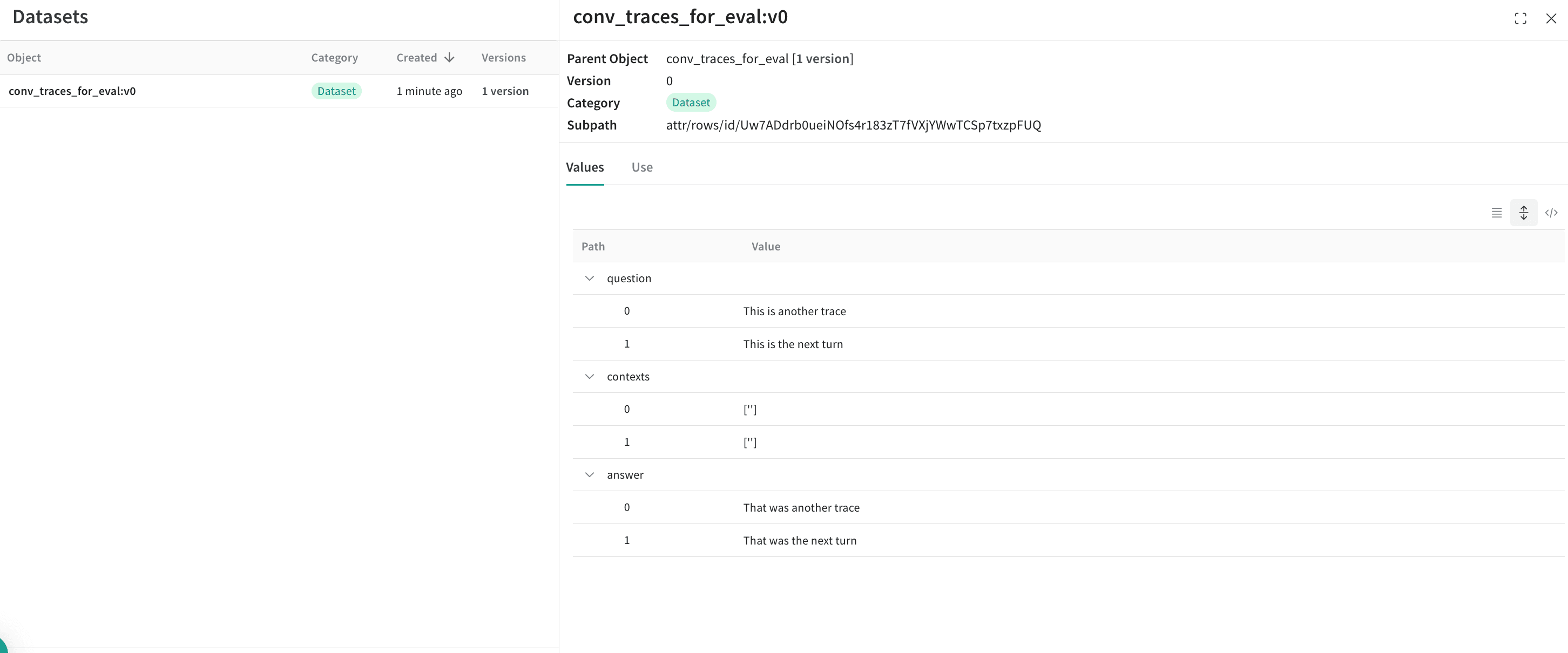 評価の詳細については、新しく作成したデータセットを使用して RAG アプリケーションを評価する方法を説明した[クイックスタート](/ja/products/wandb/weave/tutorial-rag)を参照してください。
## Related topics
- [Why are steps missing from a CSV metric export?](/support/models/articles/why-are-steps-missing-from-a-csv-metric-.md)
評価の詳細については、新しく作成したデータセットを使用して RAG アプリケーションを評価する方法を説明した[クイックスタート](/ja/products/wandb/weave/tutorial-rag)を参照してください。
## Related topics
- [Why are steps missing from a CSV metric export?](/support/models/articles/why-are-steps-missing-from-a-csv-metric-.md)