> ## Documentation Index
> Fetch the complete documentation index at: https://docs.coreweave.com/llms.txt
> Use this file to discover all available pages before exploring further.
> 実験のサマリー、チームでのコラボレーション、知見の共有などのユースケースを紹介する W&B Reports のサンプルをご覧ください。
# report のサンプル
このページでは、実験メモの記録、同僚とのコラボレーション、project の作業ログのトラッキングなど、一般的なユースケースを示す W\&B Reports のサンプルを紹介します。ご自身の report を構成する際の参考としてご活用ください。
以下のセクションでは、report の一般的なパターンと、各パターンに対応する report のサンプルへのリンクを紹介します。作業内容の伝え方に合ったパターンを見つけたら、リンク先の report を開き、他のユーザーがどのように活用しているかを確認してください。
メモ: 簡単な要約付きの可視化を追加する
重要な観察結果、今後の作業のアイデア、project の開発で達成したマイルストーンなどを記録しましょう。report 内のすべての実験 run は、それぞれのパラメーター、メトリクス、ログ、コードにリンクされているため、作業のコンテキスト全体を保存できます。
テキストを書き留め、関連するチャートを取り込んで、得られた知見をわかりやすく示しましょう。
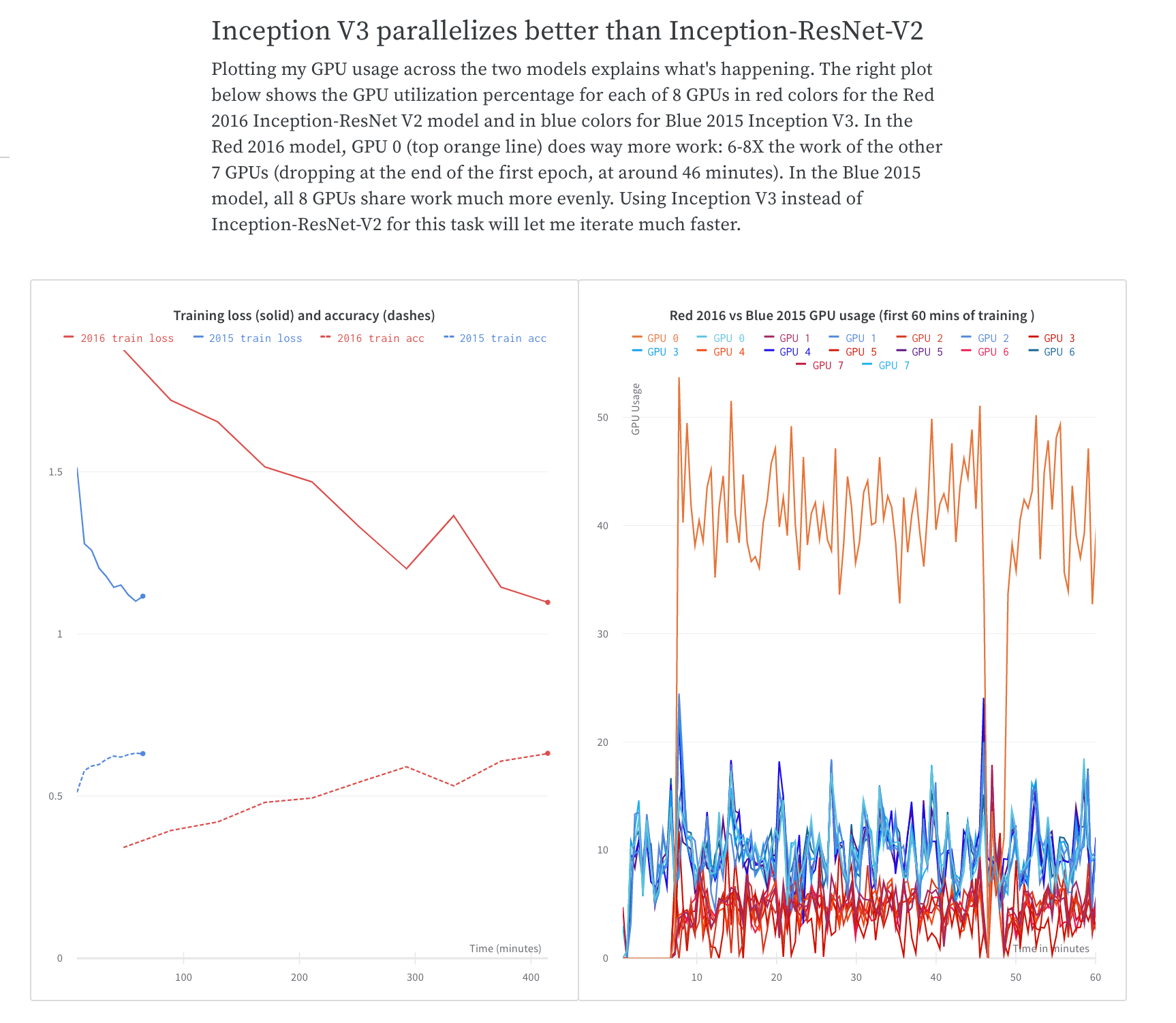
トレーニング時間の比較を共有する方法の例については、[What To Do When Inception-ResNet-V2 Is Too Slow](https://forge.coreweave.com/wandb/stacey/estuary/reports/When-Inception-ResNet-V2-is-too-slow--Vmlldzo3MDcxMA) report を参照してください。
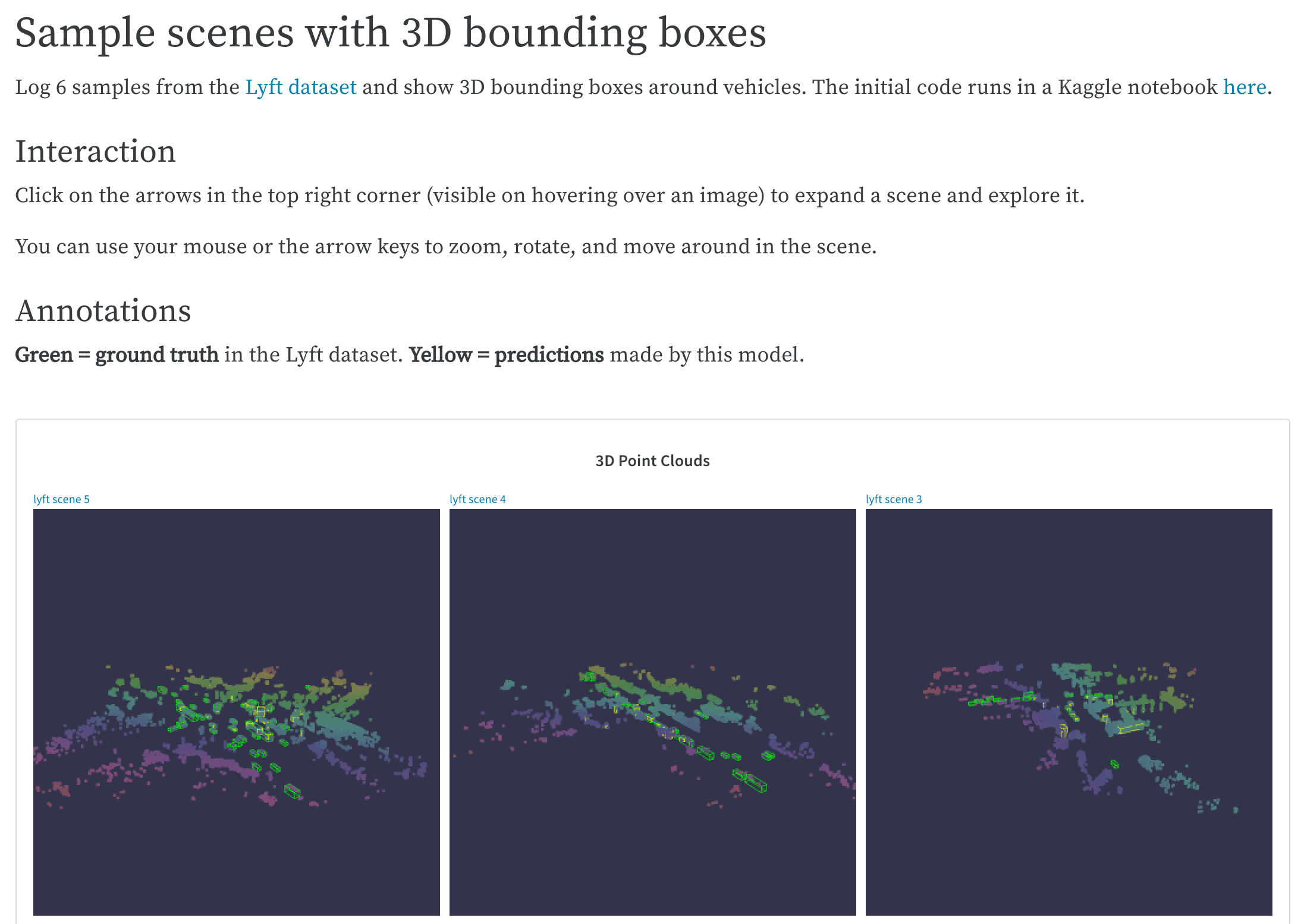
 複雑なコードベースから特に優れた例を保存しておけば、すぐに参照したり、今後の作業に活用したりできます。Lyft データセットの LIDAR ポイントクラウドを可視化し、3D バウンディングボックスでアノテーションを付ける方法の例については、[LIDAR point clouds](https://forge.coreweave.com/wandb/stacey/lyft/reports/LIDAR-Point-Clouds-of-Driving-Scenes--Vmlldzo2MzA5Mg) report を参照してください。
コラボレーション: 検出結果を同僚と共有する
project の始め方を説明し、これまでに観察した内容を共有して、最新の検出結果をまとめます。同僚は、任意のパネルや report の末尾にコメントを付けて、提案したり詳細について議論したりできます。
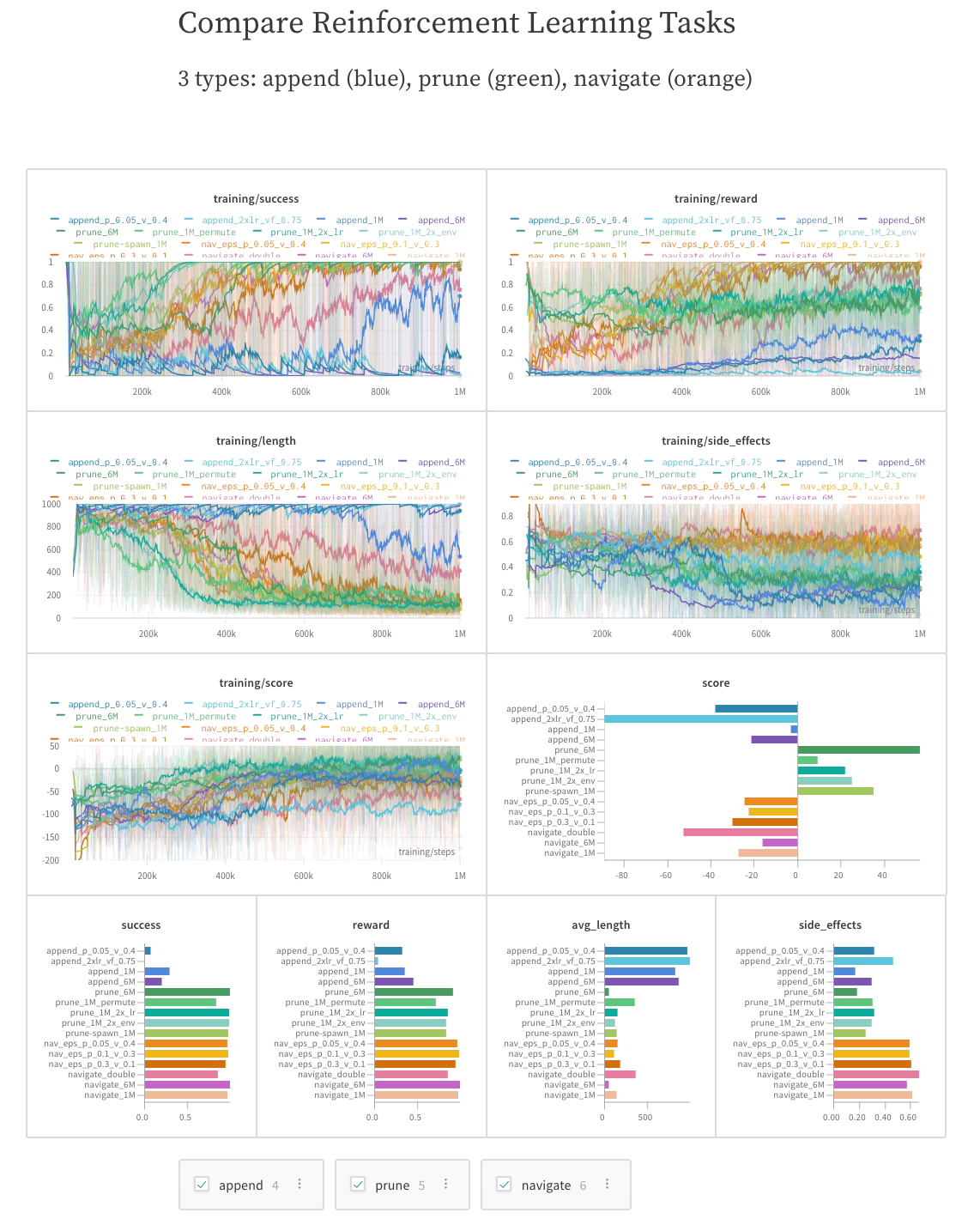
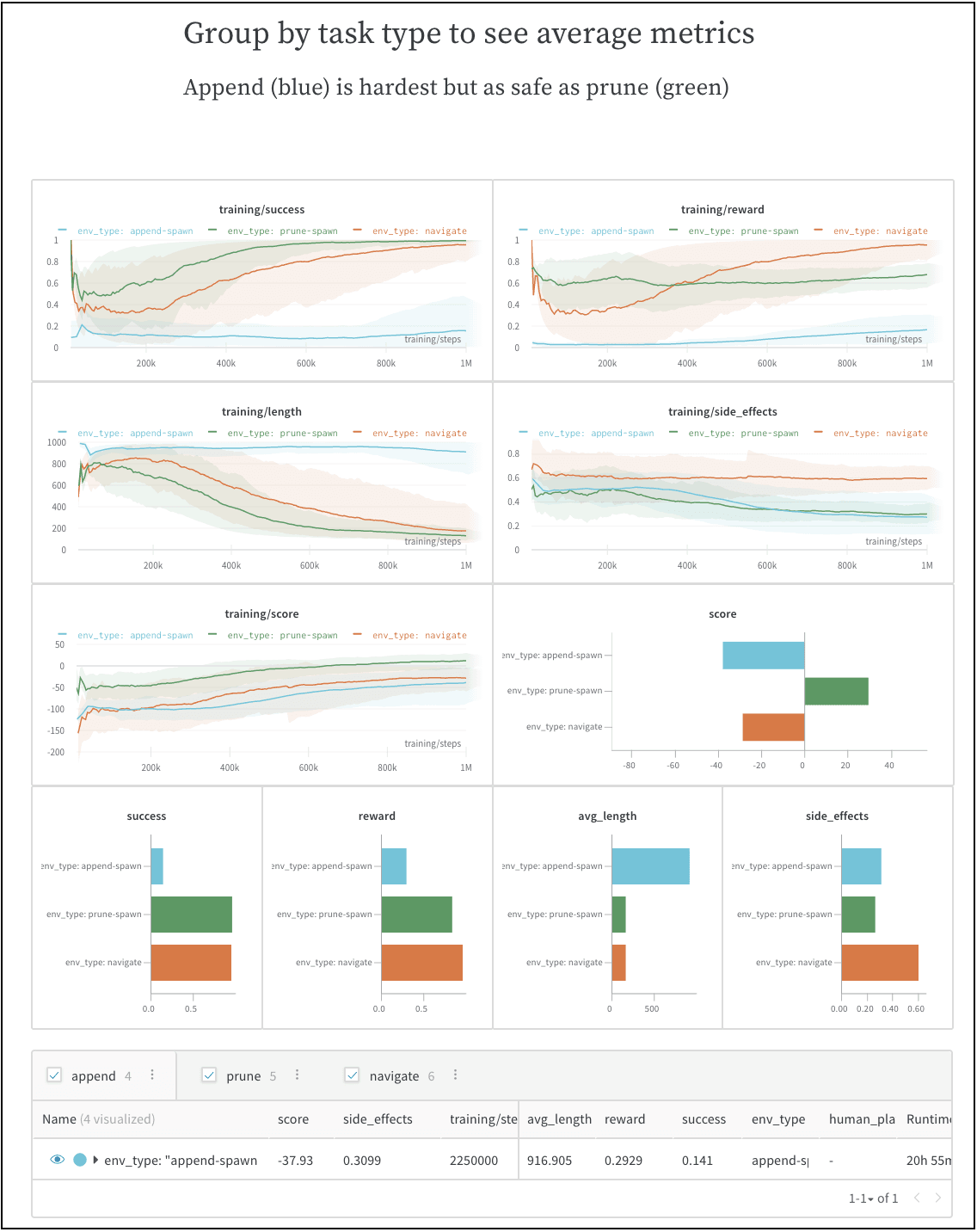
動的な設定を盛り込むと、同僚が自分で探索して新たな知見を得たり、次のステップを計画しやすくなったりします。この例では、3 つのタイプの実験を個別に可視化したり、比較したり、平均したりできます。
ベンチマークの最初の run と観測結果を共有する方法の例については、[SafeLife benchmark experiments](https://forge.coreweave.com/wandb/stacey/saferlife/reports/SafeLife-Benchmark-Experiments--Vmlldzo0NjE4MzM) report を参照してください。
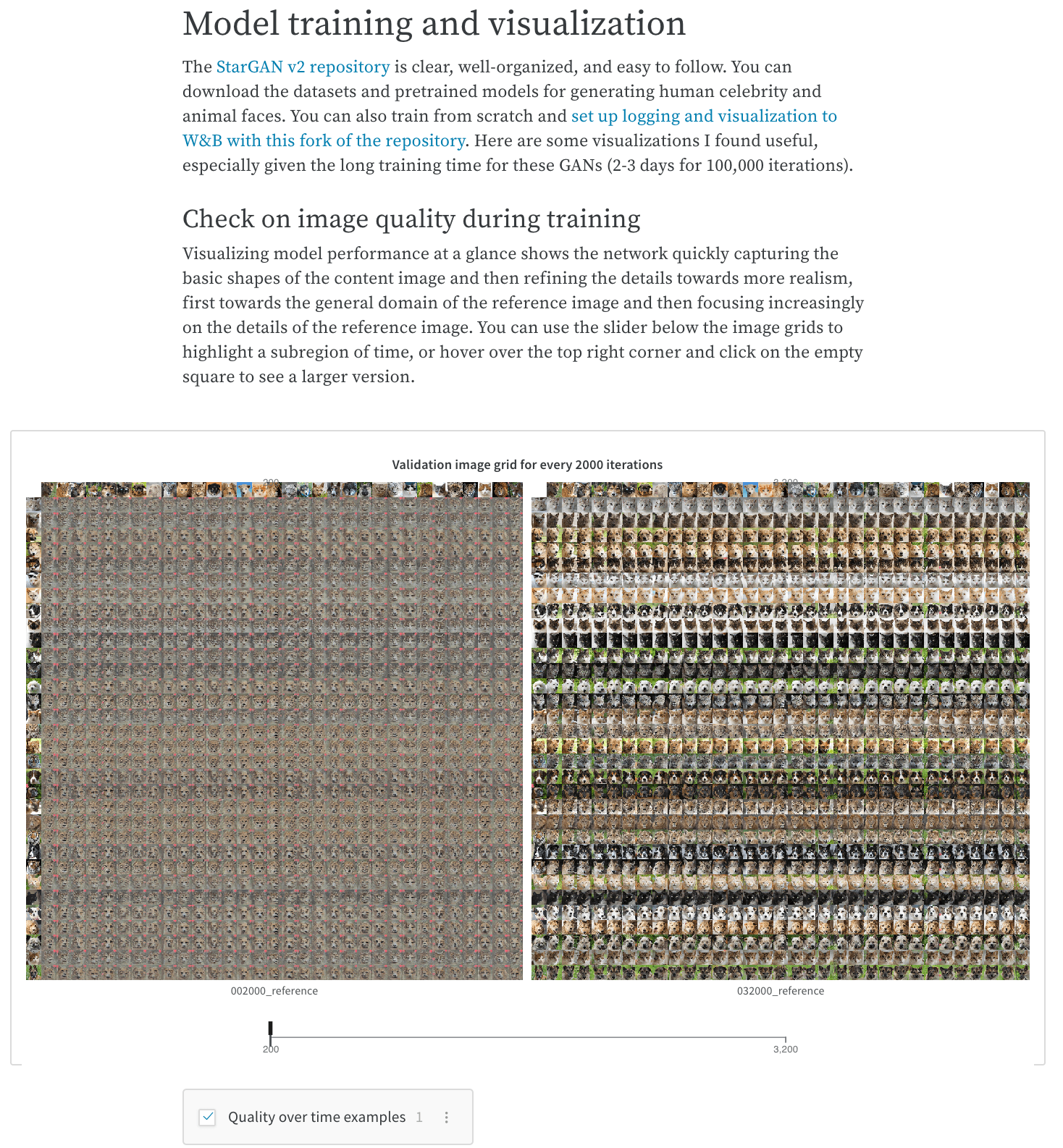
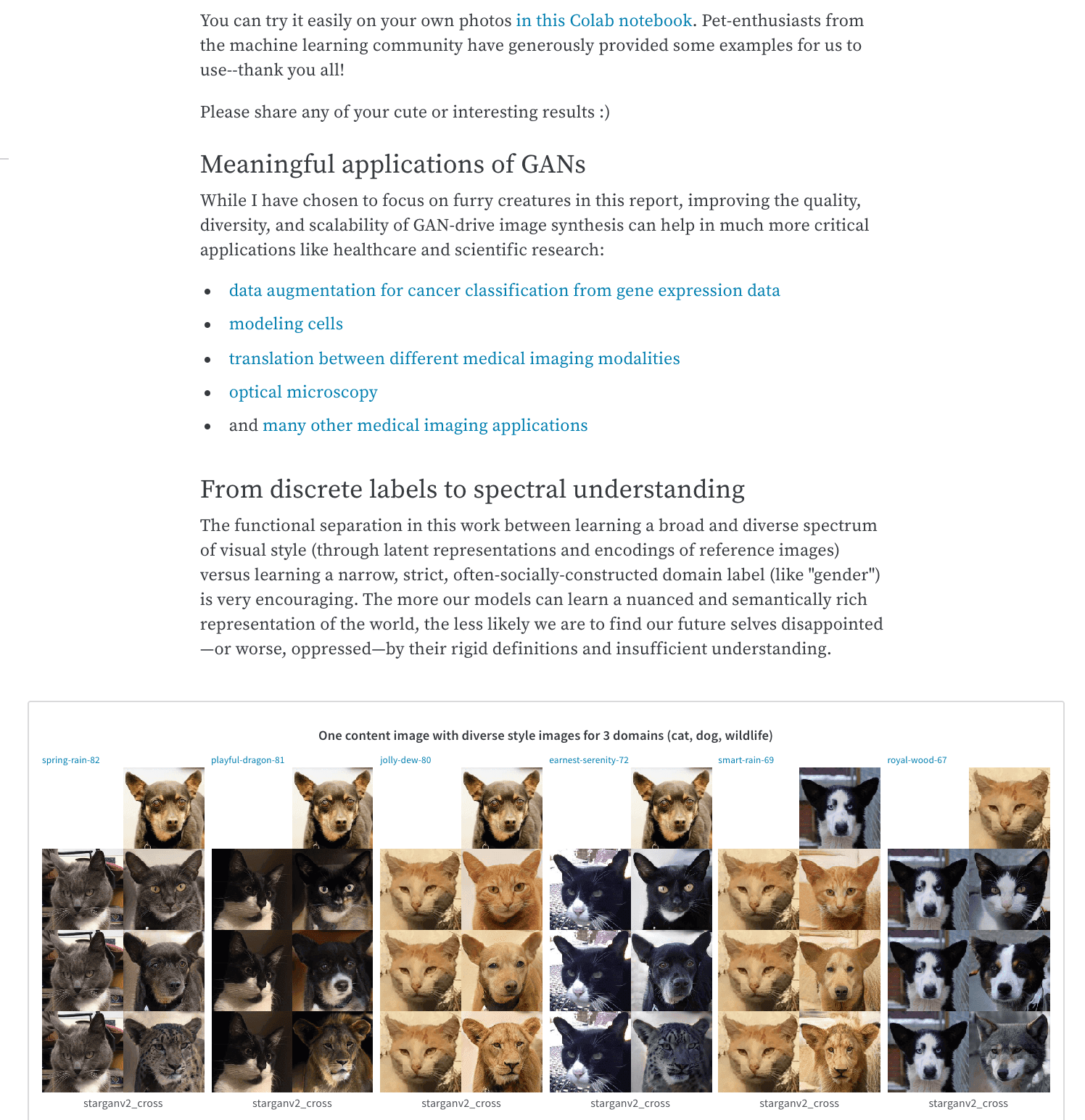
 スライダーや設定可能なメディアパネルを使用すると、モデルの結果やトレーニングの進捗をわかりやすく示せます。スライダーを使用した report の例については、[Cute Animals and Post-Modern Style Transfer: StarGAN v2 for Multi-Domain Image Synthesis](https://forge.coreweave.com/wandb/stacey/stargan/reports/Cute-Animals-and-Post-Modern-Style-Transfer-StarGAN-v2-for-Multi-Domain-Image-Synthesis---VmlldzoxNzcwODQ) report を参照してください。
作業ログ: 試したことをトラッキングし、次のステップを計画する
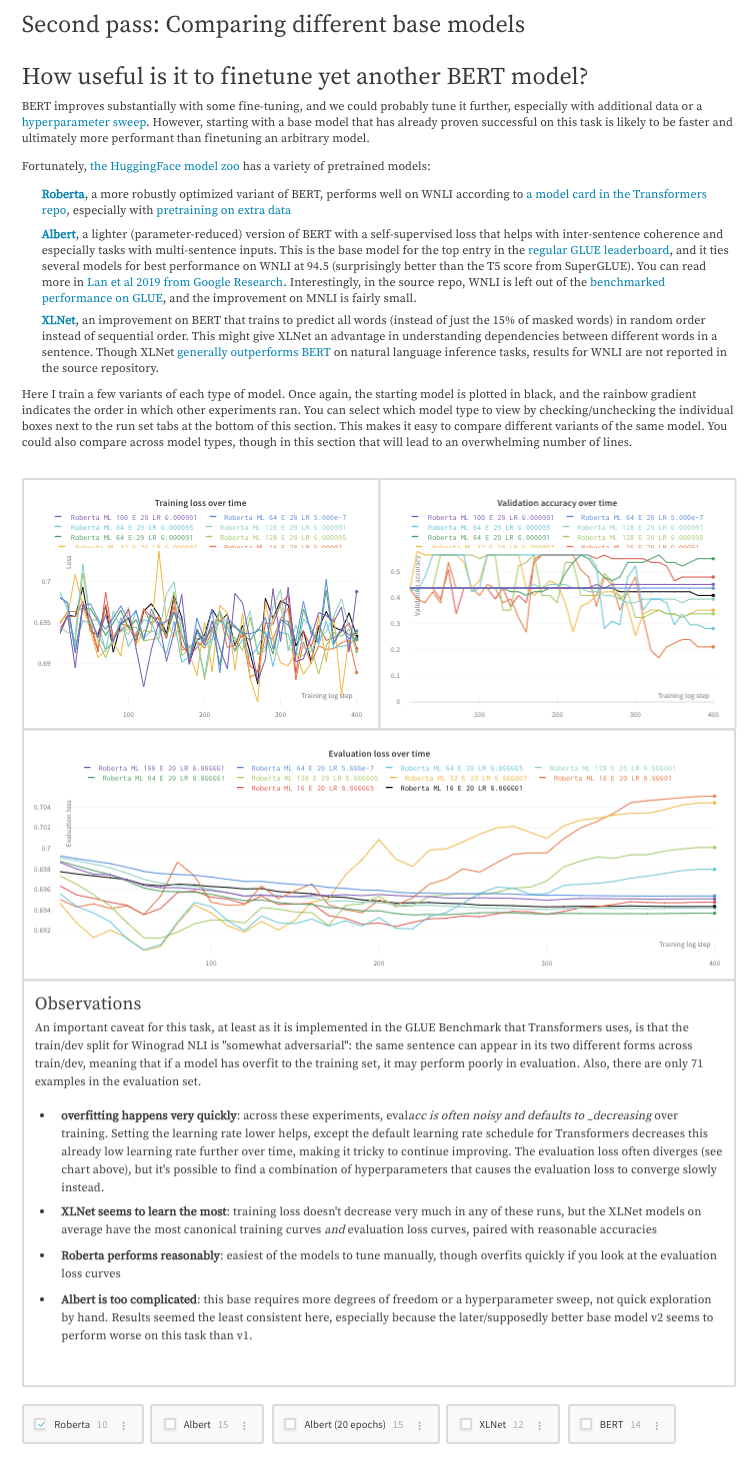
project を進める中で、実験についての考察、検出結果、つまずいた点、次のステップを書き留めておきましょう。スクリプトだけでは残せない重要な情報を、すべて 1 か所に整理して記録できます。検出結果を report にまとめる例については、[Who Is Them? Text Disambiguation With Transformers](https://forge.coreweave.com/wandb/stacey/winograd/reports/Who-is-Them-Text-Disambiguation-with-Transformers--VmlldzoxMDU1NTc) report を参照してください。
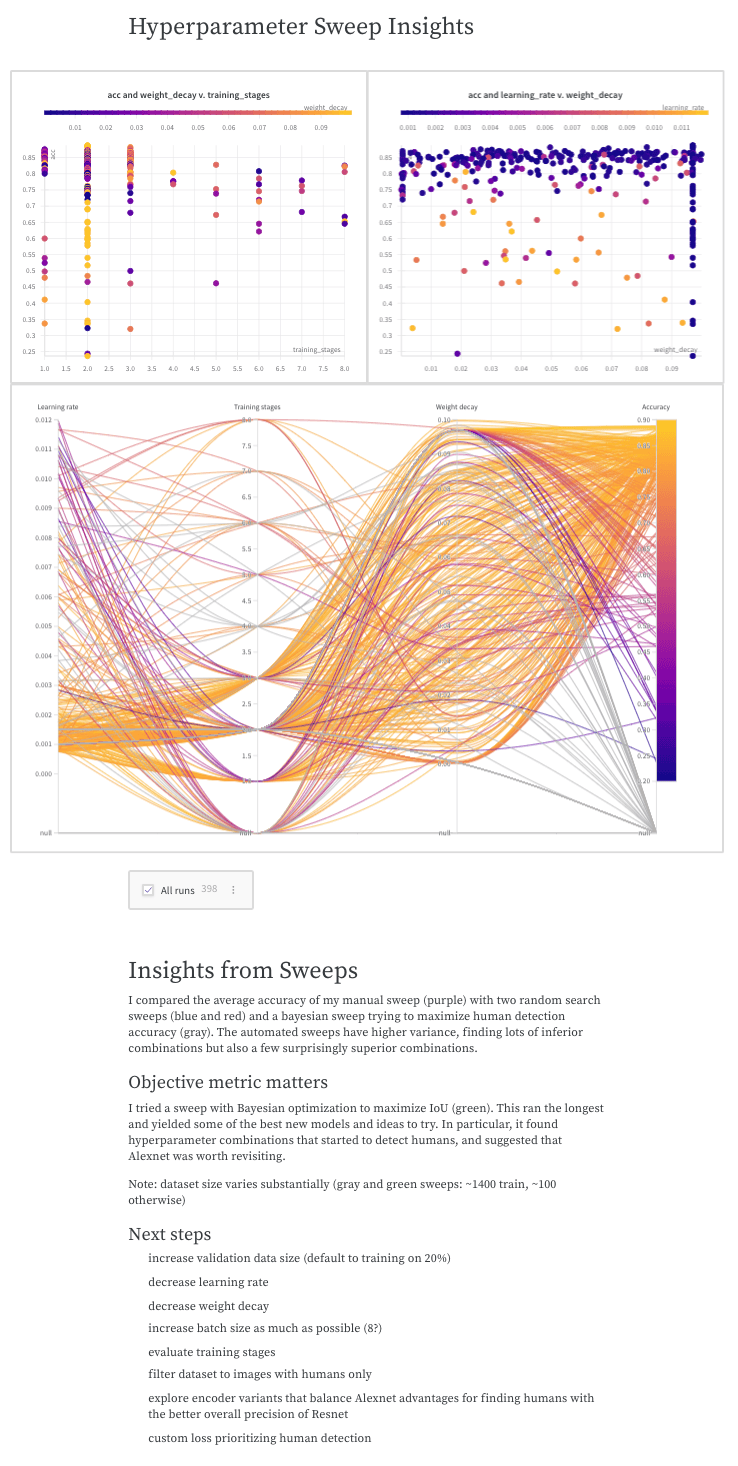
 project の経緯をストーリーとして残しておけば、自分自身や他のメンバーが後から参照して、モデルがどのように、なぜ開発されたのかを理解できます。検出結果を report にまとめる例については、[The View from the Driver's Seat](https://forge.coreweave.com/wandb/stacey/deep-drive/reports/The-View-from-the-Driver-s-Seat--Vmlldzo1MTg5NQ) report を参照してください。
 OpenAI Robotics チームが Reports を使用して大規模な機械学習 project を運営している例については、[Learning Dexterity End-to-End Using W\&B Reports](https://bit.ly/wandb-learning-dexterity) を参照してください。