> ## Documentation Index
> Fetch the complete documentation index at: https://docs.coreweave.com/llms.txt
> Use this file to discover all available pages before exploring further.
# UI ガイド
> Web インターフェースから Serverless Inference のモデルにアクセスします
Web UI から Serverless Inference サービスを使用する方法を説明します。このガイドでは、サービスへのアクセス方法、Playground でモデルを試す方法、モデルを並べて比較する方法、請求と使用状況を監視する方法について説明します。コードを書かずにモデルをインタラクティブに試したい場合は、UI を使用してください。
UI を使用する前に、[前提条件](/ja/products/inference/serverless/prerequisites)を満たしてください。
Inference サービスにアクセスする
以下のセクションでは、Inference サービスにアクセスする 3 つの方法を説明します。現在のワークフローに最も適した方法を選択してください。
直接リンク
[https://forge.coreweave.com/inference](https://forge.coreweave.com/inference) にアクセスします。
Inference タブから
1. [Forge](https://forge.coreweave.com/wandb) で W\&B アカウントにアクセスします。
2. プロジェクトのサイドバーから **Inference** を選択します。利用可能なモデルとその情報を一覧表示するページが開きます。
Playground タブから
1. プロジェクトのサイドバーから **Playground** を選択します。Playground のチャット UI が表示されます。
2. LLM ドロップダウンリストで **Serverless Inference** にカーソルを合わせます。右側に利用可能なモデルのドロップダウンが表示されます。
3. モデルのドロップダウンでは、次の操作を行えます。
* 任意のモデル名をクリックして、[Playground で試す](#try-a-model-in-the-playground)。
* [複数のモデルを比較する](#compare-multiple-models)
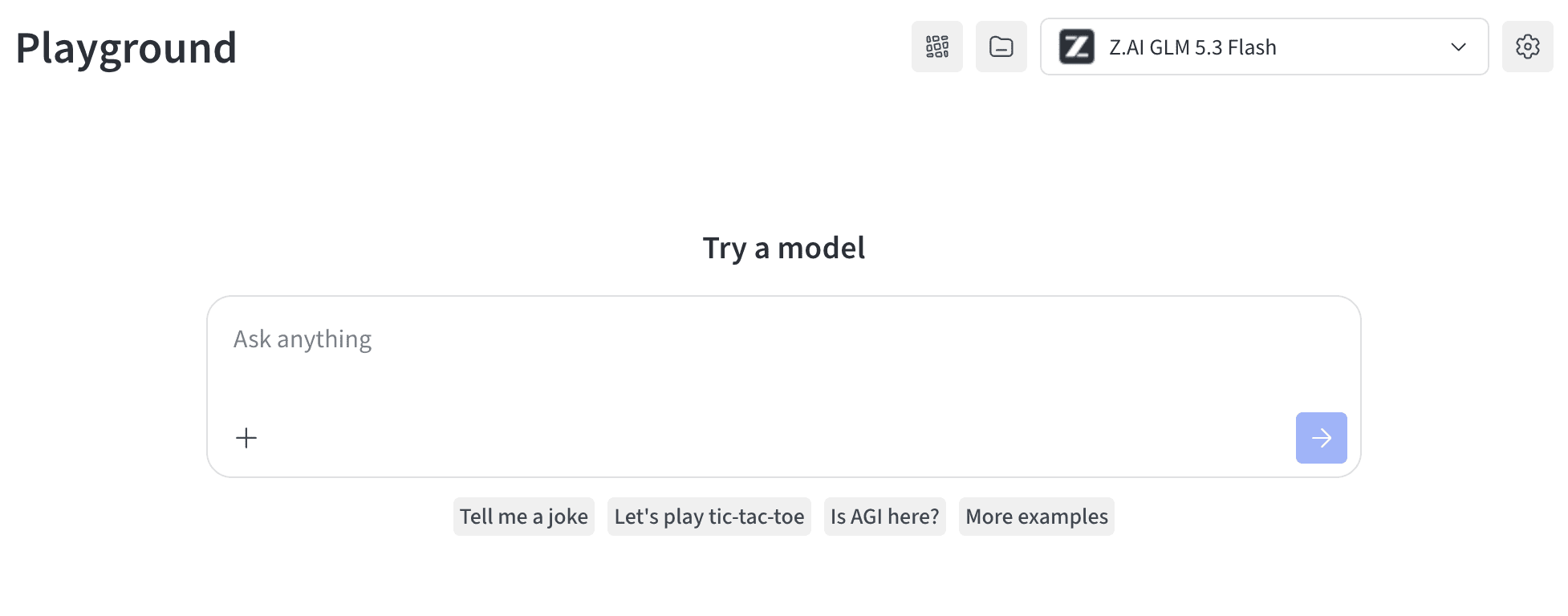
プレイグラウンドでモデルを試す
[モデルを選択](#access-the-inference-service)したら、他の環境に統合する前にプレイグラウンドでテストし、応答を評価したり動作を調整したりできます。実行できる操作は次のとおりです。
* [モデルの設定とパラメーターをカスタマイズする](/ja/products/wandb/weave/guides/tools/playground#customize-playground-settings)。
* [メッセージを追加、再試行、編集、削除する](/ja/products/wandb/weave/guides/tools/playground#message-controls)。
* [カスタム設定を適用したモデルを保存して再利用する](/ja/products/wandb/weave/guides/tools/playground#saved-models)。
* [複数のモデルを比較する](#compare-multiple-models)。
複数のモデルを比較する
Playground では、Inference モデルを並べて比較し、同じプロンプトに対する品質、レイテンシー、出力スタイルを評価できます。Compare ビューには 2 か所からアクセスできます。それぞれ以下のセクションで説明します。
Inference タブから
1. プロジェクトのサイドバーから **Inference** を選択します。利用可能なモデルのページが表示されます。
2. モデルカード上の任意の場所 (モデル名以外) をクリックして選択します。選択したカードはハイライト表示されます。
3. 比較するモデルごとに同じ操作を繰り返します。
4. 選択したいずれかのカードで **Compare \[N] models in the Playground** をクリックします (`[N]` は選択したモデルの数です) 。Comparison ビューが開きます。
これで、モデルを比較しながら、[プレイグラウンドでモデルを試す](#try-a-model-in-the-playground)で紹介しているすべての機能を利用できます。
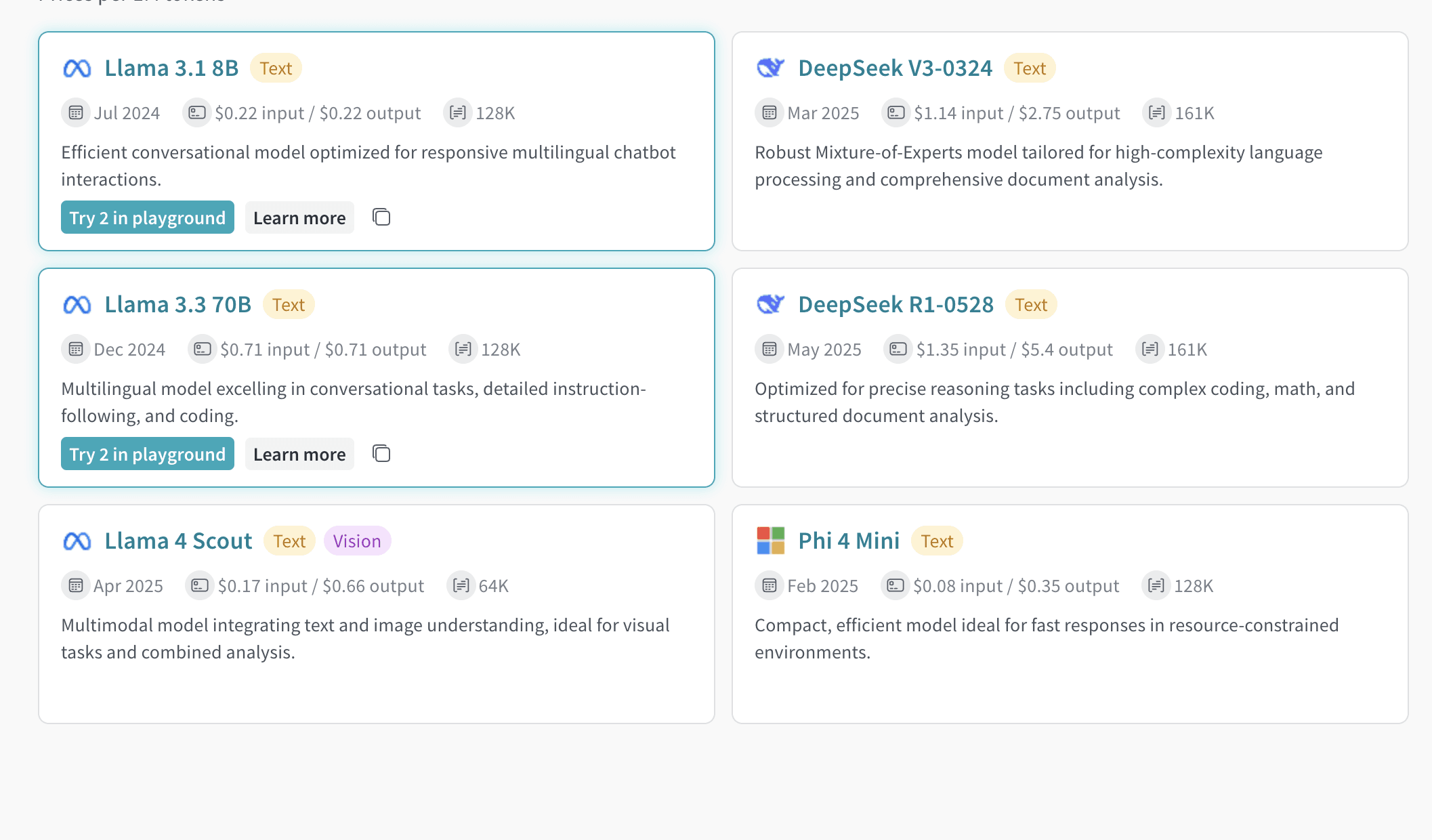
Playground タブから
1. プロジェクトのサイドバーから **Playground** を選択します。Playground のチャット UI が表示されます。
2. LLM ドロップダウンリストで **Serverless Inference** にカーソルを合わせます。右側にモデルのドロップダウンが表示されます。
3. ドロップダウンから **Compare** を選択します。**Inference** タブが表示されます。
4. モデルカード上の任意の場所 (モデル名以外) をクリックして選択します。選択されたカードは強調表示されます。
5. 比較するモデルごとに、同じ操作を繰り返します。
6. 選択したいずれかのカードで **Compare \[N] models in the Playground** をクリックします。Comparison ビューが開きます。
これでモデルを比較できるようになり、[Playground でモデルを試す](#try-a-model-in-the-playground)で紹介しているすべての機能も利用できます。
組織管理者は、W\&B UI でクレジット残高、使用量の履歴、今後の請求をトラッキングできます。このビューで支出を監視し、今後の請求額を予測できます。
1. W\&B UI の **Billing** ページにアクセスします。
2. **Inference** の請求情報カードを見つけます。
3. ここでは次の操作を行えます。
* **View usage** をクリックして、使用量の推移を確認する。
* 今後の推論料金を確認する (有料プランの場合) 。
モデルごとの料金の詳細については、[Inference 価格ページ](https://wandb.ai/site/pricing/inference)を参照してください。
次のステップ
* [利用可能なモデル](/ja/products/inference/serverless/models)を確認して、ニーズに最適なモデルを見つけてください。
* プログラムからアクセスするには、[API](/ja/products/inference/serverless/api-reference) をお試しください。
* コードサンプルについては、[使用例](/ja/products/inference/serverless/examples)を参照してください。