Cluster Resource Overview
Monitor cluster-wide resources
To view the dashboard, go to the Cluster Resource Overview dashboard.
For accessing CoreWeave Grafana Dashboards instructions, see Access CoreWeave Grafana Dashboards.
The Cluster Resource Overview dashboard provides a comprehensive overview of your cluster resource utilization and the health of your workloads. It is designed to give you a high-level summary and allow you to dive deep into specific components of your Kubernetes cluster.
Overview
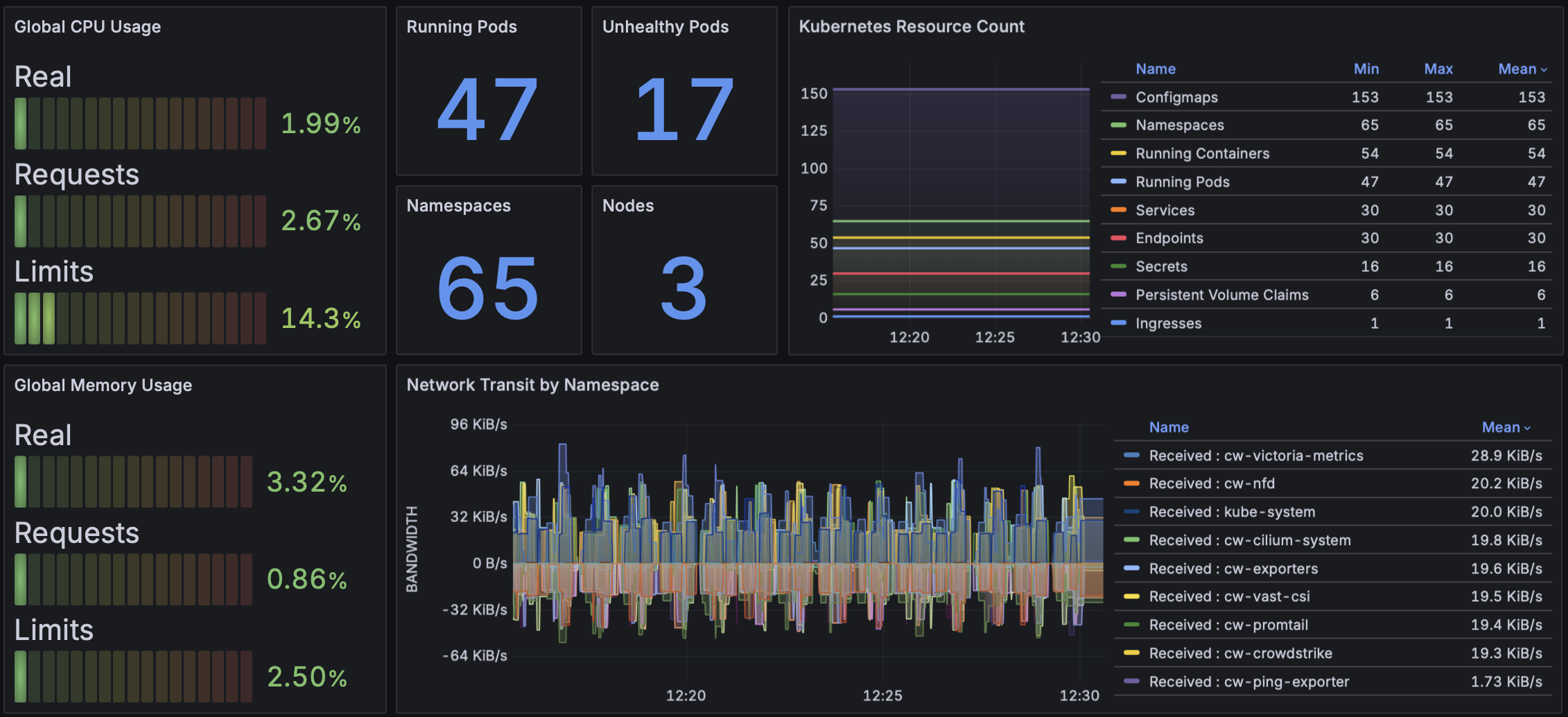
The Overview section shows cluster-wide CPU usage, memory usage, network transit throughput, and a summary of workload health. This allows you to quickly assess the overall state of your cluster.
| Panel Title | Description |
|---|---|
| Global CPU Usage | Displays CPU usage, requests, and limits across the entire cluster. |
| Global Memory Usage | Displays memory usage, requests, and limits across the entire cluster. |
| Kubernetes Resource Count | Shows the count of various Kubernetes resources like Configmaps, Running Containers, Namespaces. |
| Network Transit by Namespace | Displays the network traffic (received and transmitted) broken down by namespace. |
| Unhealthy Pods by Namespace | Shows the count of unhealthy Pods over time, grouped by namespace. |
| Pods Phase Count | Shows the number of Pods in different phases (Running, Pending, Failed, Succeeded, Unknown). |
GPU Info
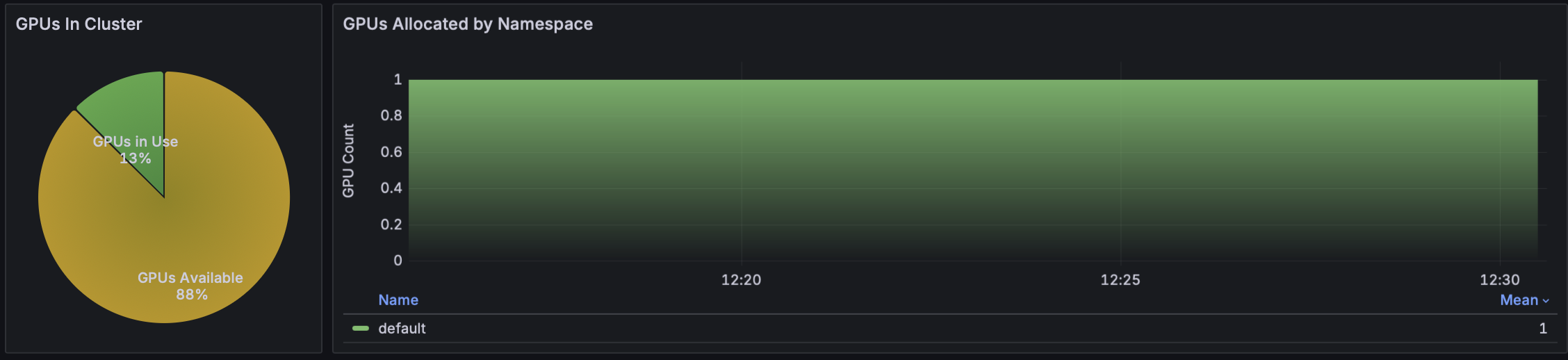
The GPU Info section provides insights into GPU usage, availability, and the status of idle Slurm Nodes.
| Panel Title | Description |
|---|---|
| GPUs In Cluster | Displays the total number of GPUs available in the cluster. |
| GPUs Allocated by Namespace | Shows how GPUs are distributed and allocated across different namespaces. |
| GPU Accelerated Pods | Lists all Pods that are currently utilizing GPUs. |
| Idle Slurm Nodes/Pods | A graph showing the number of idle Slurm Nodes or Pods over time. |
Pod Info
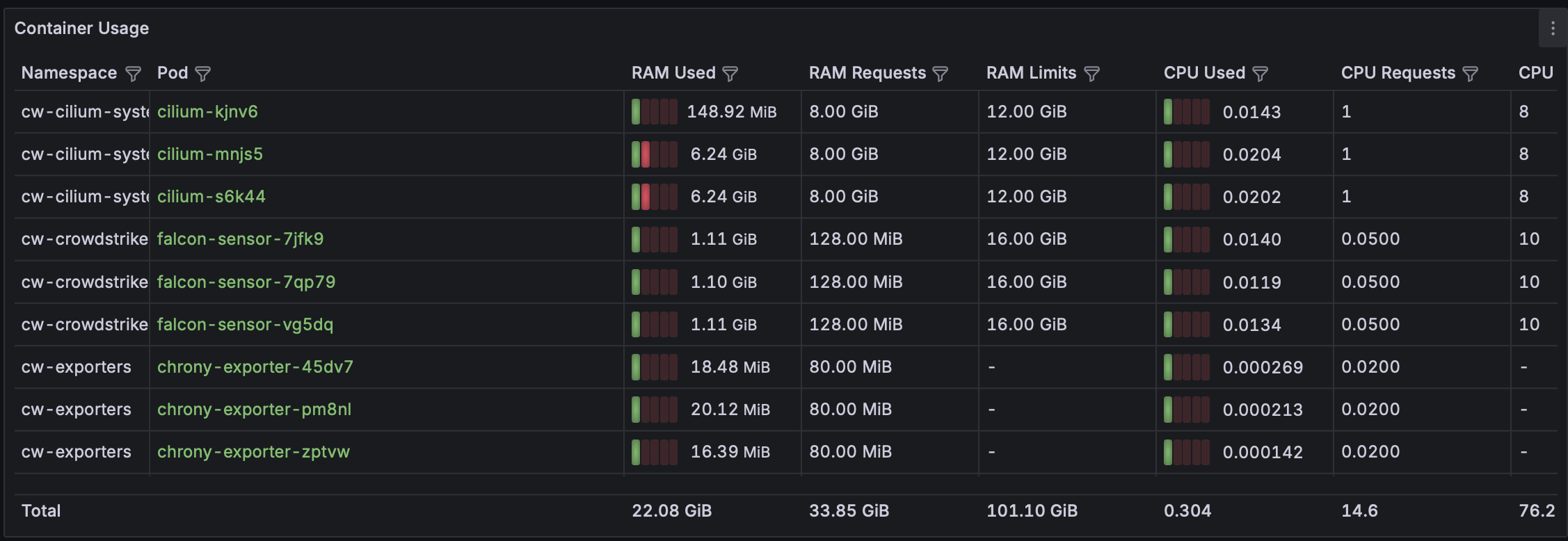
The Pod Info section details CPU and memory limits, requests, and usage for each individual Pod. This helps in understanding resource consumption at the Pod level.
| Panel Title | Description |
|---|---|
| Container Usage | Lists Pods with their namespace, RAM usage, RAM requests, RAM limits, and CPU usage. |
| Pod Readiness | Shows the readiness status of each Pod. |
Node Info
The Node Info section displays CPU and memory capacity, requests, and limits for Pods running on each Node. It also shows the percentage of utilization for each Node based on Pod requests.
| Panel Title | Description |
|---|---|
| Node Requests vs Capacity | A table detailing each Node's Cores Capacity, CPU Requests, CPU Limits, CPU Requests percent, Memory Capacity, Memory Request, Memory Limits, and Memory Requests. |
Deployment / StatefulSet / DaemonSet Info
This section provides basic scheduled and ready replica counts for each workload, including Deployments, StatefulSets, and DaemonSets. This is useful for verifying that your applications are scaled correctly.
| Panel Title | Description |
|---|---|
| Deployments | Lists deployments with their current and desired replica counts. |
| StatefulSets | Lists StatefulSets with their current and desired replica counts. |
| DaemonSets | Lists DaemonSets with the number of scheduled and ready daemon Pods. |
Image Info
The Image Info section shows all container images currently in use throughout the cluster. This is valuable for tracking image versions and ensuring compliance.
| Panel Title | Description |
|---|---|
| Images In Use | A table listing image names, the number of containers using the image, and the container tag. |